Maintenance
- 87 -
B
How to select the mapping of the control unit
(MY13)
On F4 MY13 models it is possible to select different
control unit mappings which allow to obtain variable
power and performance characteristics based on the
type of vehicle use.
The mapping selection may be performed
even during the use of the vehicle.
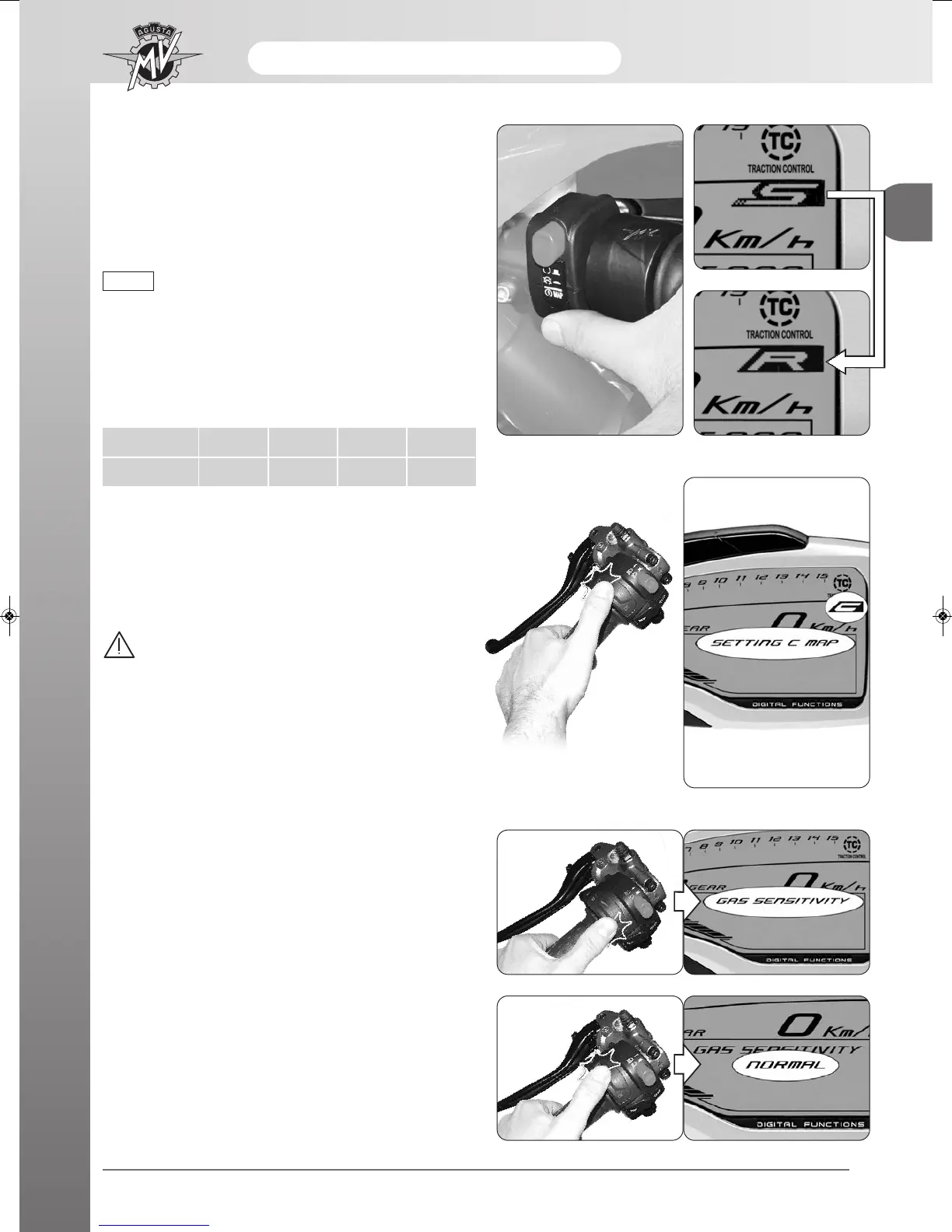
The mapping of the control unit can be selected by
pressing the start button when the engine is switched
on; this way the mapping switches to the following set-
ting value. The corresponding mapping characteristics
are listed in the following table.
NOTE
Mapping
Mode
N
Normal
R
Rain
S
Sport
C
Customised
q Setting of “Custom” mapping
-Press the start button when the engine is switched on
until selecting the mapping “C” of the control unit
(“Custom” mapping).
WARNING
The “Custom” mapping setting operations
must be performed when the the gear is in
neutral and the motorbike stationary with
your feet on the ground. Do not change the
display while driving.
- Press “SET” until “SETTING C MAP” appears.
In order to adjust the “Custom” mapping parameters to
your driving requirements, perform the following oper-
ations.
- Throttle control sensitivity: Press “OK” for less than
three seconds until “GAS SENSITIVITY” appears.
- Press “SET” for less than three seconds. The display
shows the current setting for throttle control sensiti-
vity.






 To Next Page