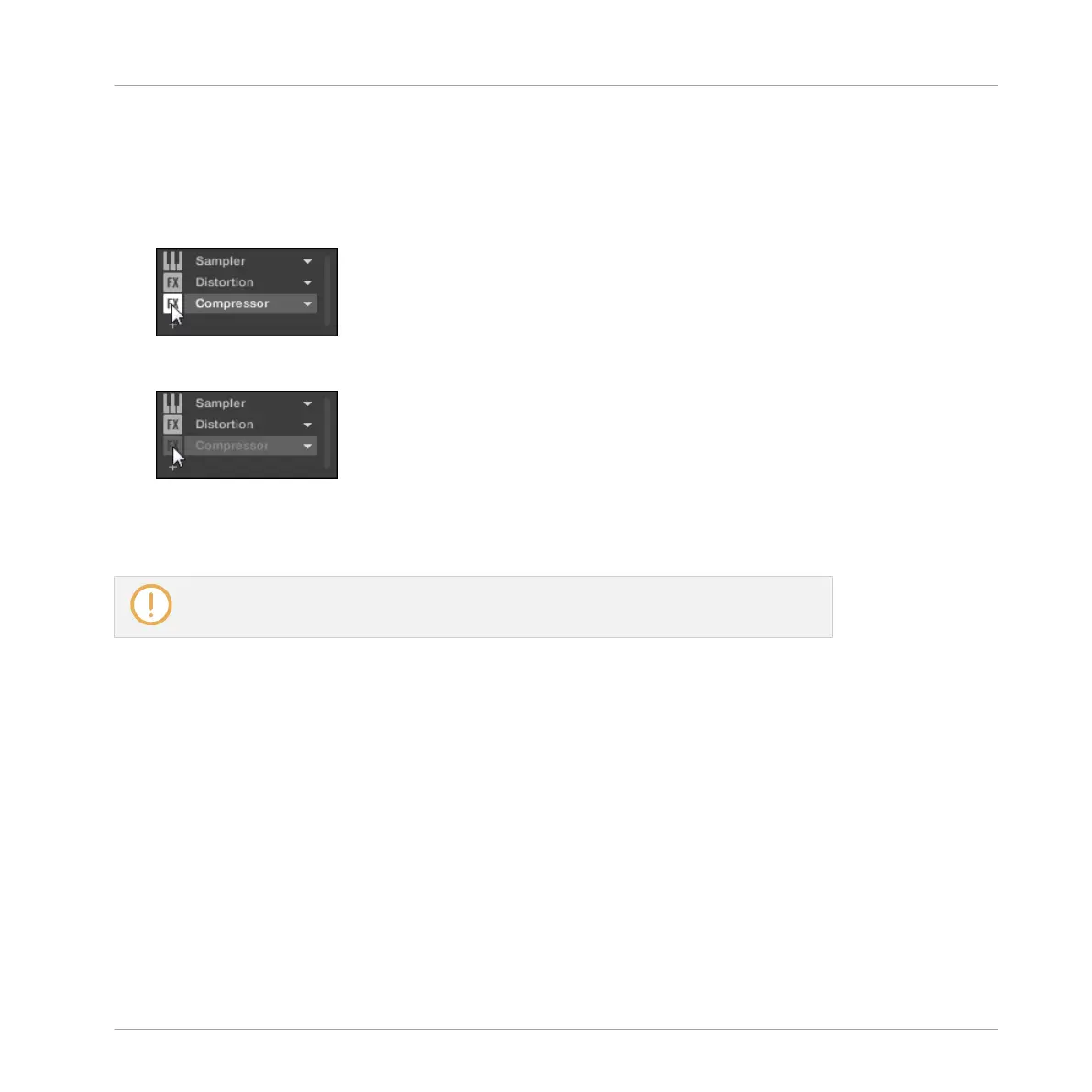
3. If you want to bypass a Plug-in of a Sound, click the Group of its parent Group in the Ar-
ranger, click the desired Sound slot on the left of the Pattern Editor, and click the
SOUND tab in the top left corner of the Control area.
4. In the Plug-in List, click the icon left to the Plug-in name (keys for an Instrument Plug-in,
FX for an Effect Plug-in) to bypass this Plug-in.
The Plug-in does not affect the sound anymore. The icon is grayed out to indicate that
this slot is now bypassed.
Use the same method to unmute the Plug-in:
►
To activate the bypassed slot again, click its grayed out icon.
In most cases the first Plug-in slot contains an Instrument Plug-in (e.g., a Sampler). Be
careful: bypassing the slot will mute the whole Sound!
Bypassing a Plug-in Slot on the Controller
1. Press the CONTROL button to enter Control mode.
2. If you want to bypass a Plug-in of the Master, press Button 1 to select the MASTER tab.
3. If you want to bypass a Plug-in of a Group, press Button 2 to select the GROUP tab and
press the Group button A–H corresponding to the desired Group. If necessary, first press
SHIFT + the desired Group button A–H to switch to the Group bank containing that
Group.
4. If you want to bypass an effect of a Sound, press Button 3 to select the SOUND tab, se-
lect its parent Group as described in the previous step, and press SELECT + the pad of
that Sound (or simply hit its pad if pads are in Group mode).
5. Make sure PLUG-IN (Button 6) is activated to show the Plug-in slots.
Working with Plug-ins
Plug-in Overview
MASCHINE - Manual - 268



 To Next Page