Branch Reserve I/O
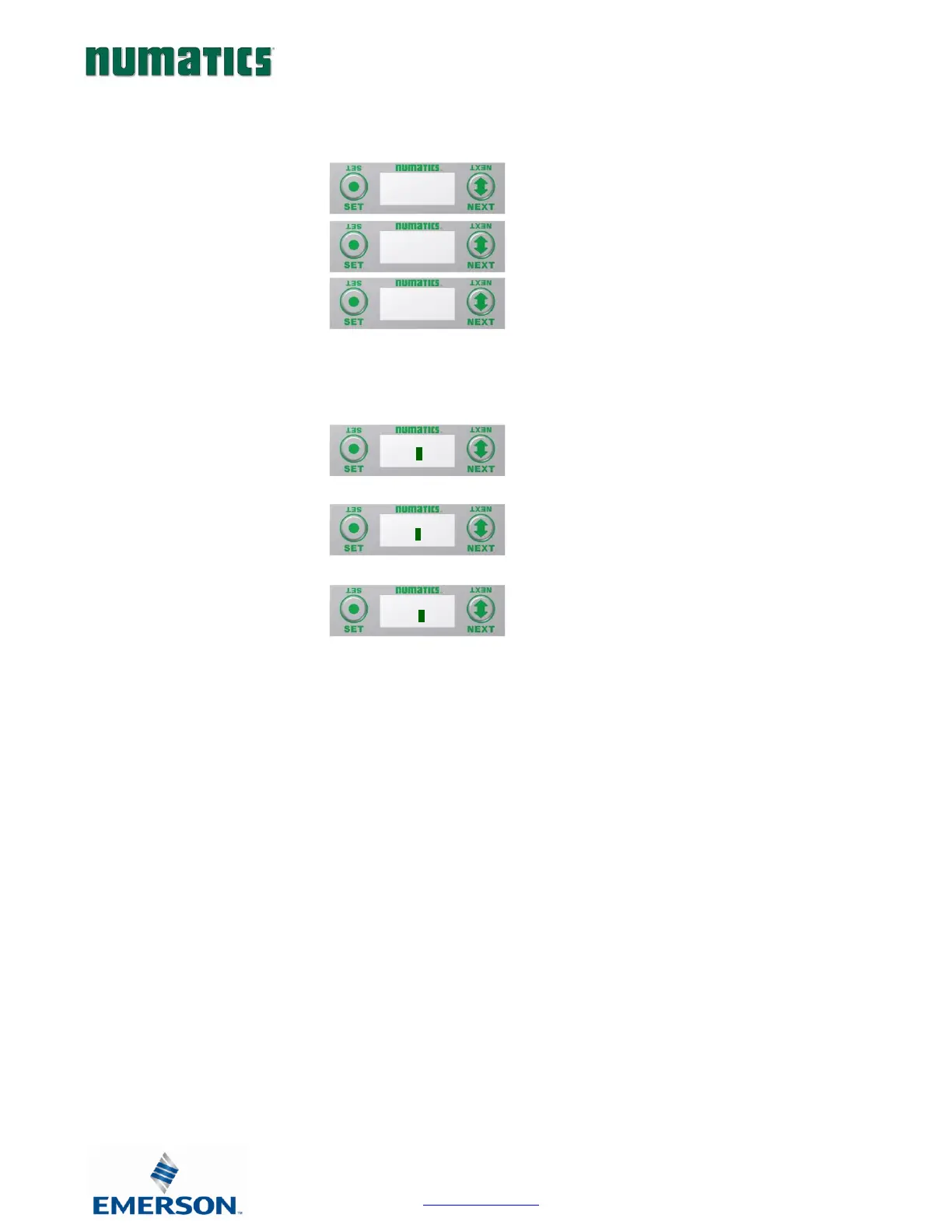
H) Press the SET button to enter the
Branch Reserve IO sub-menu.
I) Press the NEXT button to select the
desired Branch to reserve I/O bytes.
I/O data bytes can be reserved on each branch for future expansion within the G3 system. Space is reserved in
Byte levels, and populates Input, Output, and Status depending on the protocol and configuration chosen (e.g.
EtherNet/IP
TM
). A maximum of 64 bytes per channel can be reserved.
J) Press the SET button to enter the
chosen Branch/Byte Selection screen.
K) Press the NEXT button to select the
desired Tens value of reserved bytes.
L) Press the SET button to set the desired
Tens value.
M) The screen will advance to the Ones
selection
N) Press the NEXT button to select the
desired Ones value for reserved bytes.
O) Press the SET button to set the desired
Ones value.
Once the desired byte size is chosen for the selected branch, the screen will jump to the next branch. The same
process is performed for the remaining branches, if desired. Press the NEXT button to skip over branches that do
not require reserving I/O.


 To Next Page