106
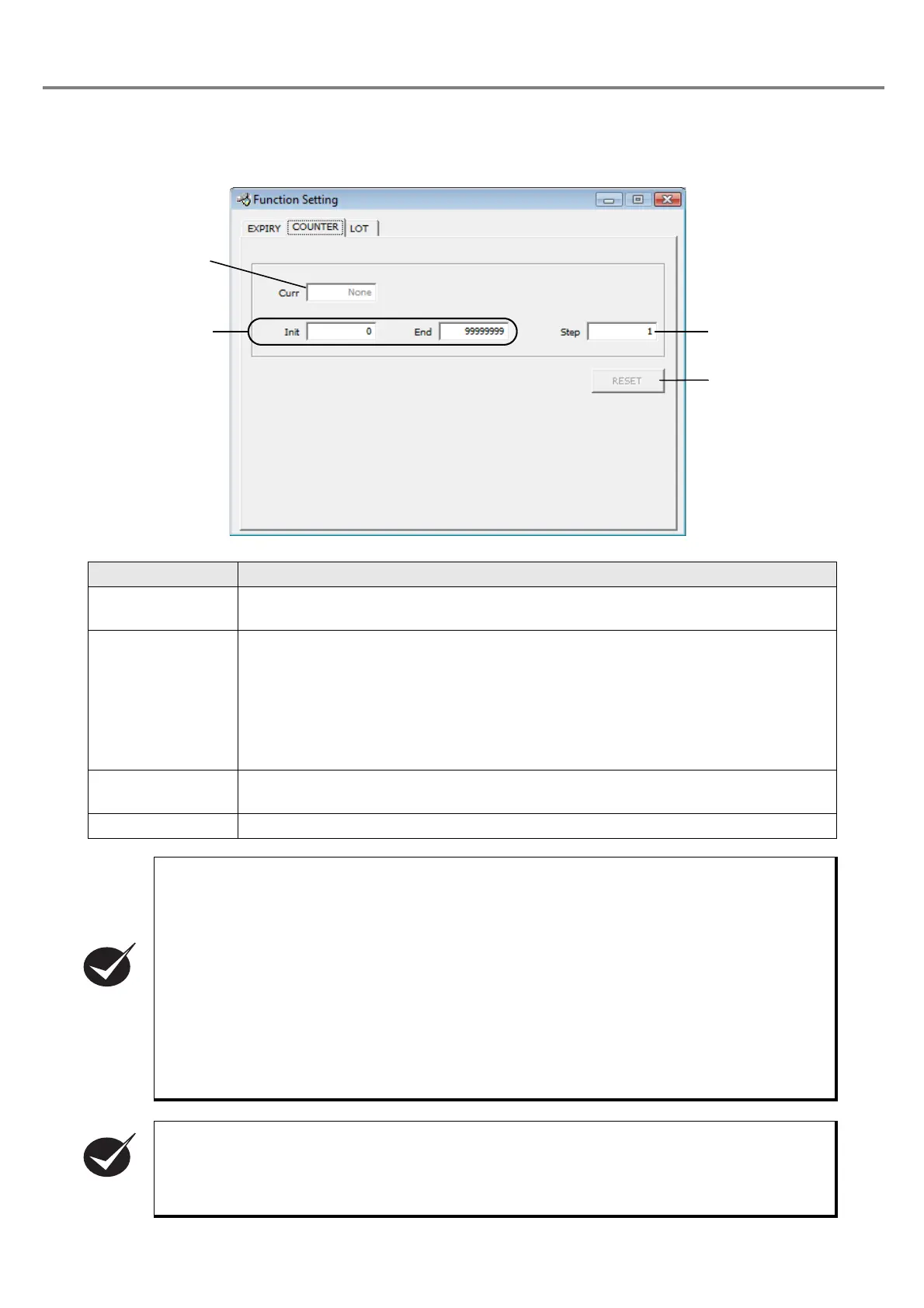
3-4-3 Setting of Counter Function
The counter function is the function for increasing the value from the initial to the end value stepwise.
Item Description
1. Curr
(Current value)
Value of the current counter
Setting range: 0 to 99999999
2. Init (Initial value)/
End (End value)
Initial value and end value of the counter. When determining each value, the counting
is performed as follows.
• Initial value < end value : Count up
• Initial value > end value: The counter end is output and the counter does not count
up.
Setting range: 0 to 99999999
3. Step
(Step value)
Input a value of increment.
Setting range: 0 to 99999999
4. RESET Sets the current value as the initial value. (The current value in the head is not updated.)
• When the current value is set out of the range defined by the initial and end values, the counter
value is not marked, and the counter end signal is output.
• If the current value is reached to the end value, the external output counter end signal is output,
the counter end output is reset with the next trigger, and the laser marker is performed marking
from the initial value.
• When the PC itself is in operation and remote mode is selected as the control mode, the current
value of the counter is impossible to be input.
• When changing the control mode from remote mode to PC control one, the PC gains all current
values from the head. In this mode, the current counter value is possible to be input.
• The current counter value is transferred to the file transfer with the files.
• In test marking, the displayed current counter values are transferred, and they are gained again
and displayed after completing the test marking.
• The value is not counted-up at test marking and guide display.



 To Next Page