78
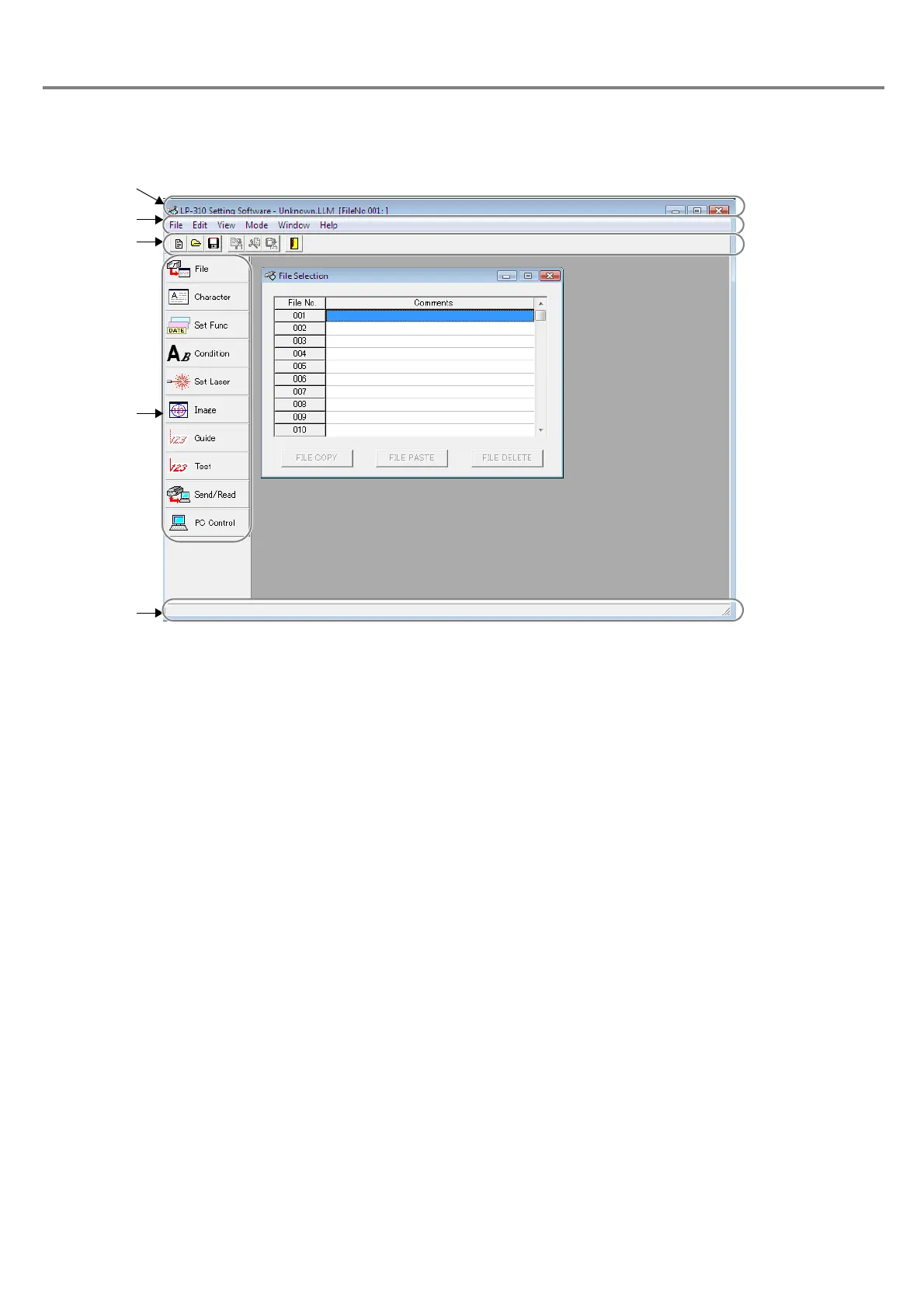
3-1-2 Construction of Main Screen
1Title Bar :
Displays the application name, registration name, and file No. of marking file.
2 Menu Bar : Displays basic menu.
Refer to “3-1-3 Menu Function” (P.79) for details.
3 Tool Bar : The edit functions of the file are minimized.
Refer to “3-1-4 Tool Button Function” (P.81) for details.
4 Operation Button : Displays the function buttons used very often.
5 Display Area : Displays the selected operation content and setting range.



 To Next Page