150
3-14
Environmental Setting
Set the environments of the laser marker and PC.
3-14-1Environmental Setting Related to Laser Marker
“File” - “ENVIRONMENT” - “Laser Marker”
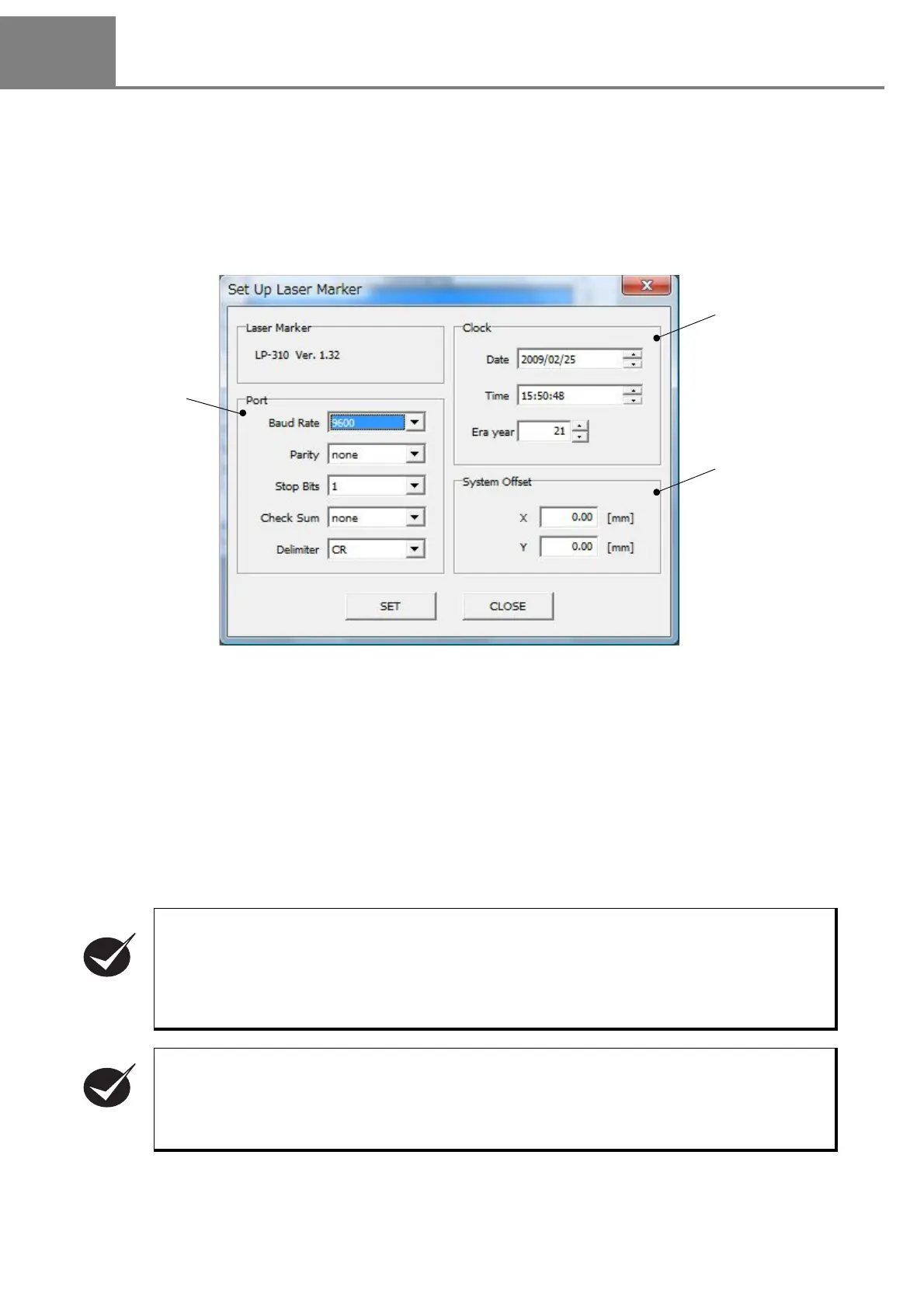
When selecting the “Laser Marker” in “File”, the “Set Up Laser Marker” dialog box is appeared. On this screen,
the following items, Date, Time, Era year, System Offset, and Port are set.
(1) Clock
Set the date, time, and era year of the internal memory of the head are set.
Click “SET”
:
The setting contents are reflected to this setting software and laser marker.
Click “CLOSE”
:
The change is ignored and the settings are returned to the original condition, and
then the dialog box is closed.
Setting of date and time
:
Click the item to be changed, and change the value using up-down button.
Setting of era year
:
Click the era year and change the value using the keyboard. The settable era year
is from 1 to 99. It is changeable using up-down button.
Adjust the clock setting of the laser marker to that of the PC.
The date and time set on the PC are applied only when displaying the image of the current date
and time, etc. The date and time set on the PC are also applied to display the current date and
so on as an image, and perform the test marking. Besides, the date and time set in the laser
marker are applied to marking characters in the remote mode.
For the setting method of the date and time of PC, refer to the operation manual of the user's PC.
The following items, Date, Lot, and Expiration, are marked based on the internal clock integrated
in the laser marker.
The internal clock might be deviated caused by the error of the internal parts or degree of the bat-
tery drain.
Therefore, be sure to check the time of the internal clock before the operation without fail.



 To Next Page