131
3-7-2 Magnification Method
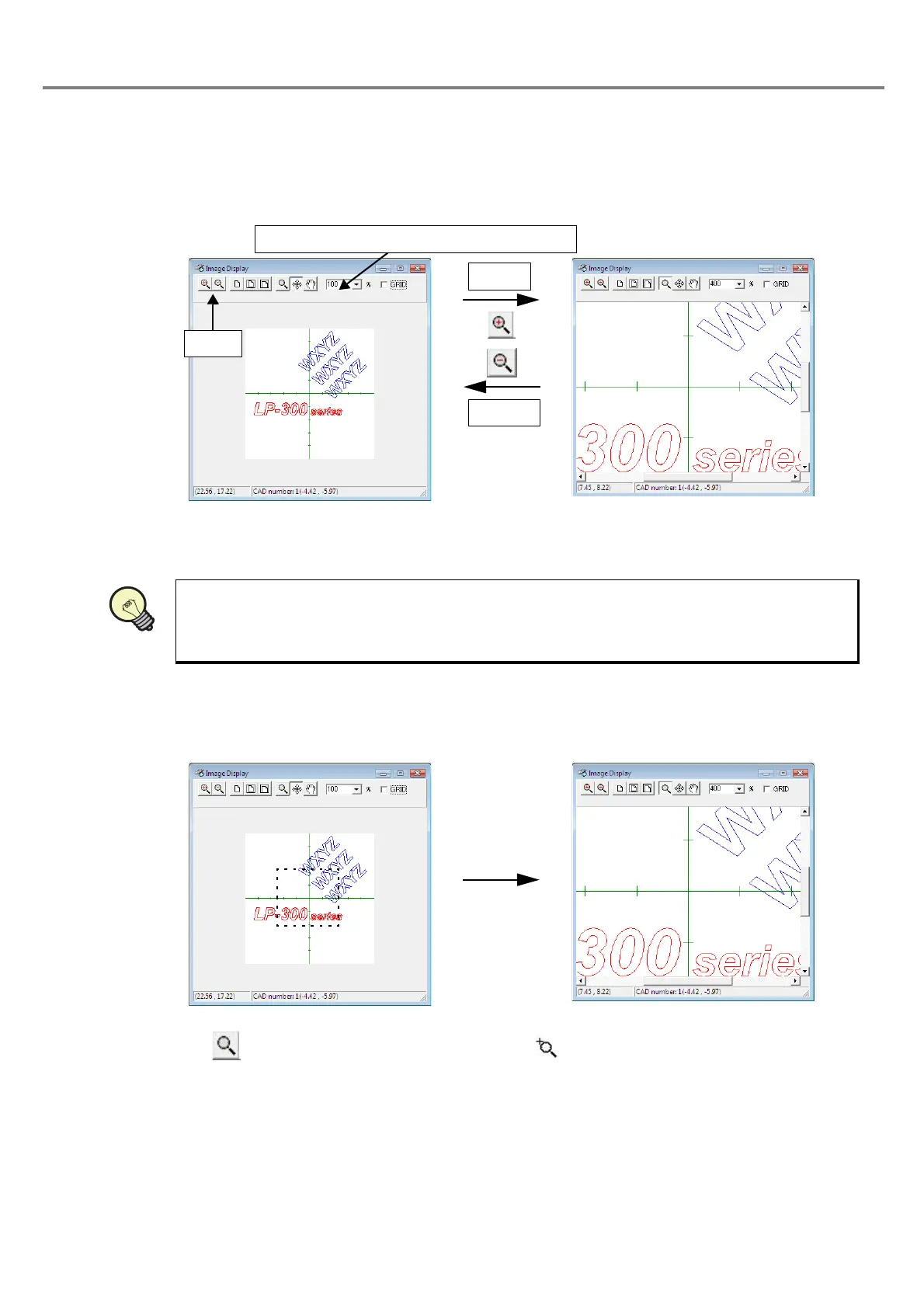
(1) Zoom-in/out buttons and magnification list box
• Zoom-in/out buttons: Zooms in and out the image by clicking the corresponding button.
• Magnification list box: Selects a desired magnification for display from the list box.
(2) Magnification by the magnification function
When clicking button, the mouse cursor is changed into icon.
With this state, click the left mouse button to specify the scope using the selection window (portion enclosed
with dotted lines). Then, the selected scope is magnified to the full size of the image display dialog box by
releasing the button.
The reference position of the zoom-in/out is set on the center of the image display screen.
Open the list box and select the magnification.
Zoom-out
Zoom-in
Button
REFERENC



 To Next Page