82
3-2
File Selection
3-2-1 Marking File
This function selects the marking file to be edited/set.
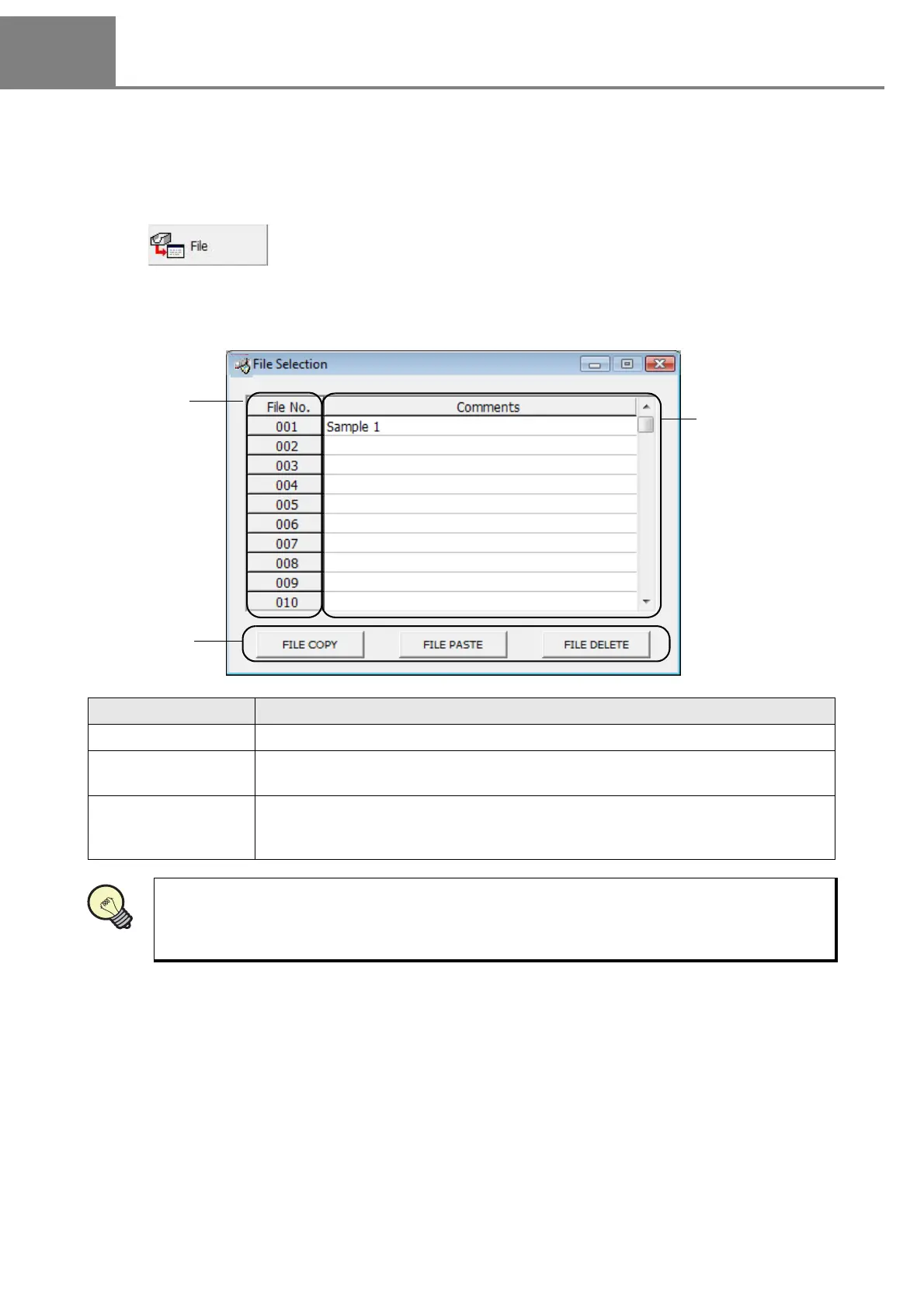
The “File Selection” screen for selecting marking file is appeared by clicking either selecting “1” method or
clicking “2” button described above.
1 View - “File”
2
Click .
Item Description
1. File No. Total 120 marking files are available for setting.
2. Comments
The marking file name can be added to each file No.
(This file name differs from the registration file name.)
3. FILE COPY/
FILE PASTE/
FILE DELETE
All the contents of the marking file are available for copy/paste/delete.
This function is useful for setting the similar operation.
The image can be displayed by double-clicking the selected marking file.



 To Next Page