79
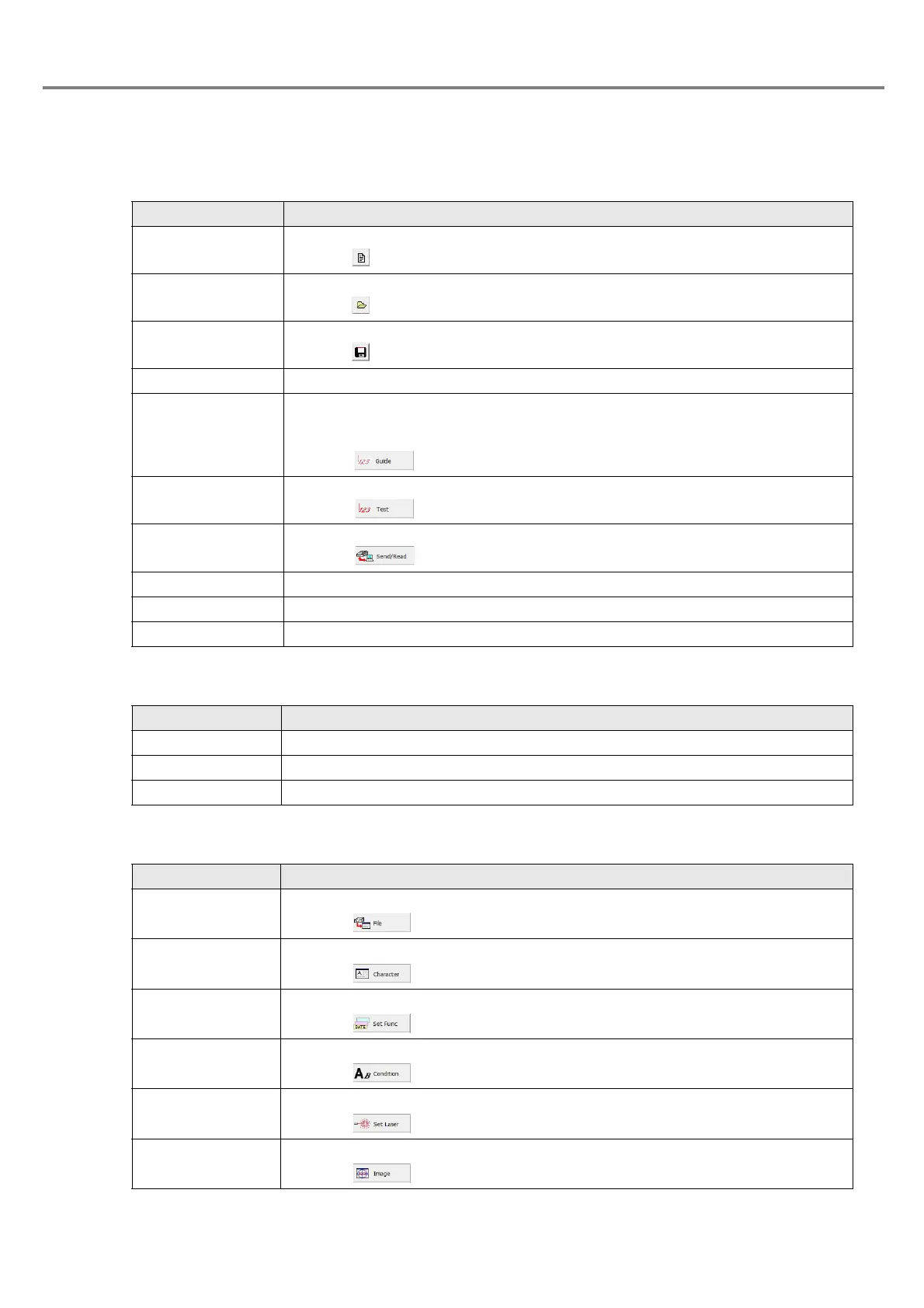
3-1-3 Menu Function
■ File
■ Edit
■ View
Item Description
New File
Creates a new registration file.
Clicking button performs the same function. (P.83)
Open
Reads the existing registration file.
Clicking button performs the same function. (P.84)
Save
Saves the registration file under editing.
Clicking button performs the same function. (P.85)
Save As Saves the registration file under editing as a name. (P.85)
GUIDE
Traces (guides) the center position of the current processing work and current
marking character string with a red laser.
The guide indication is performed in PC control mode.
Clicking performs the same function. (P.134)
TEST
Performs the test marking from PC in PC control mode.
Clicking performs the same function. (P.138)
SEND/READ
Performs the processing related to the send/read of the marking file.
Clicking performs the same function. (P.140)
ERROR Displays the date and content of the error occurred in the past. (P.148)
ENVIRONMENT Sets the environment of the laser marker and PC. (P.150)
Exit Selects this function when finishing this software.
Item Description
Cut Cuts the selected line.
Copy Copies the selected line.
Paste Pastes the selected line jut after copied
Item Description
File
Displays the file setting form.
Clicking performs the same function. (P.82)
Character
Displays the character setting form.
Clicking performs the same function. (P.88)
Set Func
Displays the function setting form.
Clicking performs the same function. (P.104)
Condition
Displays the marking condition setting form.
Clicking performs the same function. (P.110)
Set Laser
Displays the laser setting function.
Clicking performs the same function. (P.126)
Image
Displays the marking image.
Clicking performs the same function. (P.130)



 To Next Page