127
3-6-2 Line Width
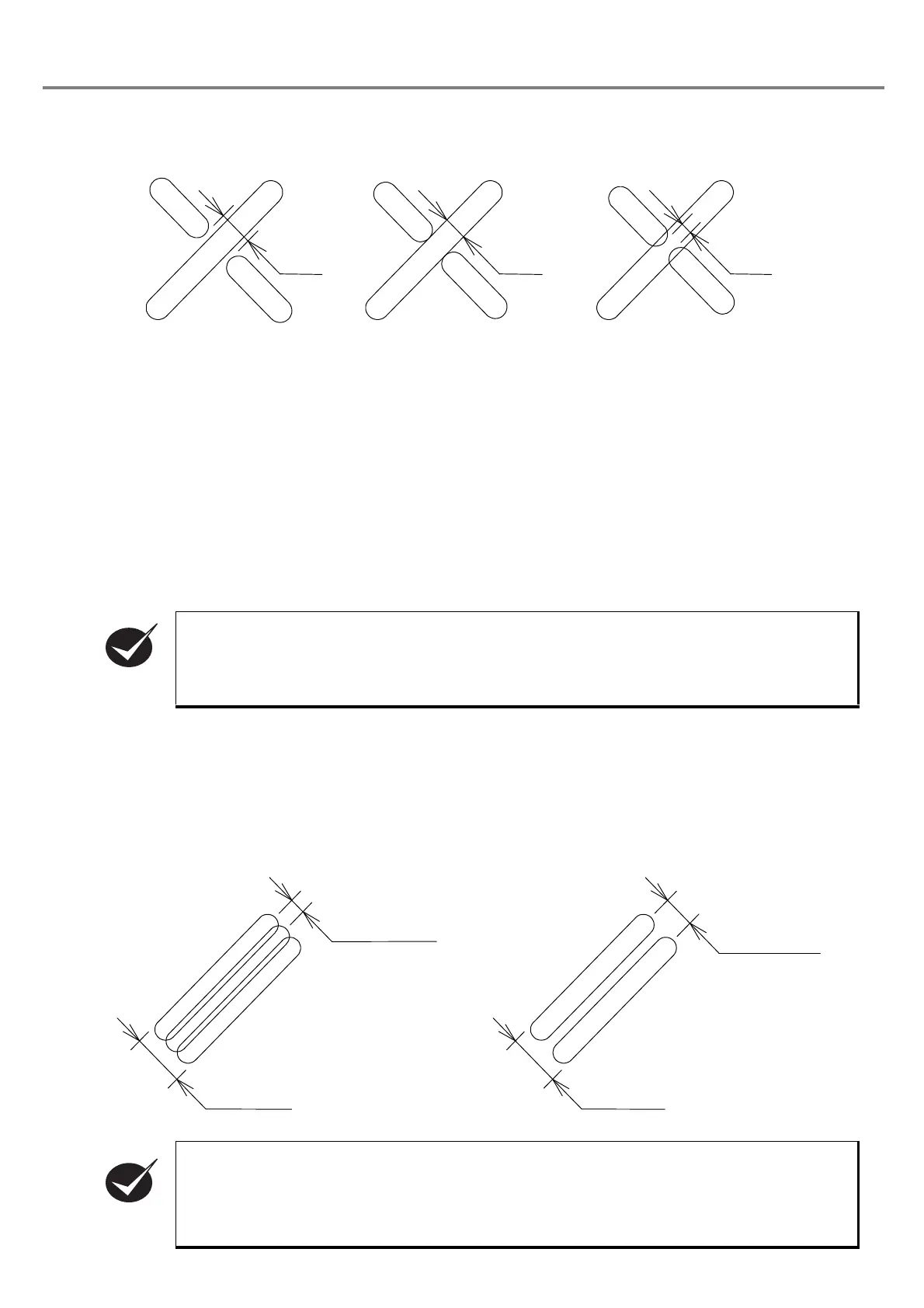
The line width is the setting value for creating the clearance at the intersection of the character strokes.
The initial value of the line width is set so that the character strokes are not overlapped at the intersection in
the case of general marking.
However, if the initial value is applied to the actual character marking, the character strokes may be over-
lapped each other so that the character is engraved too deeply or characters strokes are so apart that clear-
ance is created.
In such cases, overlay at the intersection can be adjusted finely by changing the setting of the line width.
Setting Range: 0.01 to 2.00mm
Initial Value
: 0.20mm
3-6-3 Marking Pitch
This item sets the density of the marking of the bold character.
• Marking bold characters
Even if the setting for the line width is adjusted, the width of the character stroke being marked is
not changed.
• The setting value of the “line width” is differed from the width of the actual marked strokes
depending on the material of the work being marked. For marking with proper “line width” and
“line width of bold character”, it is recommended to measure the line width of the marked one
stroke, and then input the proper setting value of the “line width”.
• This correction is not effective for the CAD data.
Too large line width Proper Too small line width
Line
Line
Line
Marking pitch
Marking pitch
Line width
of bold
characters
characters



 To Next Page