90
3-3-3 Input of Function Character
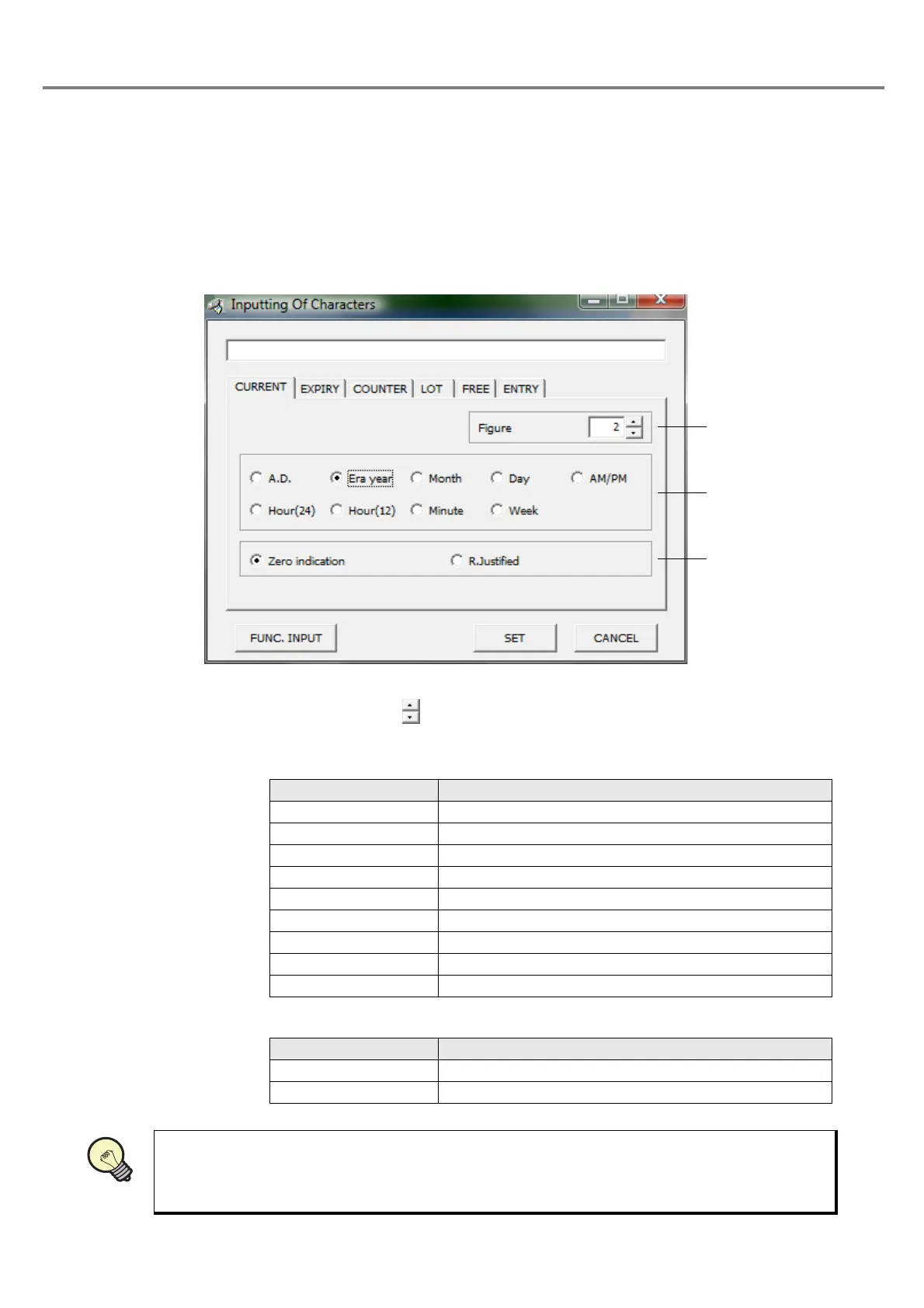
The “Inputting Of Character” screen can also be input the function character other than normal character.
(1) Input current date
Outline
:
Function for marking date and time of the internal clock in the main body of the laser marker.
1 Figure
:
Sets the figure with button. The setting range for the figure is selectable among
1 to 6.
2 Display Content
:
Enables to select either item by checking the corresponding radio button.
3 Zero indication
:
Enables to select either item by checking the corresponding radio button.
• The setting date is displayed as setting on PC on the image display.
Radio Button Description
A.D. Sets the dominical year.
Era year Sets the era year.
Month Sets the month.
Day Sets the day.
AM/PM Sets either morning or afternoon.
Hour (24) Sets the 24-hour time.
Hour (12) Sets the 12-hour time.
Minute Sets the minute.
Week Sets the week.
Radio Button Description
Zero indication Marks value in right-justified, and mark “0” to the left.
R.Justified Marks value in right-justified, and blanks left column.



 To Next Page