57
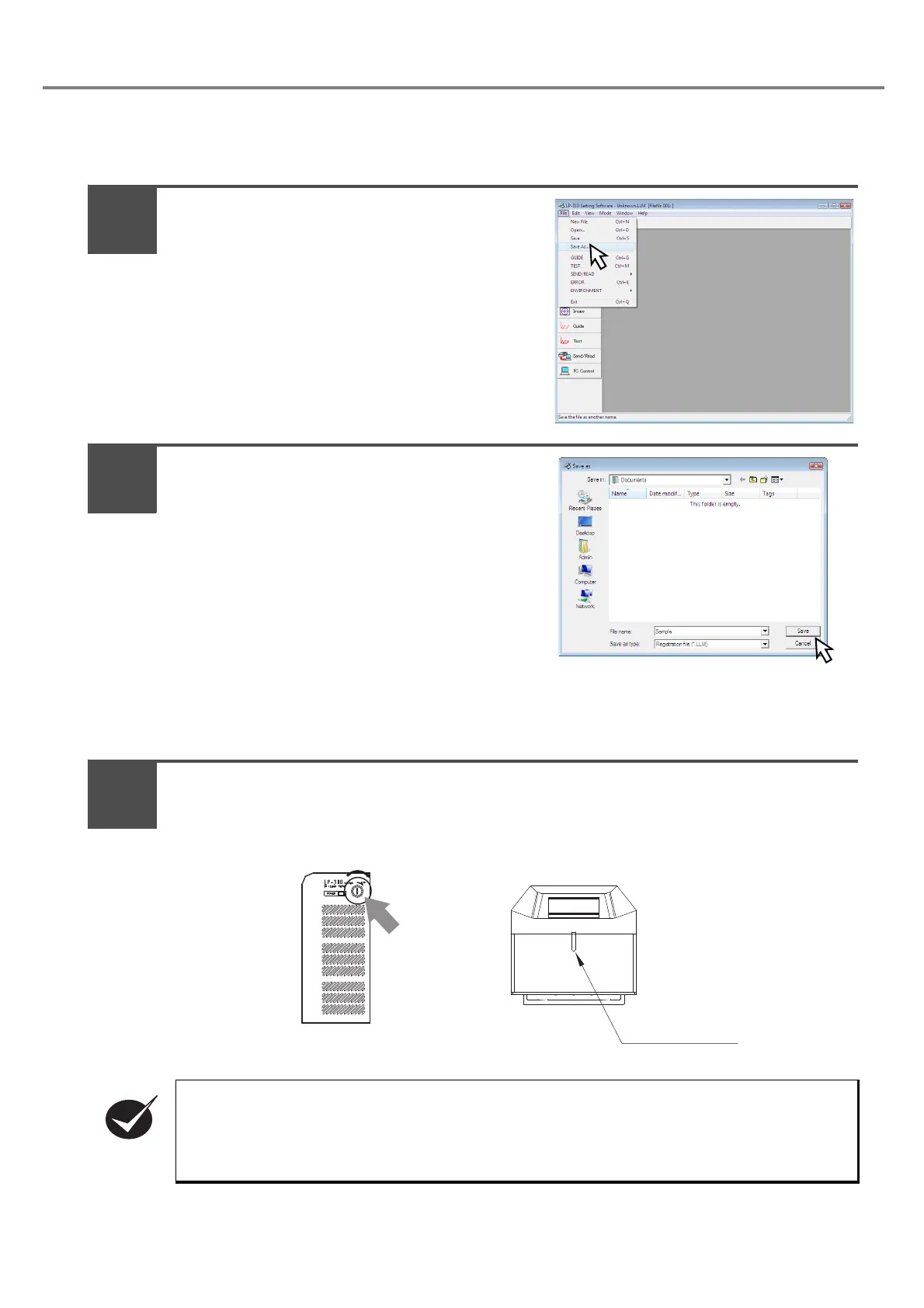
6. Save the setting contents.
Here describes the procedure for saving the setting file conditions to PC.
When selecting “File” - “Save As”, the dialog for
setting file name is appeared.
Set the file name and saving place, and press
“Save”.
2-1-4 Turn OFF Power of Laser Marker
Turn OFF the key switch of the power supply BOX.
(Turn the key toward OFF, and pull it out.)
The laser radiation indicator is lit off.
• When not using the laser marker, pull out the key switch and store it under the control of the
laser safety manager in charge of controlling the laser marker.
• When the laser marker is not used for a significant period of time, be sure to save the back-up
data of the laser marker files. During the unelectrified period, the battery for the back up will be
out of charge and the data in the laser marker may be deleted.
Turn the key
toward OFF
side.
Laser Radiation
Indicator
1
2
1



 To Next Page