164
4-1-7
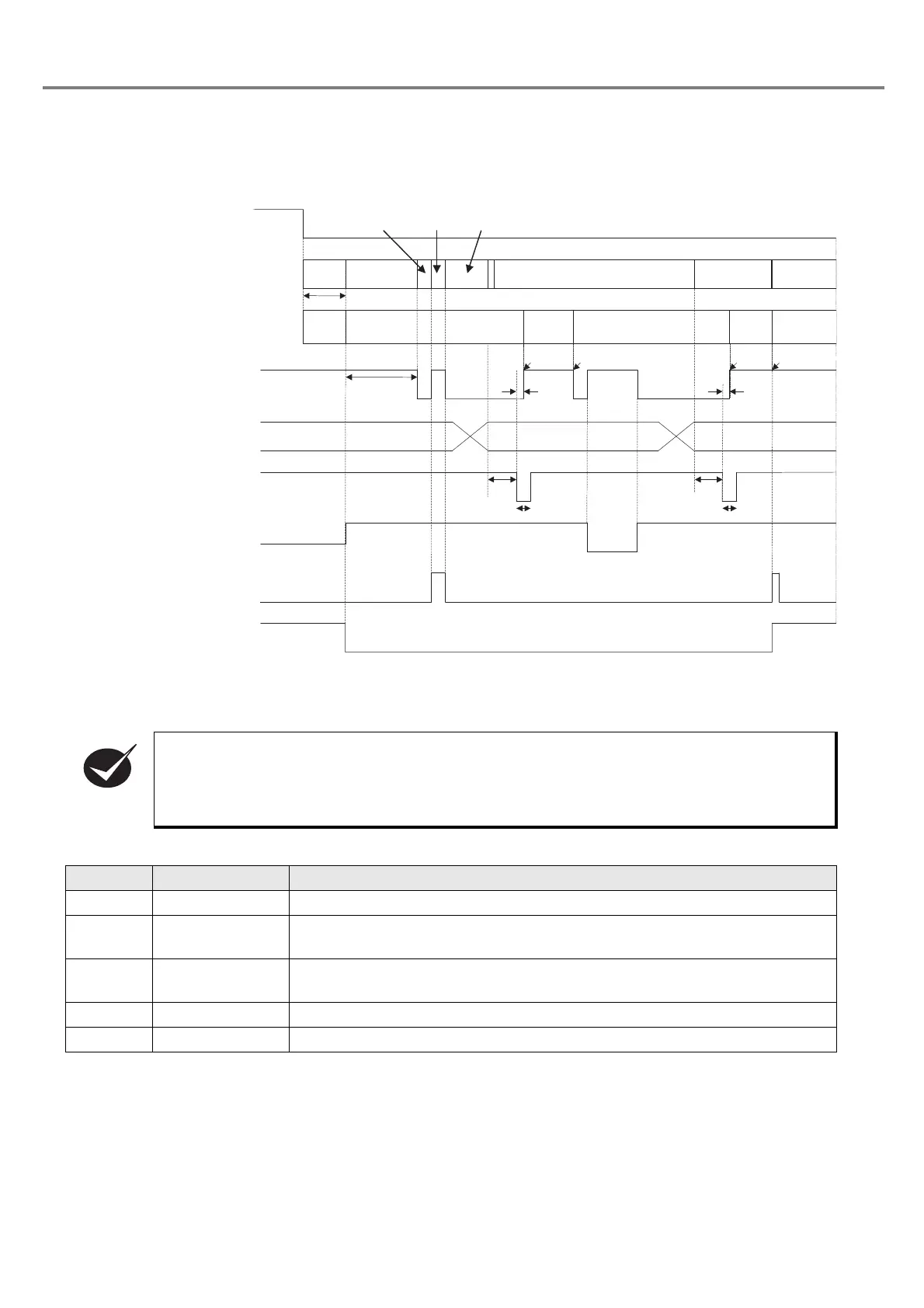
Timing Chart
■ Basic I/O
• Input TRIG. IN with holding the input status of the file selection (D0 to D6). (When the file No.
changing command (FNO) is set by RS-232C, input of D0 to D6 is not required.)
• To reset the alarm status, reboot the laser marker by turning the key switch.
Item Time Remarks
T1 Approx. 0.5 sec. System check time
T2 Approx. 15 sec.
Disables to perform marking after approx. 15 seconds from the start of the
laser pump.
T3 1ms or more
Set the marking trigger to ON when passing 1ms or more after switching the
file.
T4 10ms or more Keep ON state for 10ms or more.
T5 within 5ms Time from inputting the trigger to the start of the actual marking.
Key Switch
Head display panel
Radiation Display
READY Output
File Selection Input
TRIG Input
Laser Radiation
Stop Input
larm Output
Manual Shutter
OFF
ON
OFF
ON
OFF
ON
OFF
ON
OFF
ON
OFF
ON
CLOSE
OPEN
OFF
ON
OFF
ON
888
Rotation
Display
T1
T2
T4
T4
T3 T3
T5 T5
File No.
Display
Error No.
Display
*1
File No.
Display
File No. Display
File No.
Display
Error No.
Display
Light in
red
Light in blue
Light in
red
Light in blue
Light in
red
Light in blue
Start
Marking
Start
Marking
End Marking Stop Laser
*1: For the file selct input in I/O, if a value of 1 to 120 is selected, the selected file No. is displayed.
If a value other than 1 to 120 is selectd, ‘---’ is displayed.



 To Next Page