168
4-2-4
Setting of Communication Condition
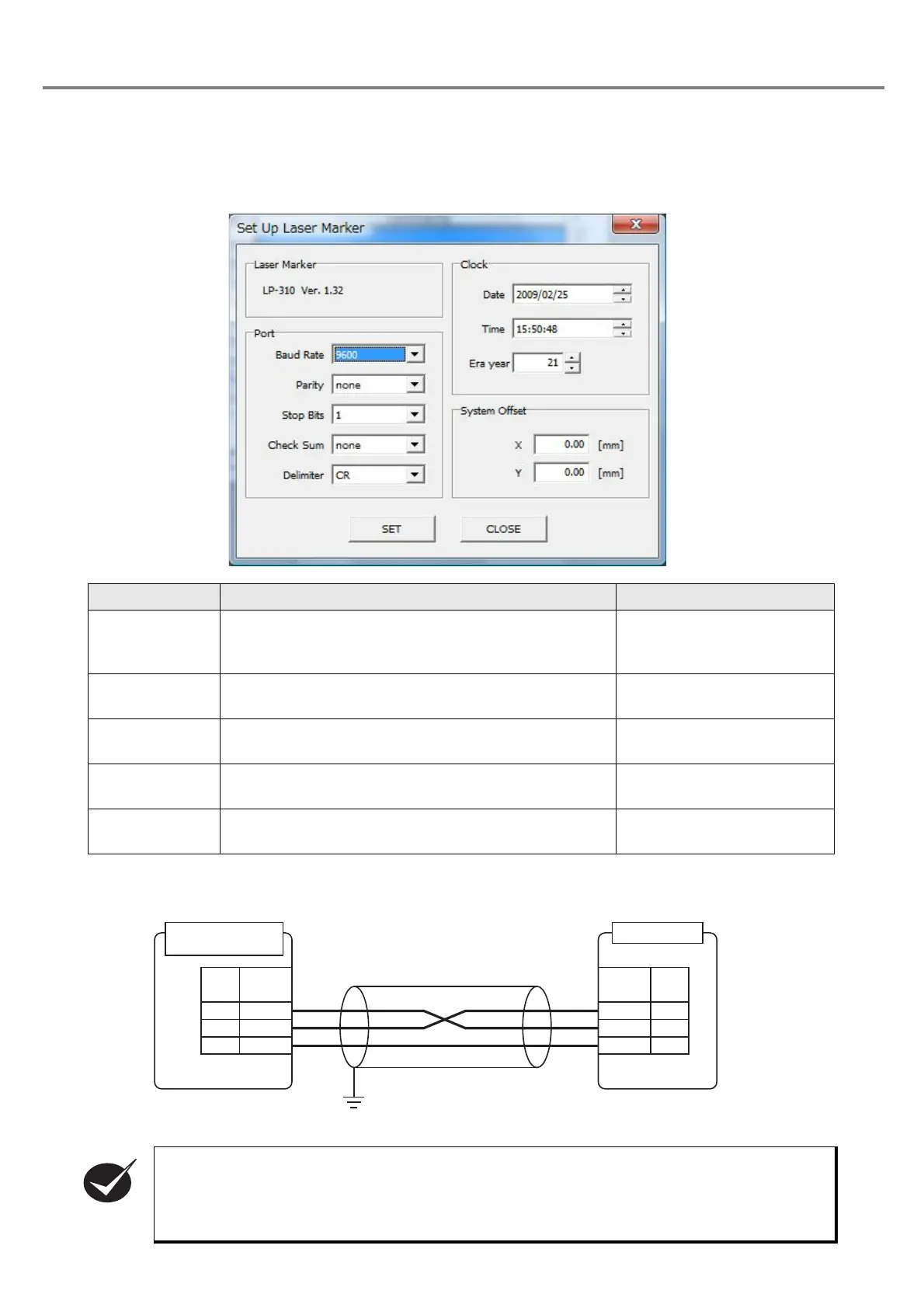
When selecting “File” - “ENVIRONMENT” - “Laser Marker”, the dialog box “Set Up Lser Marker” is appeared.
On this dialog box, accommodate the condition of the “communication port” for laser marker setting with the
external device and the communication condition.
4-2-5
Connecting Sample of External Control Device
Item Outline Setting Range
Baud Rate
Specifies the communication speed of the transmission/
reception. This value indicates the information capacity
sent/received in one second.
1200/2400/4800/9600/19200/
38400
Select in the list box.
Parity
Specifies an error detection bit to each information
delimited by a stop bit.
NA/Odd/Even
Select in the list box.
Stop Bits
Specifies the length of the delimiter signal of the
information sent/received.
1 bit/2 bit
Select in the list box.
Check Sum
Specifies an error detection code to each information
delimited by a delimiter.
NA/Available
Select in the list box.
Delimiter
Specifies a symbol of rough separation on the
information sent/received.
CR/CR+LF
Select in the list box.
• This product is operated using the three wires of RD (RXD), SD (TXD), and SG (GND).
However, since loop back may be necessary on the external device side, refer to the operation
manual of the external device to connect this product.
• If connecting the PC for control and laser marker, use the commercial cross cable.
RS-232C Connector
(Head)
GND
TXD
RXD
GND
TXD
RXD
Signal
Name
5
3
2
Pin No.
Host Device
5
3
2
F.G.
Pin No.
Signal
Name



 To Next Page