152
3-14-2Environmental Setting Related to PC
“File” - “ENVIRONMENT” - “PC...”
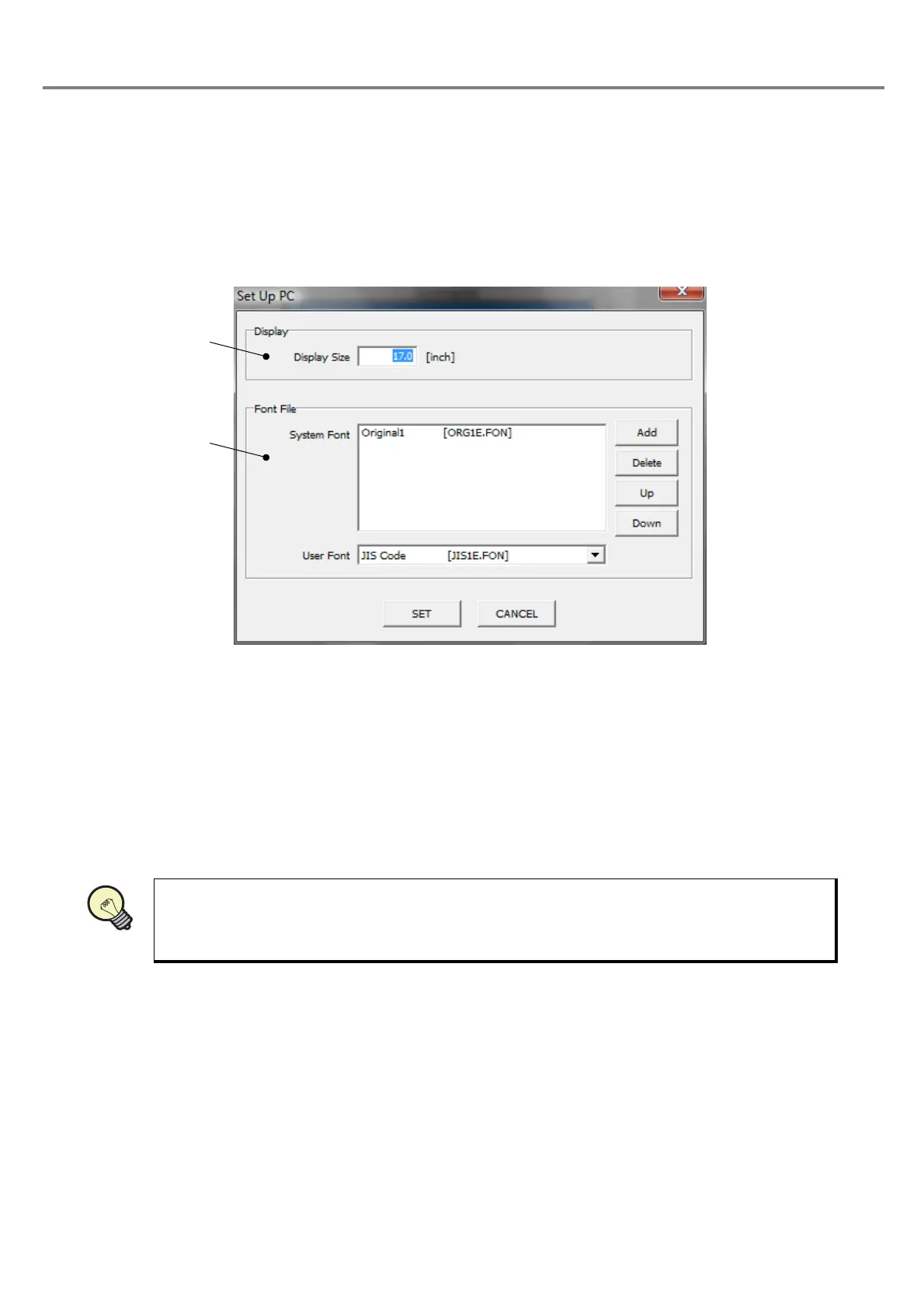
When selecting the “PC...” in “File”, the “Set Up PC” dialog box is appeared.
On this screen, the “Display” and “Font File” are set.
(1) Display
Set the screen size of the user's PC. By inputting the screen size (unit: inch), the image display (edit area) is
set to almost the same size of the marking area of the laser marker (when the magnification is set as “100”).
Click “SET”.
:
Reflects the setting contents.
Click “CANCEL”.
:
The change is ignored and the settings are returned to the original condition,
and then the dialog box is closed.
Refer to “3-7 Image Display” (P.130) for details of the image display.



 To Next Page