76
3-1
Description of Main Screen
3-1-1 Main Screen
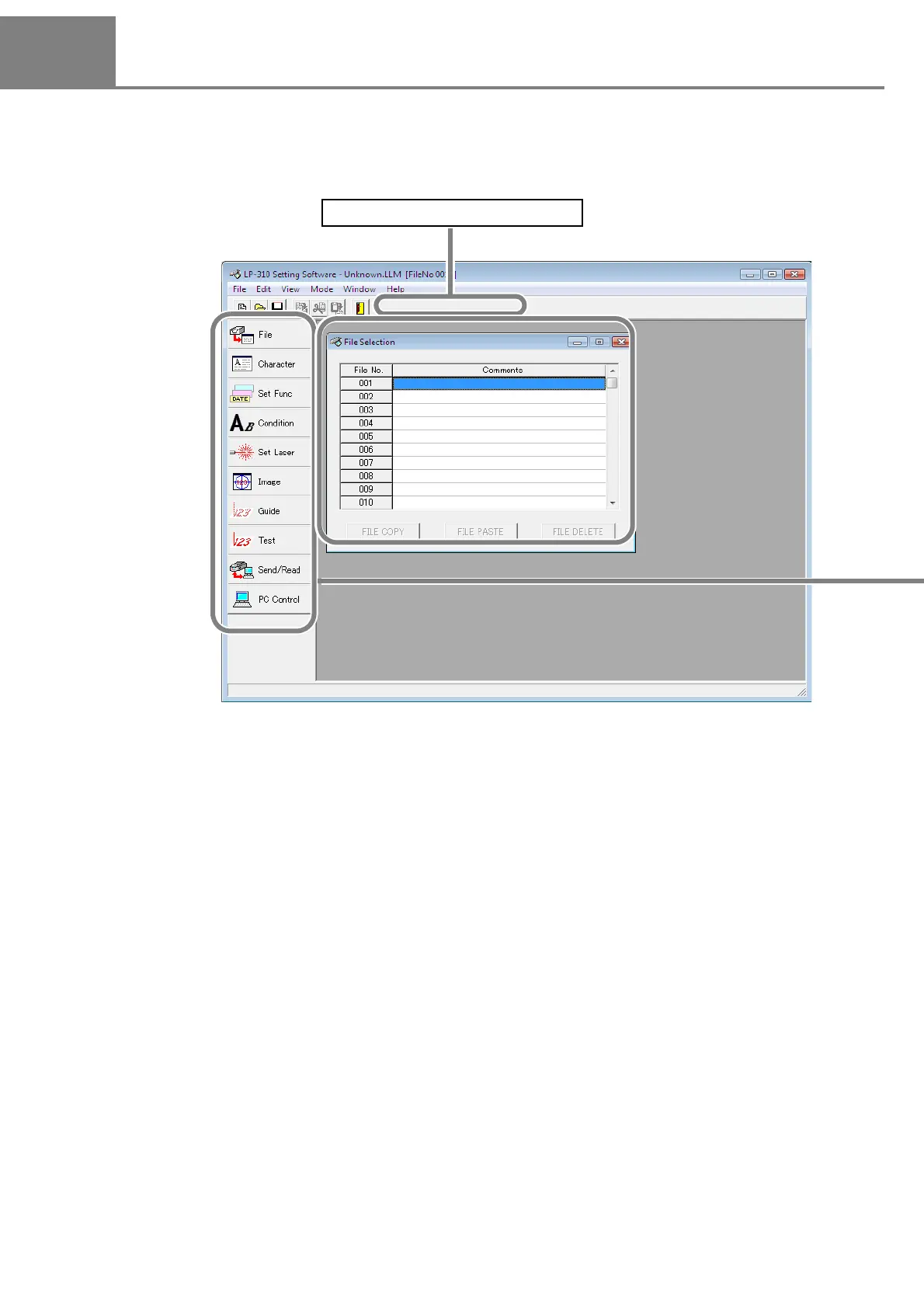
When this setting software is started up, the following screen is displayed.
This screen is called “Main Screen
” .
*
The “Language” is displayed when the LP-310 setting software is installed into the PC installed Windows Japa-
nese OS.
(When the LP-310 setting software is installed into the PC installed Windows English OS, the “Language” is
not displayed.)
Operation
Button
Main Screen
Japanese/ENGLISH Switching * (P.147)



 To Next Page