77
• Marking File P.82
• New Creation P.83
• Open P.84
• Save P.85
• Save As P.85
• Registration File and Marking File P.86
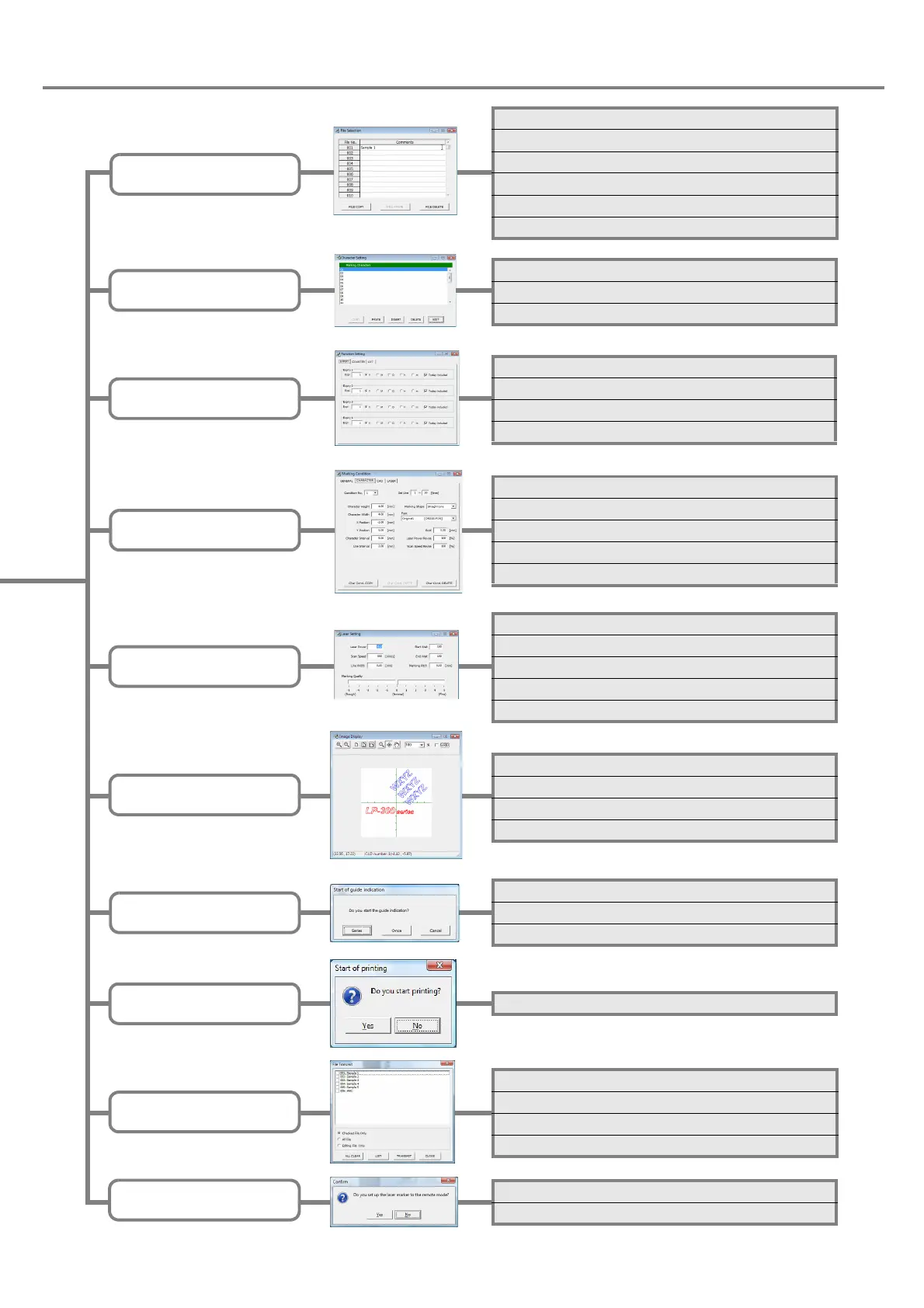
File Selection
(P.82)
• Character Setting Screen P.88
• Input of Marking Character P.89
• Input of Function Character P.90
Character Setting
(P.88)
• Function Setting Screen P.104
• Setting of Expiry Date Function P.105
• Setting of Counter Function P.106
• Setting of Lot Function P.107
Function Setting
(P.104)
• Setting Screen of Marking Condition P.110
• General Conditions P.111
• Character Condition P.115
• CAD Condition P.120
• Laser Check P.124
Marking Condition
(P.110)
• Screen for Laser Setting P.126
• Line Width P.127
• Marking Pitch P.127
• Adjustment of Laser Start/End Points P.128
• Adjustment of Marking Quality P.129
Laser Setting
(P.126)
Image Display
(P.130)
• Test Marking P.138
Guide Indication
(P.134)
• Center Position Indication P.134
• Guide Indication P.134
• Cautions P.136
Test Marking
(P.138)
• File Transmit P.140
• File List P.142
• Backup P.142
• Restore P.143
Send/Read
(P.140)
• Remote Mode P.144
• PC Control Mode P.146
PC Control/Remote Mode
(P.144)
• Image Display Screen P.130
• Magnification Method P.131
• Adjustment of Marking Position P.132
• Adjustment of Display Position P.133



 To Next Page