107
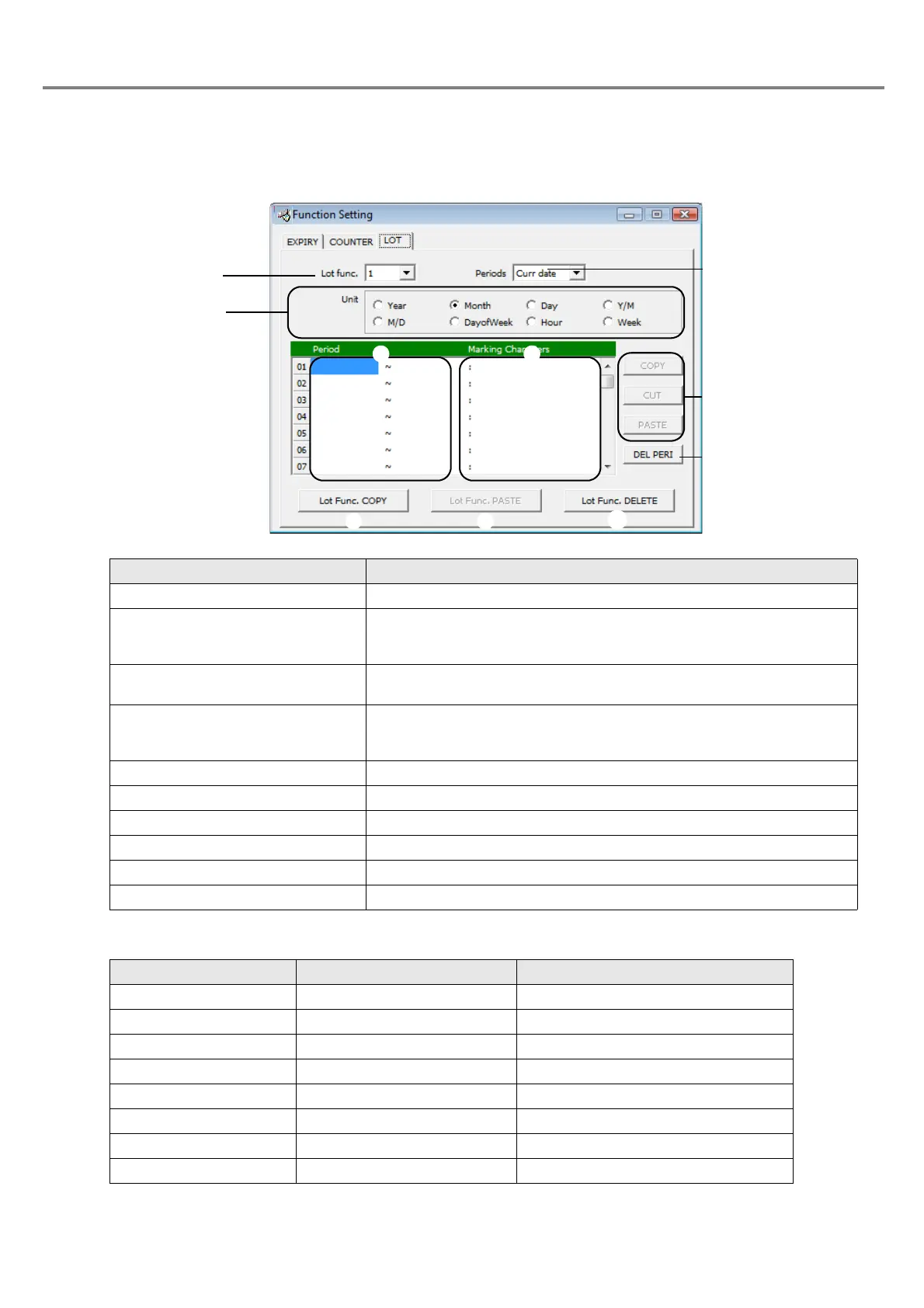
3-4-4 Setting of Lot Function
The lot function is the function for marking the character string set for each period in accordance with the
internal clock in the laser marker.
<Number of segments and setting range>
Item Description
1. Lot Func. (Log Function) Four types from 1 to 4 can be set.
2. Periods Selects a target date from the list box.
Current : Current Date
Expiry 1 to 4 : Each expiry date set by Expiry No. 1 to 4
3. Unit Selects the unit of the period set for the target lot by checking the
radio button.
4. Period Sets the start and end of the range including both ends (using min.
and max.). The number of the segments, setting range, and setting
method are varied depending on the selected “Unit”.
5. Marking Characters Sets the character string to be marked during the setting “Period”.
6. COPY/CUT/PASTE Copies, cuts, or pastes the selected character string.
7. DEL PERI (DELETE PERIOD) Deletes the period and character string of the selected line.
8. Lot Func. COPY Copies whole lot function.
9. Lot Func. PASTE Pastes the copied whole lot function to the other lot function No.
10. Lot Func. DELETE Deletes whole lot function.
Period condition Max. number of segments Setting range of period
Year 50 2000 to 2099
Month 12 1 to 12
Day 31 1 to 31
Y/M (Year-month) 50 Jan. 2000 to Dec. 2099
M/D (Month-day) 50 Jan. 1 to Dec. 31
Day of Week 7 Sunday to Saturday
Hour 24 0 to 23
Week 54 1 to 54



 To Next Page