67
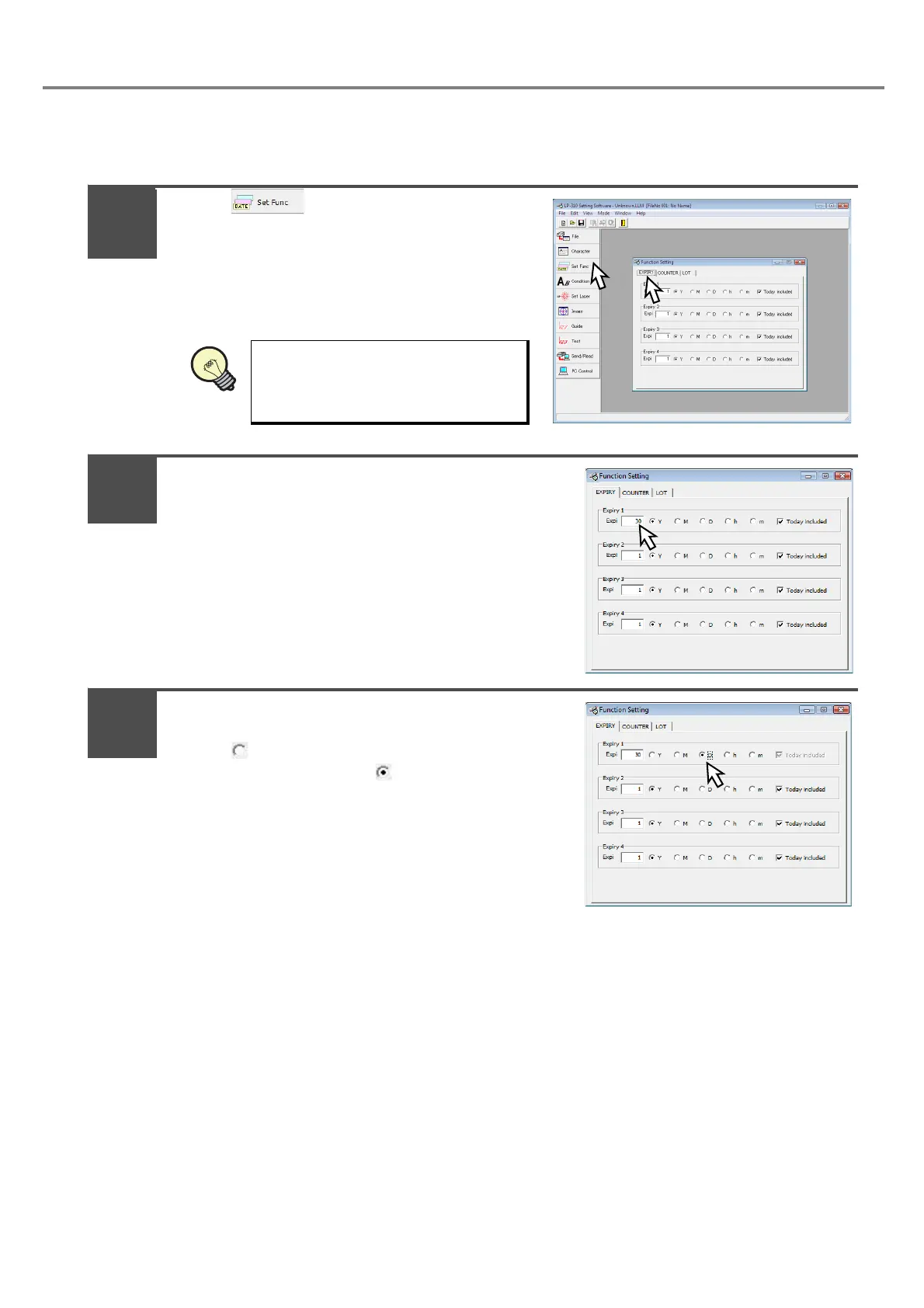
a. Set the expiry date.
Refer to “3-4-2 Setting of Expiry Date Function” (P.105) for detail setting.
Press , and press “EXPIRY”.
Here the condition is set to the Expiry 1.
Input “30” to the numeric value column of [Expi].
(Input the character using the keyboard of the PC.)
Check “D (Day)” to [Expiry 1 (Expiry Condition)].
Check “ D” for setting.
The unit is set to “Day” with “ D”.
The expiry is available for setting up
to 4 (1 to 4) per file.
REFERENC
1
2
3



 To Next Page