69
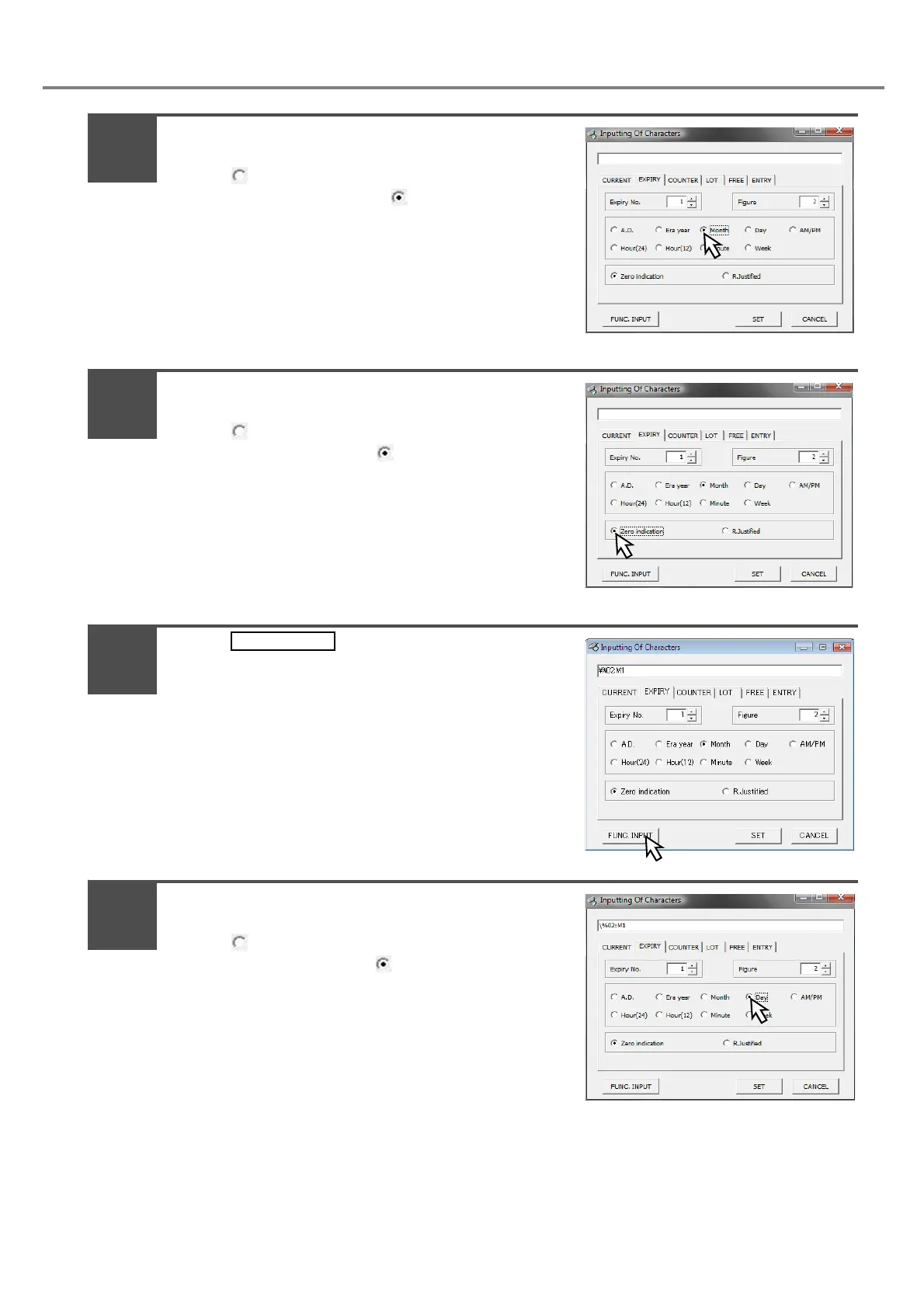
Check “Month”.
Check “ Month” for setting.
The unit is set to “Month” with “ Month”.
Check [Zero indication].
Check “ Zero indication” for setting.
The display state is set with “ Zero indication”.
Press .
Continuously, check “Day”.
Check “ Day” for setting.
The unit is set to “Day” with “ Day”.
6
7
8
9



 To Next Page