96
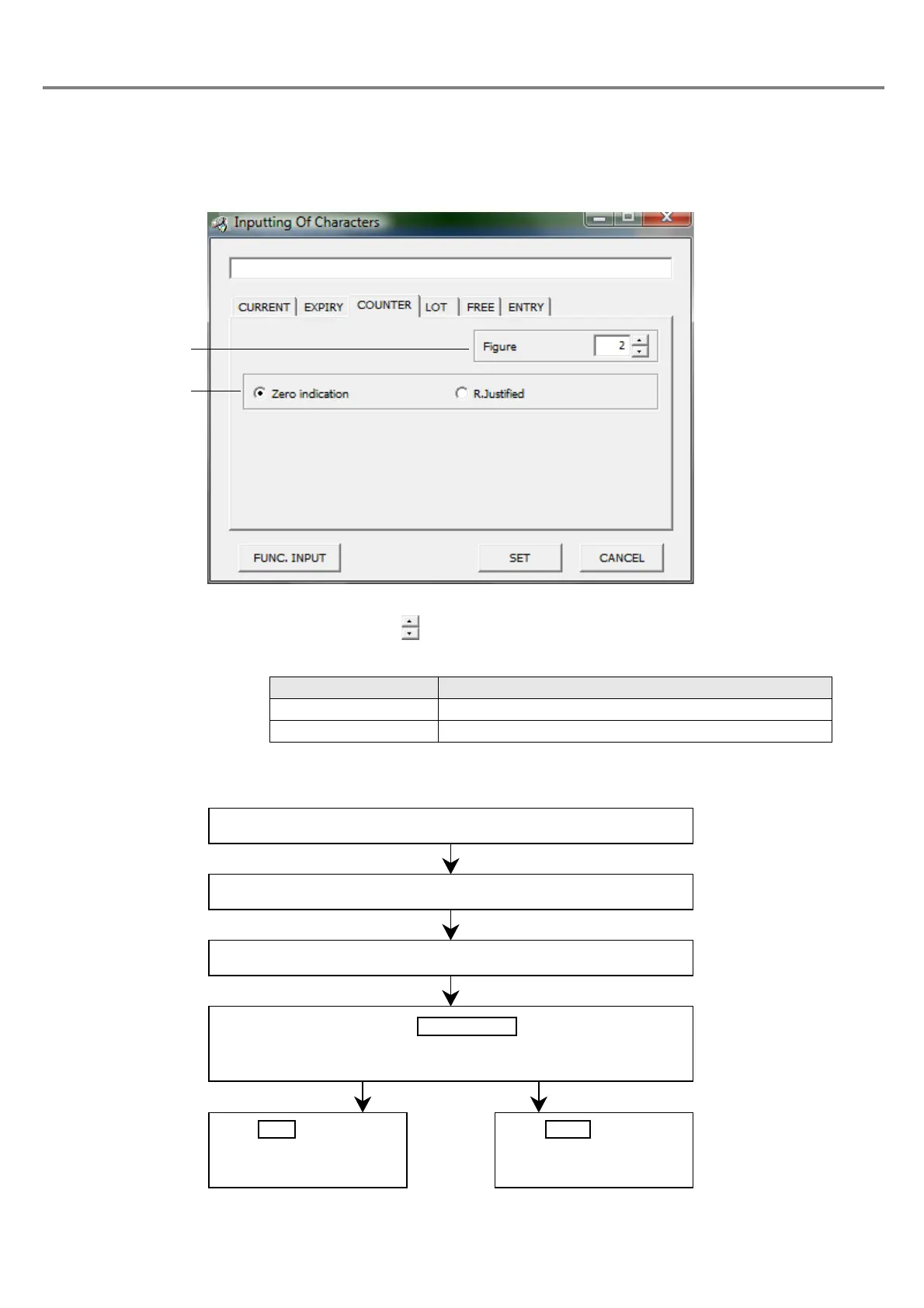
(3) Input counter
■ Setting Flow
Outline
:
Function for increasing the value every marking
1 Figure
:
Sets the figure with button. The setting range is selectable among 1 to 8.
2 Zero indication
:
Either item can be selected by checking the corresponding radio button.
Radio Button Description
Zero indication Marks value in right-justified, and mark “0” to the left.
R.Justified Marks value in right-justified, and blanks left column.
Click “COUNTER” tab.
The “Counter Input” dialog box is appeared.
Select “Figure” and “Zero indication”.
Click .
The 7-digit character string beginning with “\” in single-byte is displayed in
the marking character string field.
Click , save the
character string set, and
close the dialog box.
Click , close the
dialog box, and return to
the previous screen.



 To Next Page