98
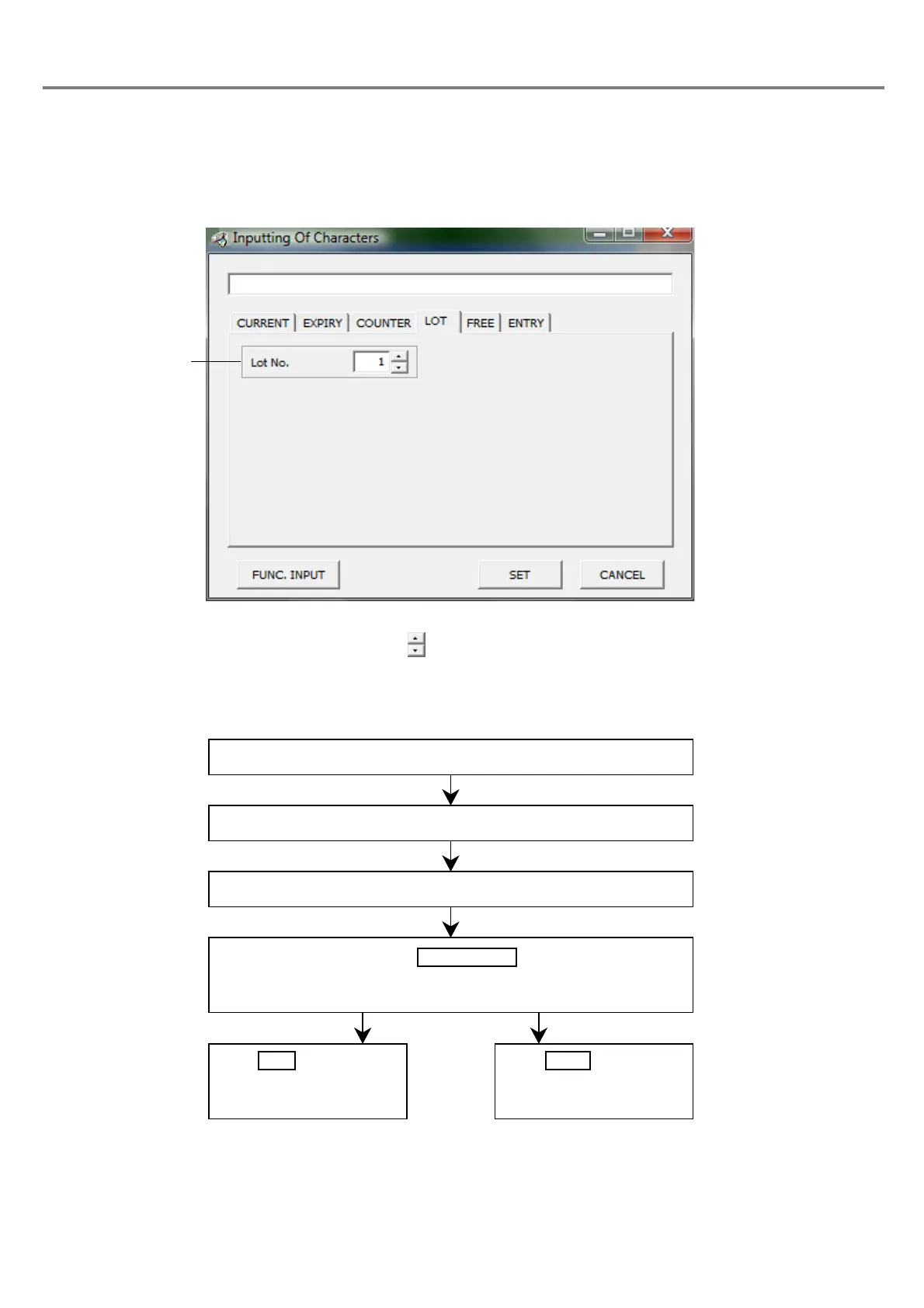
(4) Input lot
■ Setting Flow
Outline
:
Function for marking duration and character string input at function setting in accordance with the
internal clock in the main body of the laser marker.
1Lot No.
:
Sets the lot No. with button. The setting range is selectable among 1 to 4.
Click “LOT” tab.
The “Lot Input” dialog box is appeared.
Select “Lot No.”.
Click .
The 7-digit character string beginning with “\” in single-byte is dis-
played in the marking character string field.
Click , save the
character string set, and
close the dialog box.
Click , close the
dialog box, and return to
the previous screen.



 To Next Page