PIPER AIRCRAFT, INC.
PA-28-161, WARRIOR III
MAINTENANCE MANUAL
PAGE 1
Nov 30/06
2D3
23-50-00
AUDIO INTEGRATING
WARNING: FAILURE TO CONSULT APPLICABLE VENDOR PUBLICATION(S), WHEN SERVICING
OR INSPECTING VENDOR EQUIPMENT INSTALLED IN PIPER AIRCRAFT, MAY
RENDER THE AIRCRAFT UNAIRWORTHY. (SEE INTRODUCTION - SUPPLEMENTARY
PUBLICATIONS.)
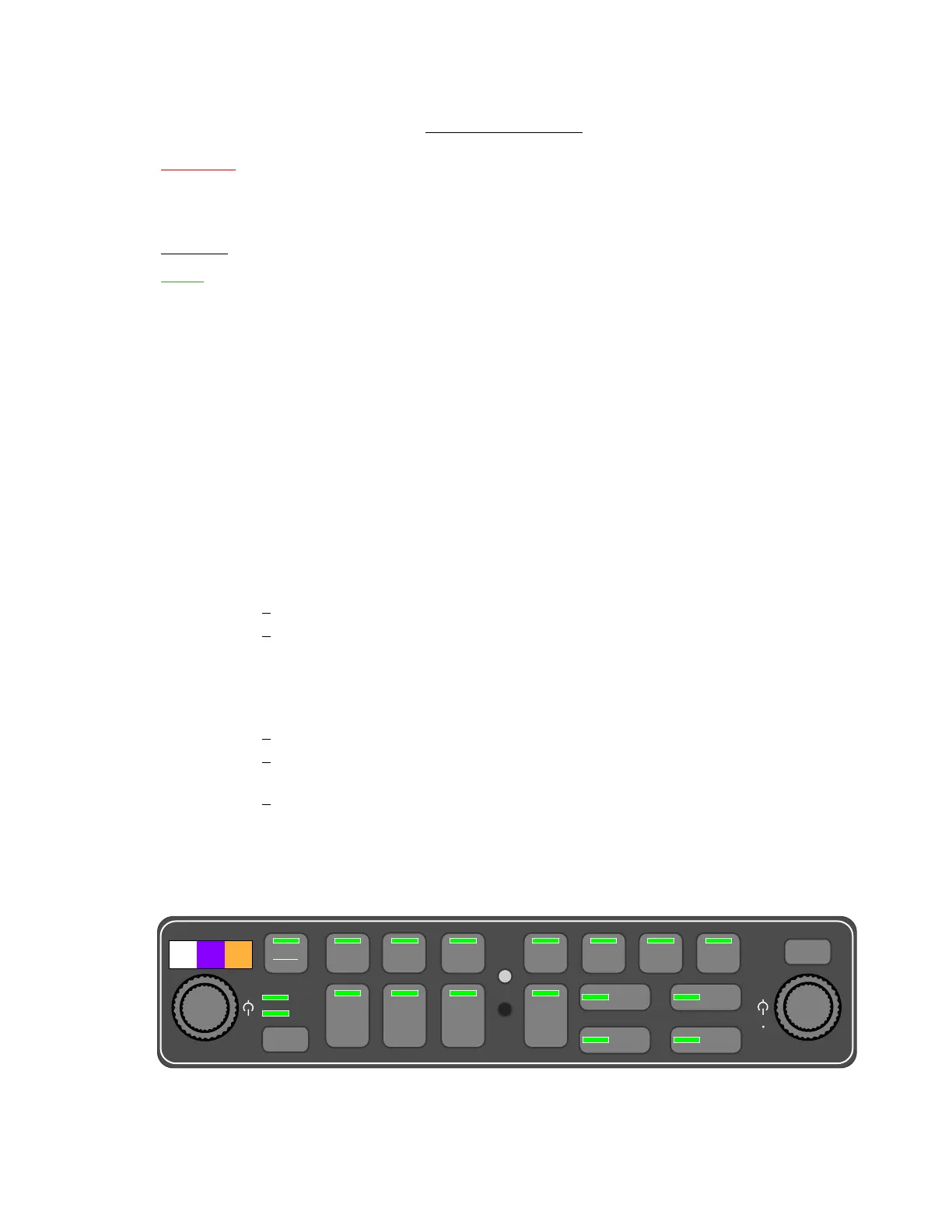
GMA-340
NOTE: The GMA-340 is factory-installed in S/N’s 2842064 and up.
The Garmin GMA-340 Audio Panel integrates the audio switching, amplifier, and intercom system with a
marker beacon receiver. Maintenance of the GMA-340 is “on condition” only and, with the exception of
swapping complete units, should be performed only by a qualified avionics shop in accordance with the
GMA-340 Audio Panel Maintenance Manual (Garmin P/N 190-00149-02).
Information provided in this manual is intended to aid the removal and installation of the GMA-340 unit
and its associated wiring and to permit basic system functional test and adjustment.
A. Removal and Installation
See Rack-Mounted Avionics, Removal and Installation, 39-10-00.
B. System Functional Test (See Figure 1.)
(1) On Ground
The following known good equipment is required prior to performing this test: microphone,
headset, speaker and avionics receivers.
(a) Lamp Test
1
Apply power to the unit by rotating the pilot intercom knob clockwise.
2 The test button checks the internal LED annunciator and marker beacon lamps.
Press TEST to confirm operation of the LED’s. Cover the photocell with a finger and
observe that the LED annunciators dim automatically. Check the front panel back-
lighting and dimming function. Each annunciator contains a lamp for illumination.
(b) Fail-safe Operation Check
1
Turn the unit off by rotating the pilot intercom knob counterclockwise.
2
Check fail-safe operation by exercising the COM 1 microphone, microphone key and
audio over the headphones.
3
Turn the unit back on to continue testing.






 To Next Page