User’s Manual of GS-5220 LCD Series
103
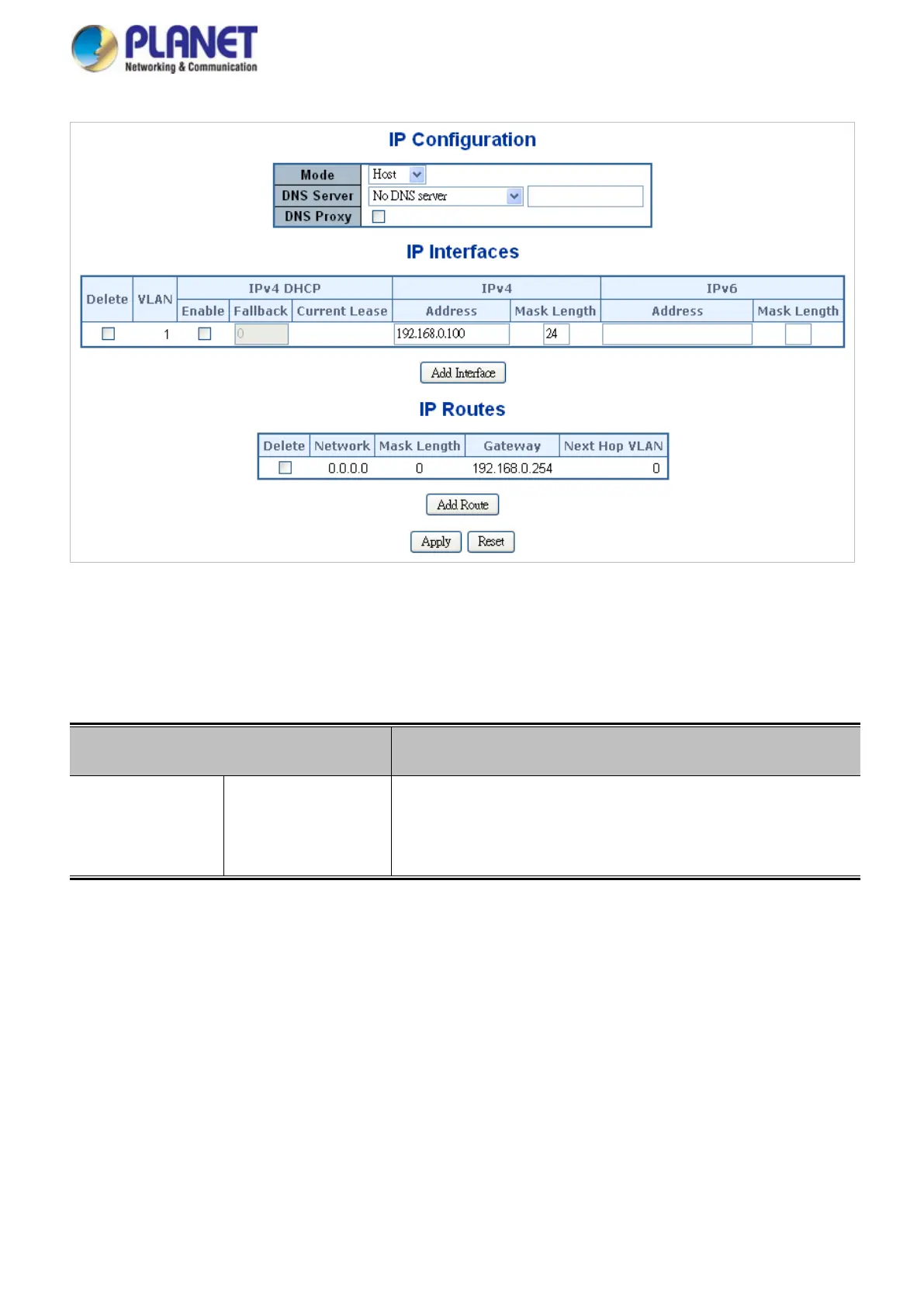
Figure 4-2-2: IP Configuration Page Screenshot
The current column is used to show the active IP configuration.
Object Description
• IP
Configurations
Mode Configure whether the IP stack should act as a Host or a Router.
In Host mode, IP traffic between interfaces will not be routed. In
Router mode traffic is routed between all interfaces.



 To Next Page
 Loading...










