User’s Manual of GS-5220 LCD Series
236
4.7.3 Bridge Status
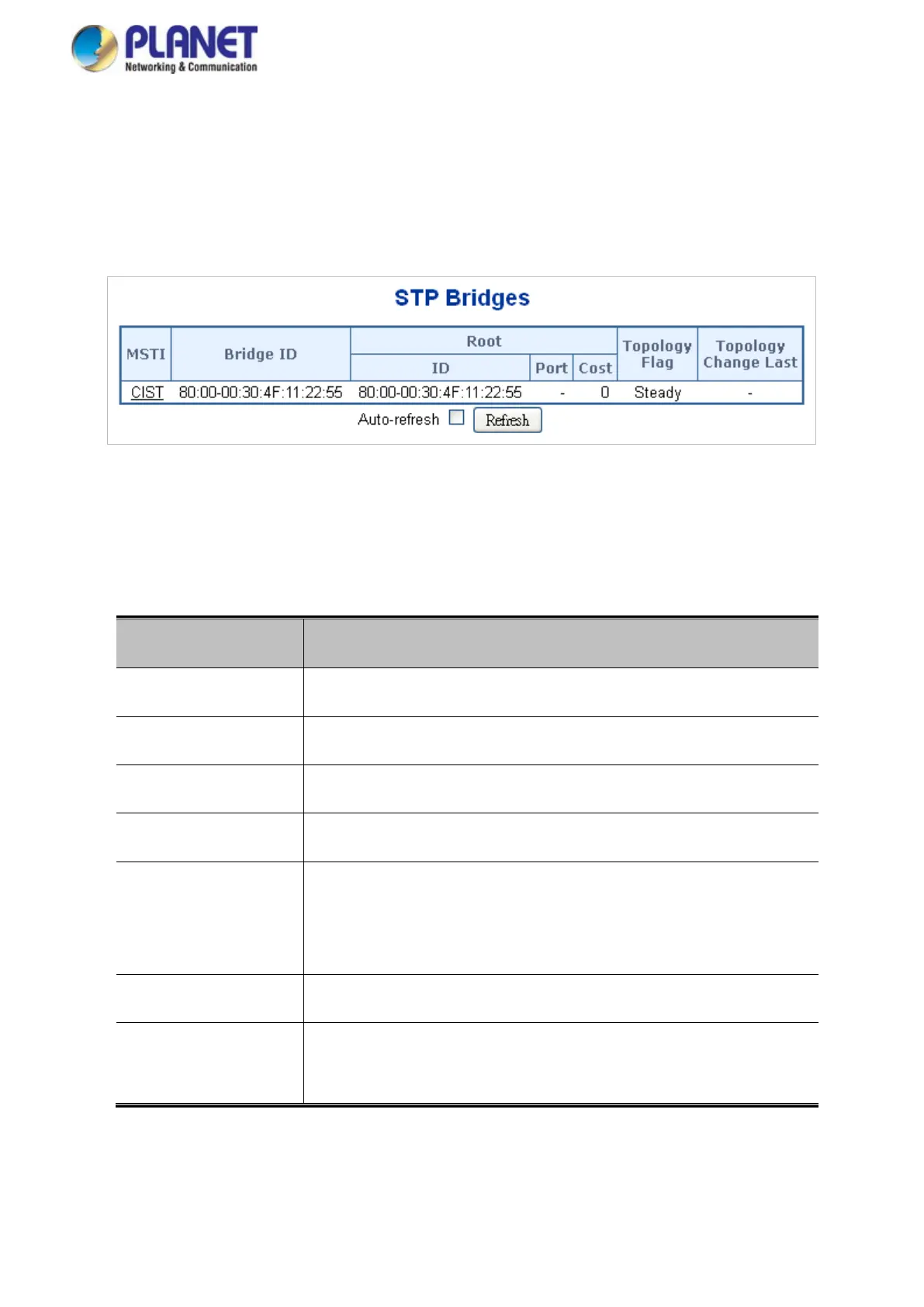
This page provides a status overview for all STP bridge instances. The displayed table contains a row for each STP
bridge instance, where the column displays the following information: The Bridge Status screen in Figure 4-7-5
appears.
Figure 4-7-5: STP Bridge Status Page Screenshot
The page includes the following fields:
Object Description
• MSTI
The Bridge Instance. This is also a link to the STP Detailed Bridge Status.
• Bridge ID
The Bridge ID of this Bridge instance.
• Root ID
The Bridge ID of the currently elected root bridge.
• Root Port
The switch port currently assigned the root port role.
• Root Cost
Root Path Cost. For the Root Bridge this is zero. For all other Bridges, it
is the sum of the Port Path Costs on the least cost path to the Root
Bridge.
• Topology Flag
The current state of the Topology Change Flag for this Bridge instance.
• Topology Change
Last
The time since last Topology Change occurred.



 To Next Page
 Loading...










