User’s Manual of GS-5220 LCD Series
269
The page includes the following fields:
Object Description
• Port
The logical port for the settings.
• Filtering Profile
Select the IPMC Profile as the filtering condition for the specific port.
Summary about the designated profile will be shown by clicking the
view button
Buttons
: Click to apply changes
: Click to undo any changes made locally and revert to previously saved values.
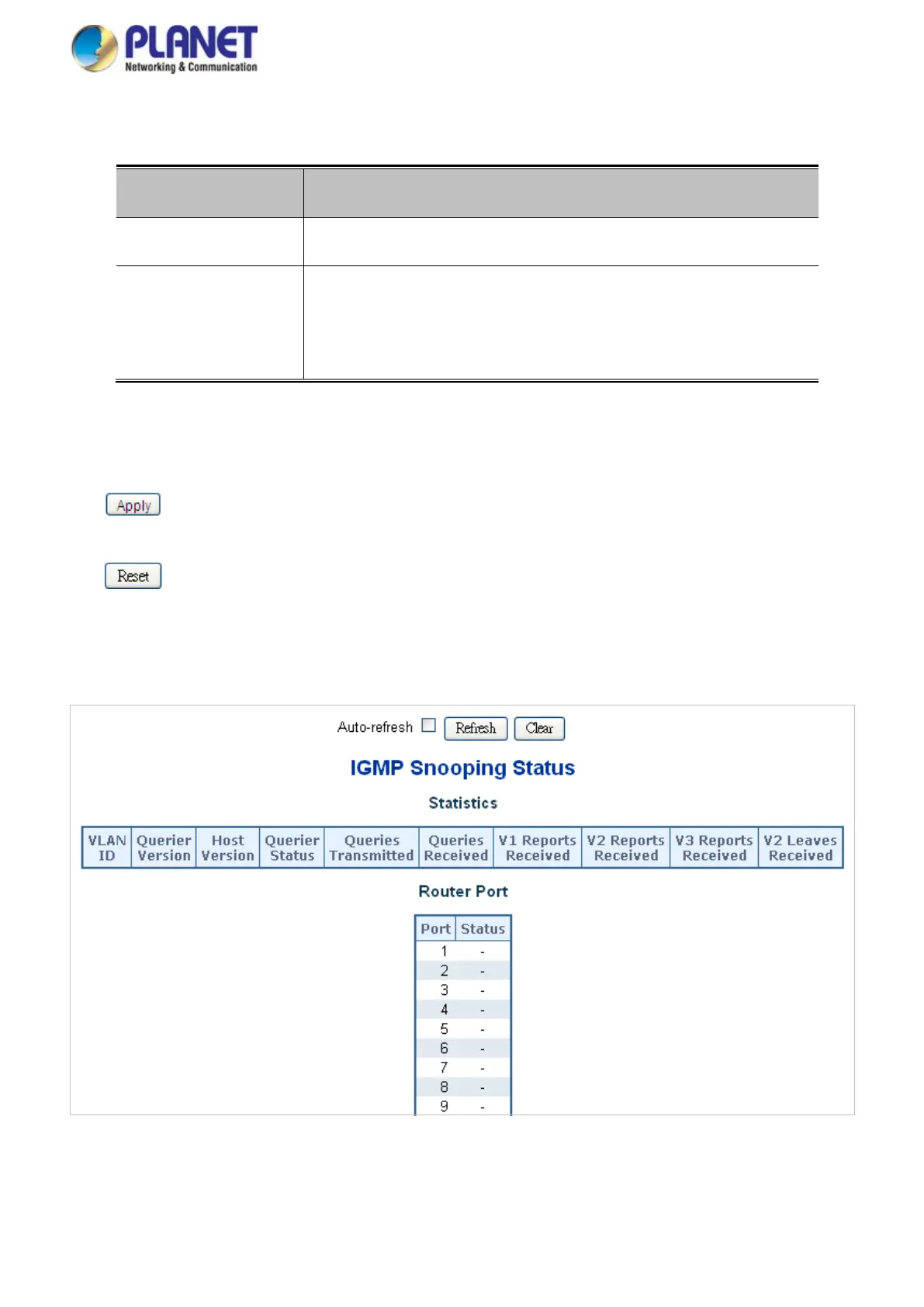
4.8.7 IGMP Snooping Status
This page provides IGMP Snooping status. The IGMP Snooping Status screen in Figure 4-8-10 appears.
Figure 4-8-10: IGMP Snooping Status Page Screenshot



 To Next Page
 Loading...










