User’s Manual of GS-5220 LCD Series
237
Buttons
Auto-refresh
: Check this box to refresh the page automatically. Automatic refresh occurs every 3
seconds.
: Click to refresh the page immediately.
4.7.4 CIST Port Configuration
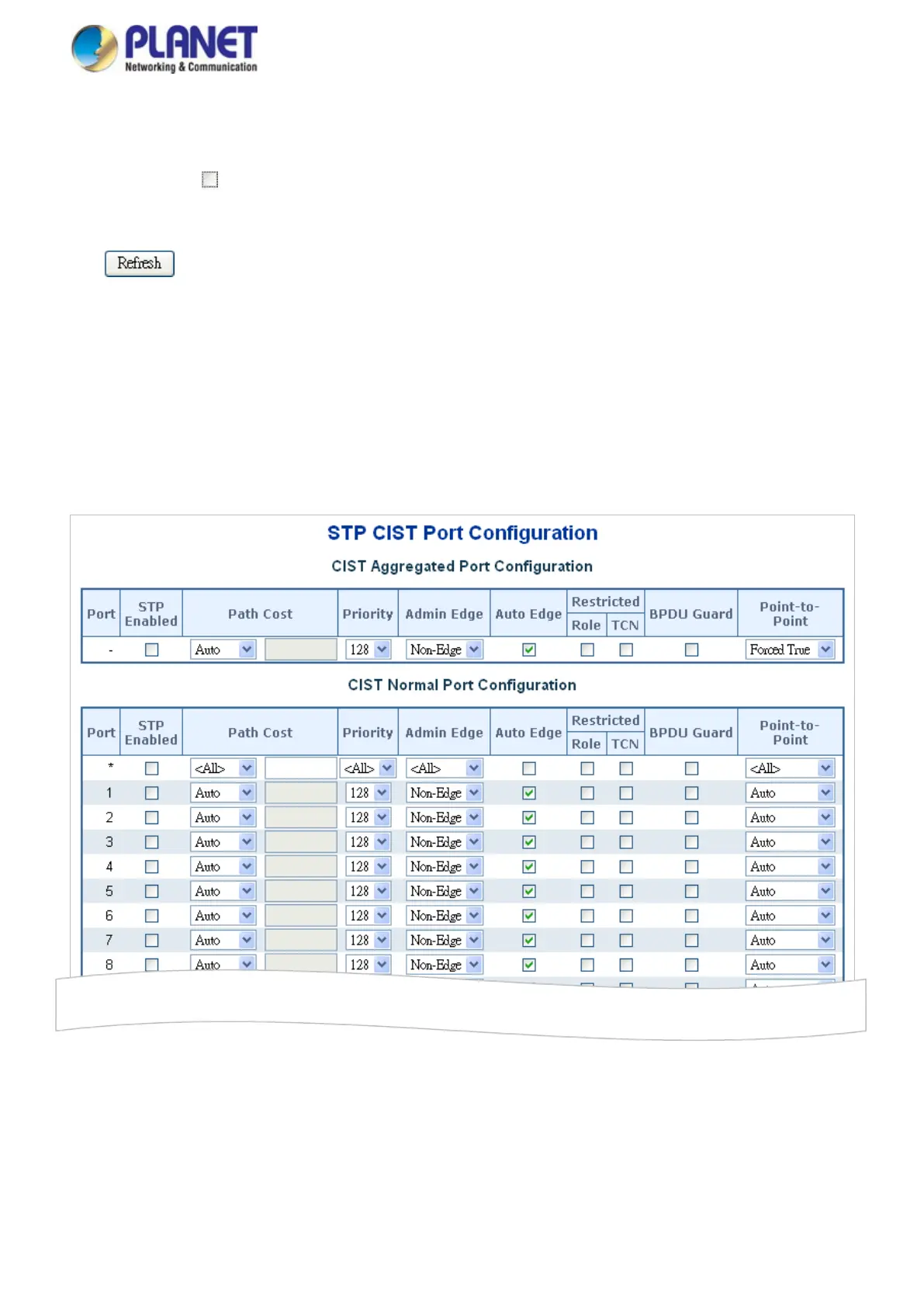
This page allows the user to inspect the current STP CIST port configurations, and possibly change them as well.
The CIST Port Configuration screen in Figure 4-7-6 appears.
Figure 4-7-6 : STP CIST Port Configuration Page Screenshot



 To Next Page
 Loading...










