User’s Manual of GS-5220 LCD Series
171
: Click to undo any changes made locally and revert to previously saved values.
: Click to refresh the page immediately.
4.4.5 Port Mirror
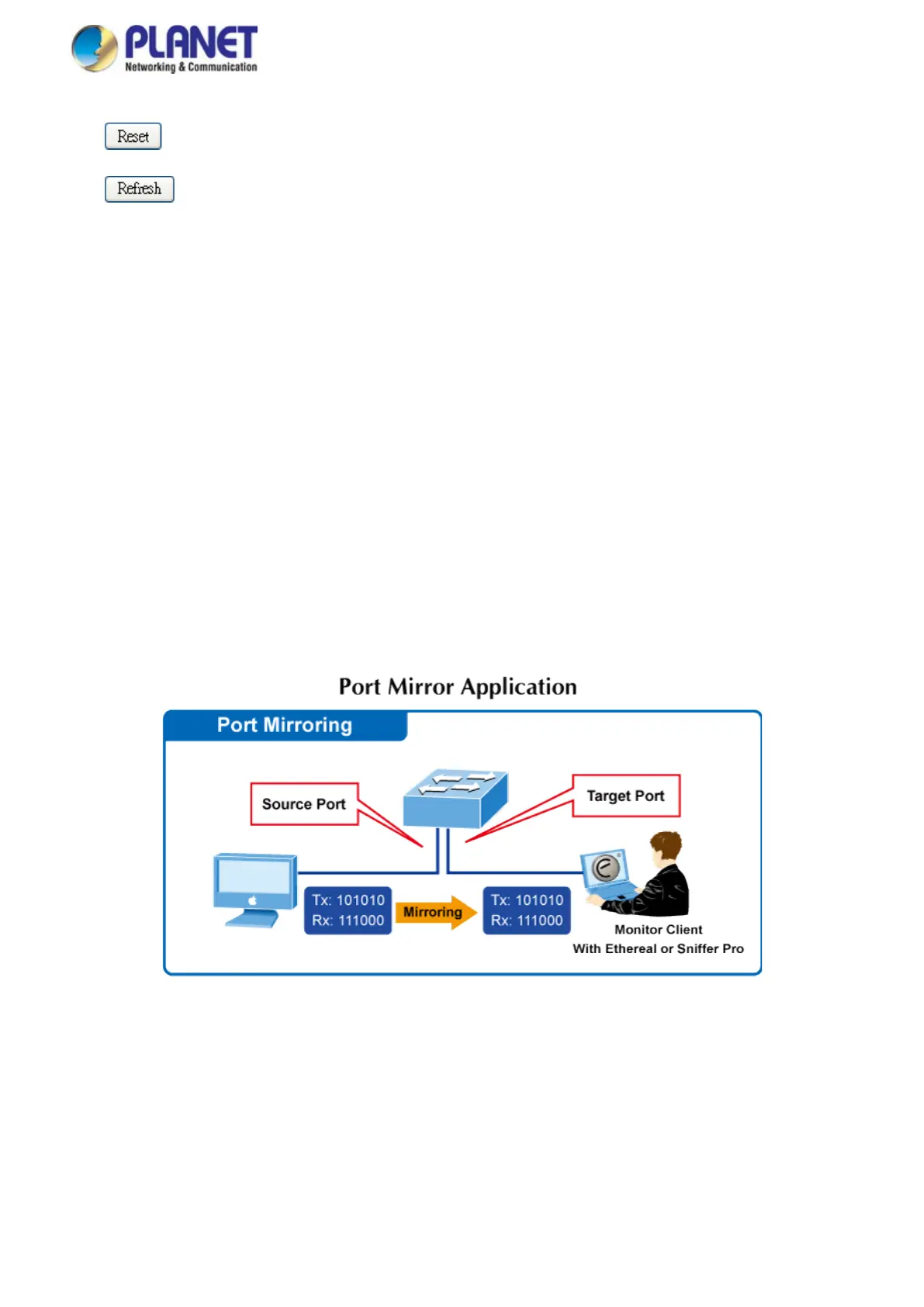
Configure port Mirroring on this page. This function provides monitoring network traffic that forwards a copy of
each incoming or outgoing packet from one port of a network Switch to another port where the packet can be
studied. It enables the manager to keep close track of switch performance and alter it if necessary.
• To debug network problems, selected traffic can be copied, or mirrored, to a mirror port where a frame
analyzer can be attached to analyze the frame flow.
• The Managed Switch can unobtrusively mirror traffic from any port to a monitor port. You can then attach a
protocol analyzer or RMON probe to this port to perform traffic analysis and verify connection integrity.
Figure 4-4-7: Port Mirror Application
The traffic to be copied to the mirror port is selected as follows:
• All frames received on a given port (also known as ingress or source mirroring).



 To Next Page
 Loading...










