User’s Manual of GS-5220 LCD Series
80
Step 6: Proceed with Steps 4 and 5 of session 2.2.1 Desktop Installation to connect the network cabling and
supply power to the Managed Switch.
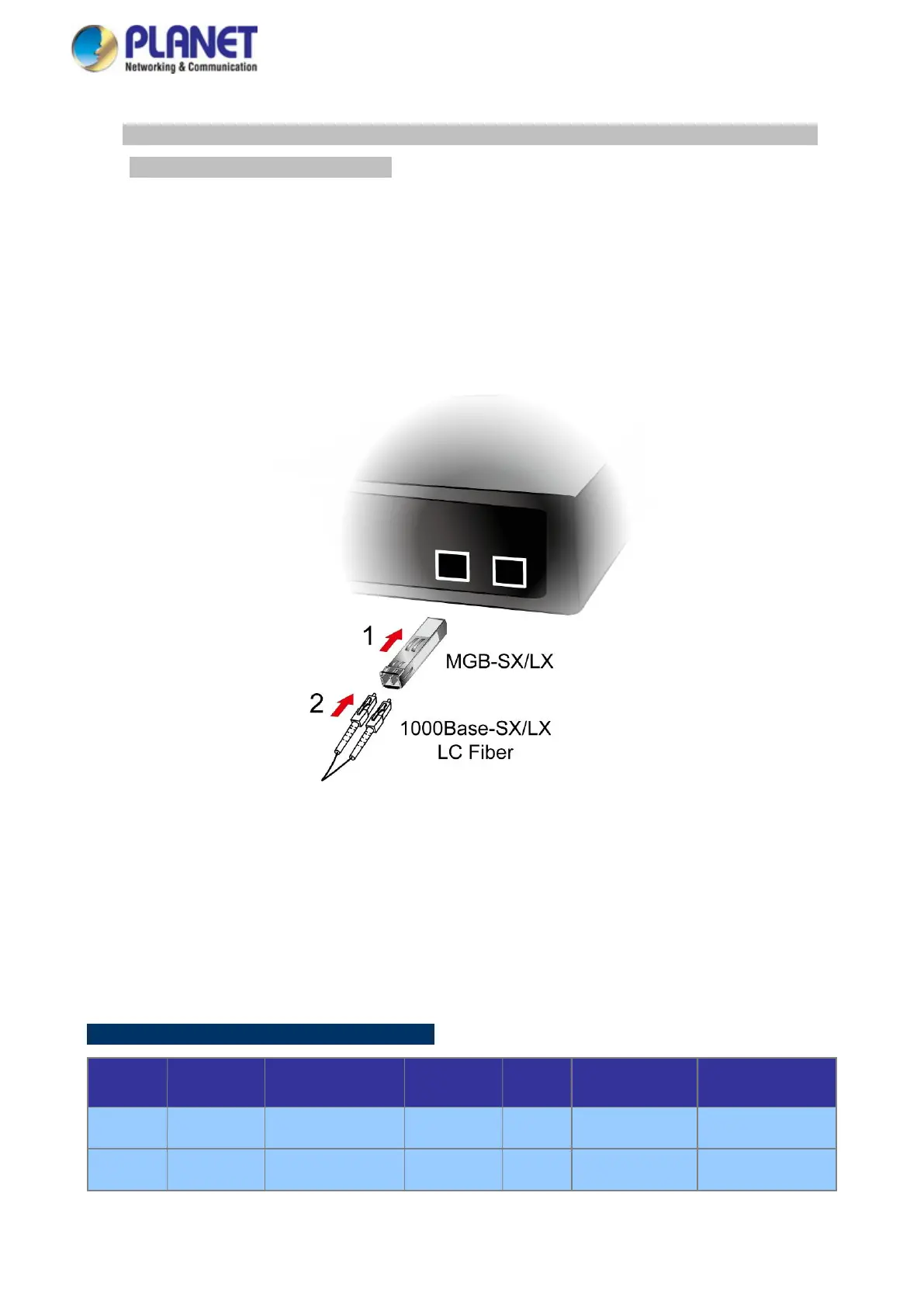
2.2.3 Installing the SFP/SFP+ Transceiver
The sections describe how to insert an SFP/SFP+ transceiver into an SFP/SFP+ slot. The SFP/SFP+ transceivers are
hot-pluggable and hot-swappable. You can plug in and out the transceiver to/from any SFP/SFP+ port without
having to power down the Managed Switch, as the Figure 2-2-4 shows..
Figure 2-2-4: Plug-in the SFP/SFP+ Transceiver
Approved PLANET SFP/SFP+ Transceivers
PLANET Managed Switch supports both single mode and multi-mode SFP/SFP+ transceivers. The following list of
approved PLANET SFP/SFP+ transceivers is correct at the time of publication:
Gigabit Ethernet Transceiver (1000BASE-X SFP)
Model Speed (Mbps)
Connector Interface
Fiber Mode
Distance
Wavelength (nm)
Operating Temp.
MGB-GT 1000 Copper -- 100m -- 0 ~ 60 degrees C
MGB-SX 1000 LC Multi Mode 550m 850nm 0 ~ 60 degrees C



 To Next Page
 Loading...










