User’s Manual of GS-5220 LCD Series
74
1/10GBASE-SR/LR SFP+ Interfaces (Port-25 to Port-28)
LED Color Function
10G Orange
Lights: To indicate that the port is operating at 10Gbps.
Blinks: To indicate that the switch is actively sending or receiving data over
that port.
1000 Green
Lights: To indicate that the port is operating at 1000Mbps.
Blinks: To indicate that the switch is actively sending or receiving data over
that port.
2.1.3 Switch Rear Panel
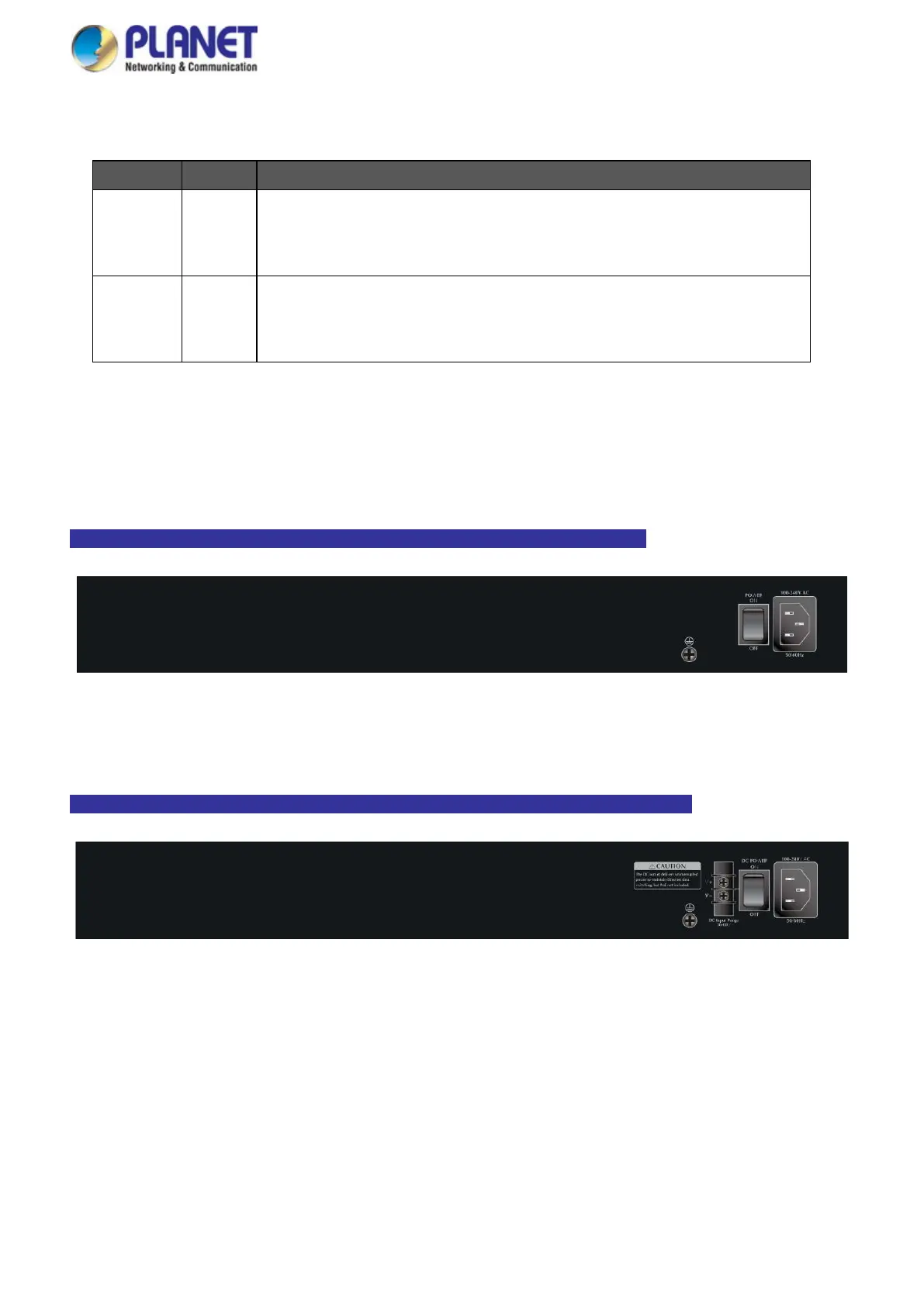
The rear panel of the Managed Switch consists of the AC/DC inlet power socket. Figures 2-1-33 to 2-1-34 show
the rear panels of the Managed Switches.
GS-5220-16T2XV/16P2XV/24P4XV/24PL4XV/16UP2XV/24UP4XV/24UPL4XV Rear Panel
Figure 2-1-33: Rear Panel of GS-5220-16T2XV/16P2XV/24P4XV/24PL4XV/16UP2XV/24UP4XV/24UPL4XV
GS-5220-24T4XVR/16P2XVR/24P4XVR/24PL4XVR/16UPXVR/24UP4XVR/24UPL4XVR Rear Panel
Figure 2-1-34: Rear Panel of
GS-5220-16T2XVR/16P2XVR/24P4XVR/24PL4XVR/16UP2XVR/24UP4XVR/24UPL4XVR



 To Next Page
 Loading...










