User’s Manual of GS-5220 LCD Series
315
4.9.11.1 QoS Control Entry Configuration
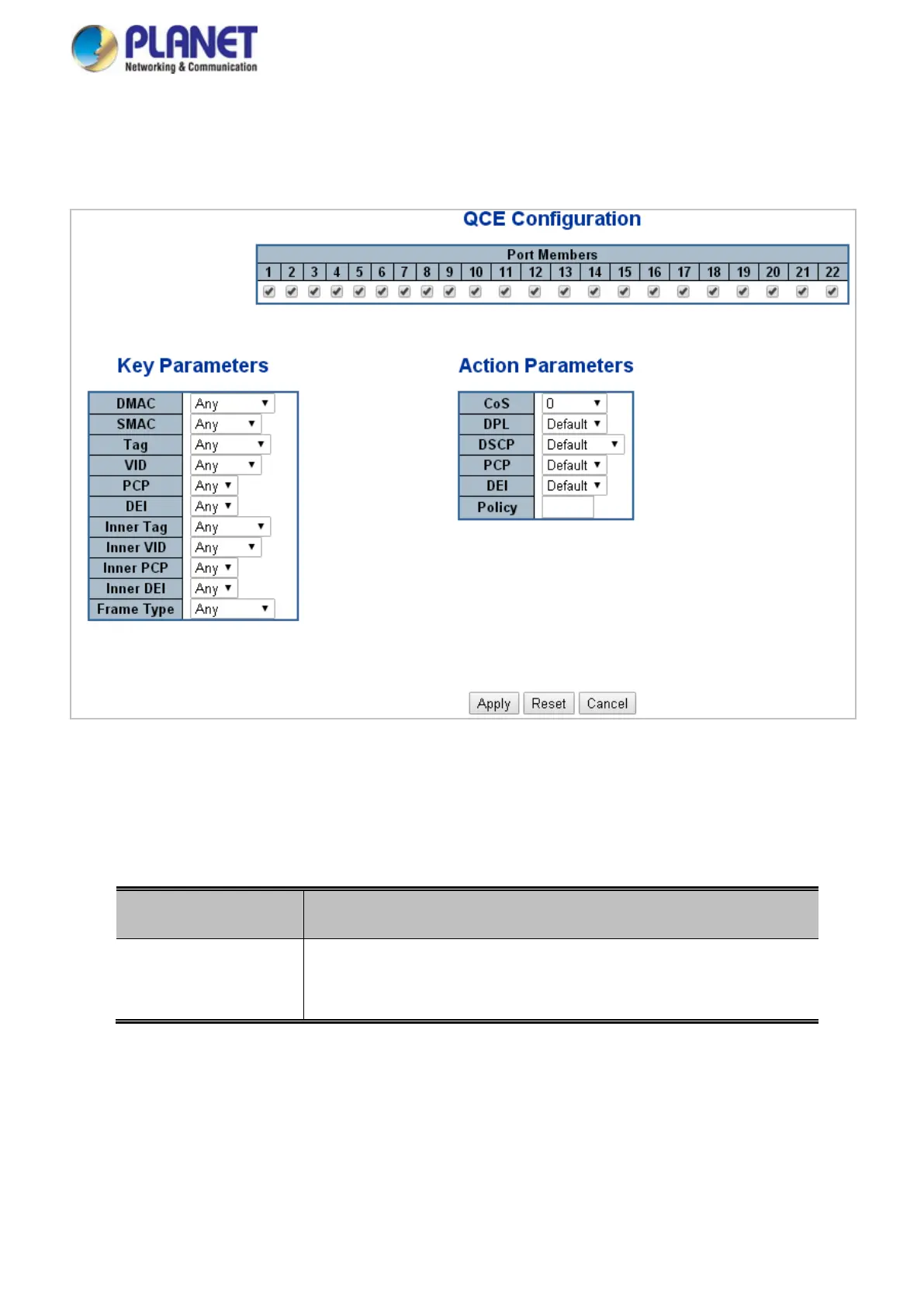
The QCE Configuration screen in Figure 4-9-13 appears.
Figure 4-9-13: QCE Configuration Page Screenshot
The page includes the following fields:
Object Description
• Port Members
Check the checkbox button in case you what to make any port member
of the QCL entry. By default all ports will be checked



 To Next Page
 Loading...










