User’s Manual of GS-5220 LCD Series
211
Setup steps
1. Add VLAN Group
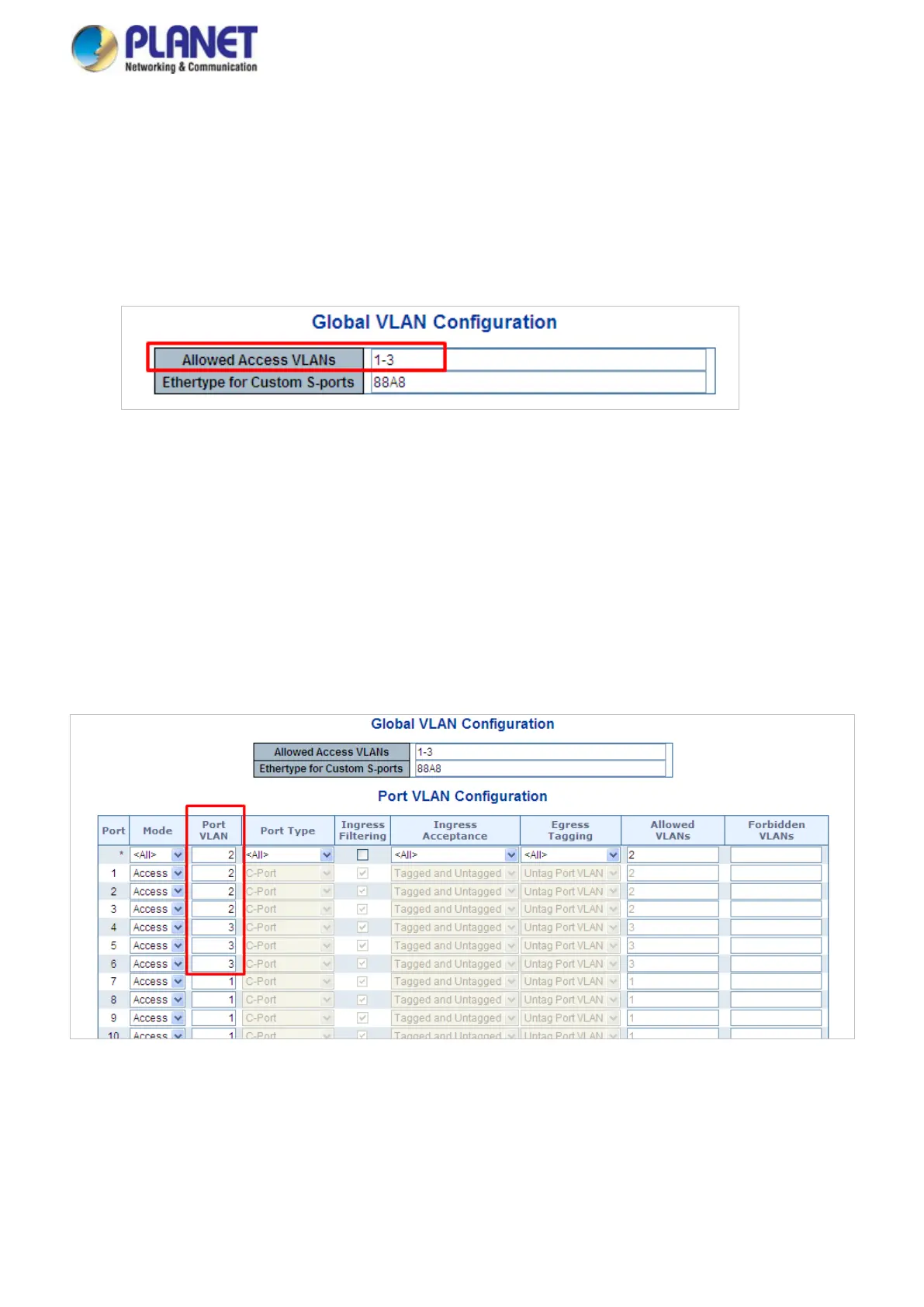
Add two VLANs – VLAN 2 and VLAN 3
Type 1-3 in Allowed Access VLANs column, the 1-3 is including VLAN1 and 2 and 3.
Figure 4-6-8: Add VLAN 2 and VLAN 3
2. Assign VLAN Member and PVID for each port:
VLAN 2 : Port-1,Port-2 and Port-3
VLAN 3 : Port-4, Port-5 and Port-6
VLAN 1 : All other ports – Port-7~Port-52
Figure 4-6-9: Change Port VLAN of Port 1~3 to be VLAN2 and Port VLAN of Port 4~6 to be VLAN3



 To Next Page
 Loading...










