RealPresence Collaboration Server (RMX) 1500/1800/2000/4000 Getting Started Guide
Polycom®, Inc. 118
This dialog box is identical to the AVC CP New Conference - General dialog box. For a field
description, see General Tab.
3 Optional (Collaboration Server 1500/2000/4000 only). Select the Enable ISDN/PSTN Dial-in check
box if you want ISDN and PSTN participants to be able to connect directly to the conference.
4 If Enable ISDN/PSTN Dial-in option is selected, either enter a dial-in number, or leave the Dial-in
Number field blank to let the system automatically assign a number from the dial-in range defined
for the selected ISDN/PSTN Network Service.
5 Click the OK button.
A confirmation box is displayed stating that the Reservation time is past due and that the conference
will become ongoing.
6 Click OK.
The conference is started. If applicable, an ISDN/PSTN dial-in number was assigned to the
conference either automatically or manually, this number can be viewed in the Conferences pane.
For more information about Reservations, see the Polycom® RealPresence Collaboration Server
(RMX) 1500/1800/2000/4000 Administrator’s Guide, Scheduling Reservations.
Starting an Ongoing Conference From a Template
An ongoing conference can be started from any Conference Template saved in the Conference Templates
list.
To start an ongoing conference from a Template:
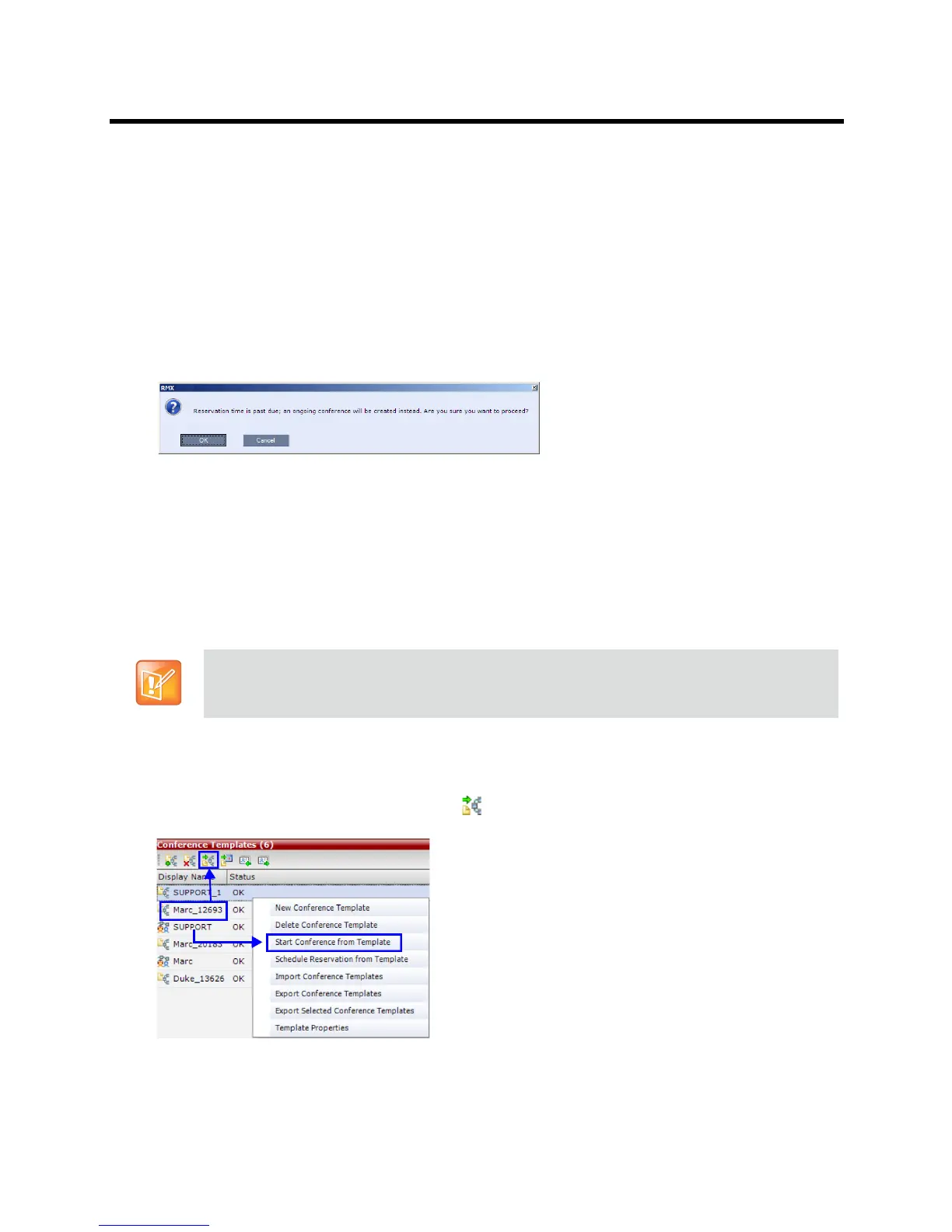
1 In the Conference Templates list, select the Template you want to start as an ongoing conference.
2 Click the Start Conference from Template
() button, or Right-click and select Start Conference
from Template.
The conference is started.
SVC-based Conference Templates cannot be saved with dial-out participants, only dial-in SIP
participants may be defined.














 To Next Page