RealPresence Collaboration Server (RMX) 1500/1800/2000/4000 Getting Started Guide
Polycom®, Inc. 175
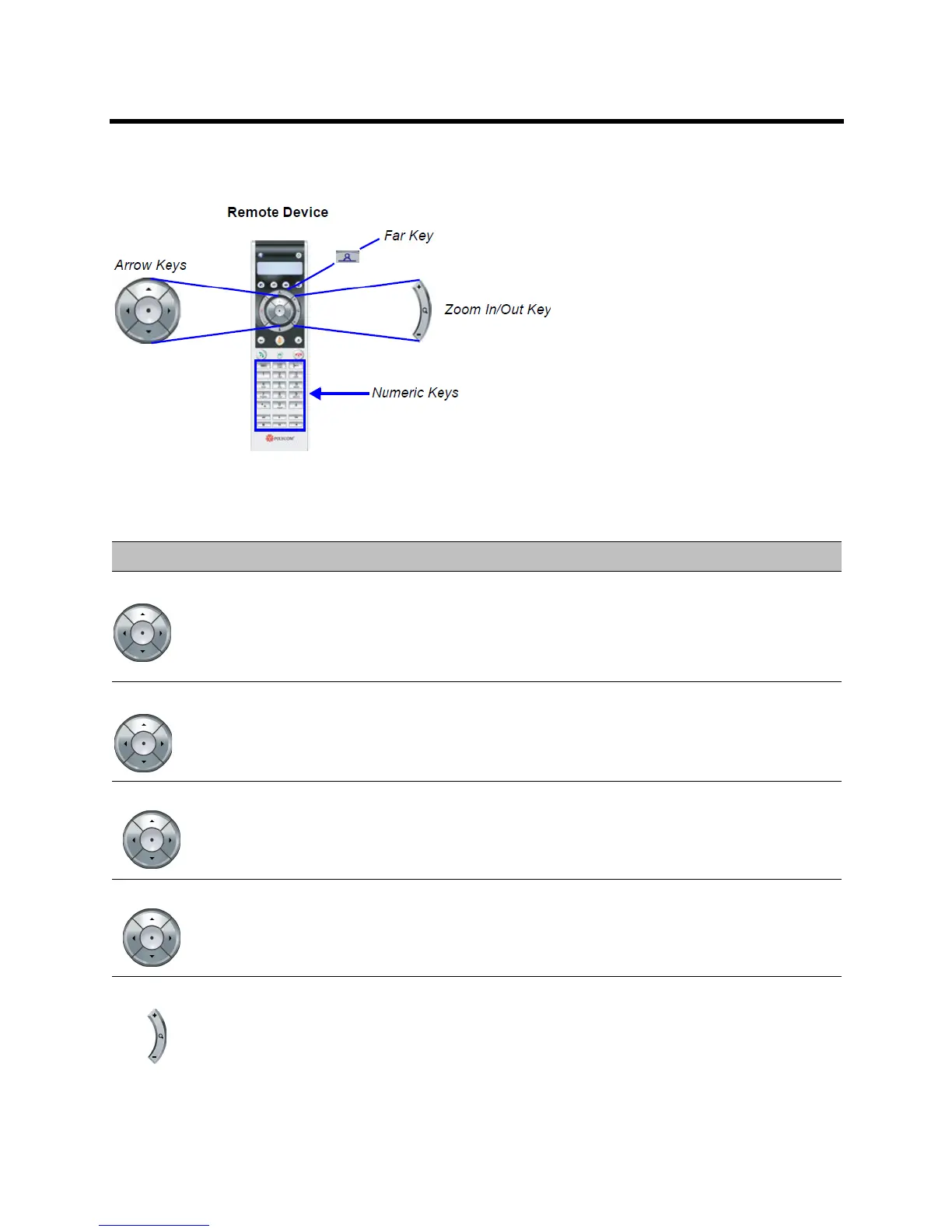
Menu Navigation - Arrow and Zoom Keys
The PCM Menu is navigated using the Remote Device’s Arrow Zoom Keys which are defined as follows:
They are defined as follows:
PCM - Menu Navigation
Arrow Key Description
Left • Go up one menu level.
• Delete the character to the left of the cursor when entering data.
• Exit the PCM menu and return to normal conference video (from PCM the top level menu.)
• Select the video window to the left when navigating a video layout.
• Initiate PCM from a conference.
Right • Go down one menu level.
• Confirm current selection in the PCM menu.
• Select the video window to the right when navigating a video layout.
• Initiate PCM from a conference.
Up • Cycle upward through the displayed menu options.
• Select the video window above when navigating a video layout.
• Initiate PCM from a conference.
Down • Cycle downward through the displayed menu options.
• Select the video window below when navigating a video layout.
• Initiate PCM from a conference.
Zoom in (+) • Confirm current selection in the PCM menu.
• Zoom in on the remote camera when using FECC.














 To Next Page