RealPresence Collaboration Server (RMX) 1500/1800/2000/4000 Getting Started Guide
Polycom®, Inc. 152
Paste Conference
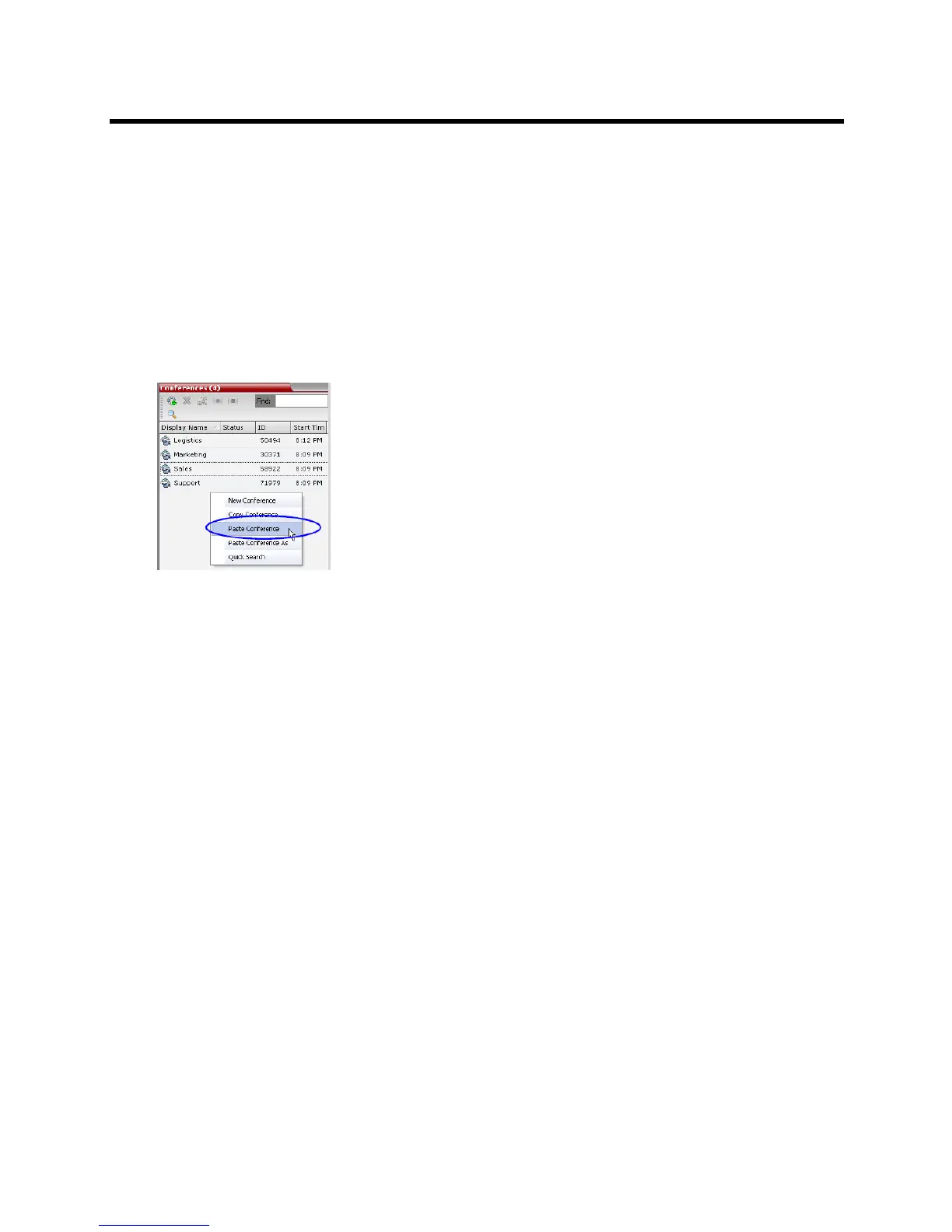
The Paste Conference command starts the new conference on the same MCU or on a different MCU.
To paste a conference:
» Right-click in the Conferences List pane and in the drop-down menu select Paste Conference.
or
If you are using the RMX Manager and you want to paste the conference to a different MCU:
a In the MCUs list pane, click the MCU that is to receive the conference.
b In the Conferences list pane, right-click, and in the drop-down menu select Paste Conference.
The conference is pasted to the MCU with a Display Name is assigned by the system.
Paste Conference As
The Paste Conference As command allows the system user to create a new conference using the copied
conference’s properties as a template. It automatically opens the Conference Properties dialog box allowing
the user to modify the General, Participants and Information tabs to create the new conference. When the
OK button in the Conference Properties dialog box conference Properties dialog box is clicked the new
conference is started.
To paste a conference as a new conference:
1 Right-click in the Conferences List pane and in the drop-down menu select Paste Conference As.
or
If you are using the RMX Manager and you want to paste the conference to a different MCU:
a In the MCUs list pane, click the MCU that is to receive the conference.














 To Next Page