RealPresence Collaboration Server (RMX) 1500/1800/2000/4000 Getting Started Guide
Polycom®, Inc. 160
2 Clear the Enable check box.
3 Click OK.
Auto Scan (AVC-based CP Only Conferences)
Auto Scan enables a user to define a single cell in the conference layout to cycle the display of participants
that are not in the conference layout.
Customized Polling allows the cyclic display to be set to a predefined order for a predefined time period.
The cyclic display only occurs when the number of participants is larger than the number of cells in the
layout.
For details, see Polycom® RealPresence Collaboration Server (RMX) 1500/1800/2000/4000
Administrator’s Guide, Auto Scan and Customized Polling in Video Layout (CP Conferences Only).
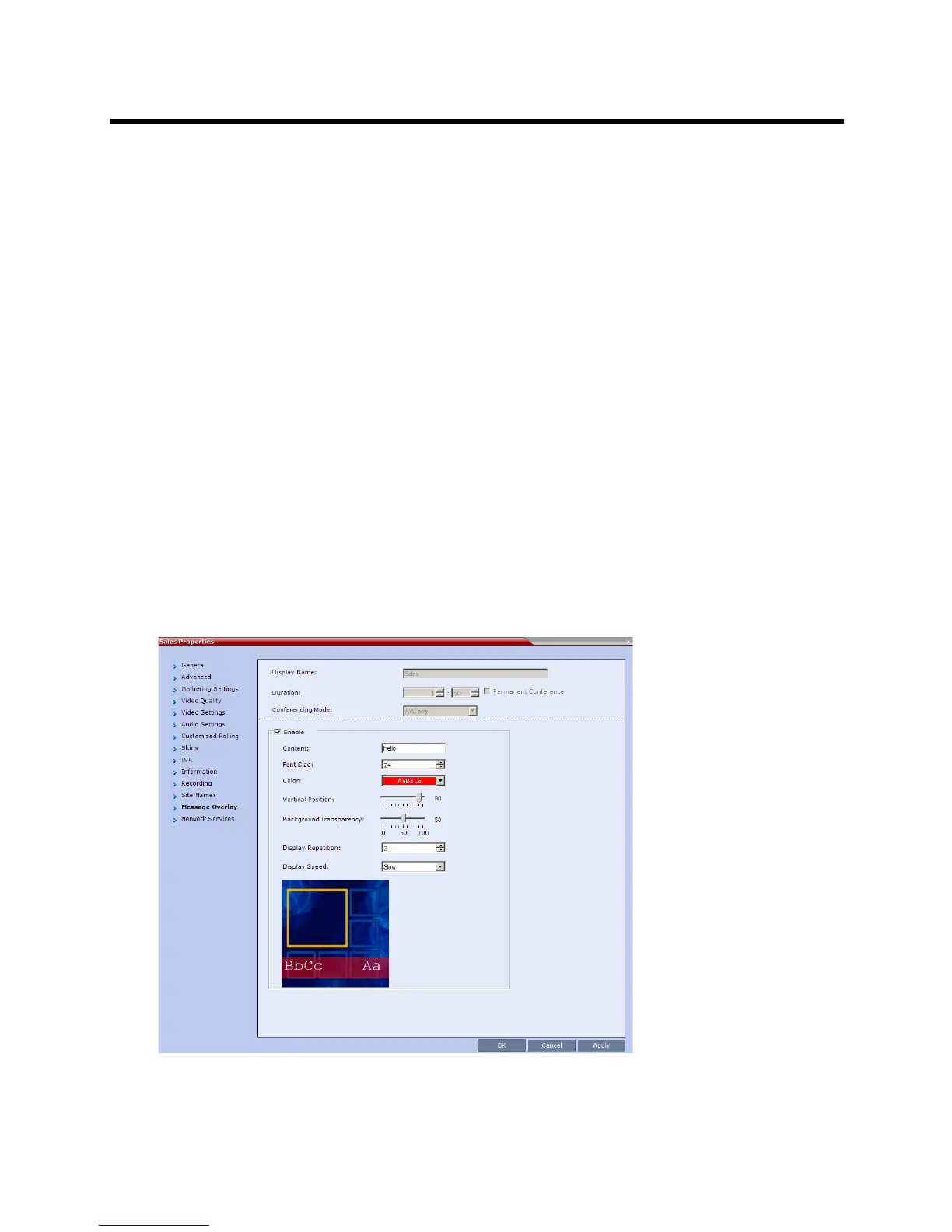
Sending Text Messages to All Participants Using Message Overlay
(AVC-based Conferences)
Text messages can be sent to all participant in the conference using the Message Overlay.
options in the Conference Properties – Message Overlay dialog box.
To send text messages to all participants in a conference using Message Overlay:
1 In the Conferences List pane, double-click the conference entry or right-click the conference entry
and then click Conference Properties. The Conference Properties – General dialog box is
displayed.
2 Click the Message Overlay tab.
3 Click the Enable check box.














 To Next Page