RealPresence Collaboration Server (RMX) 1500/1800/2000/4000 Getting Started Guide
Polycom®, Inc. 163
Copy Cut and Paste Participant
The Collaboration Server user can Copy, Cut and Paste participants between differ rent conferences
running on the MCU, including his/her current conference. These functions, when used via the RMX
Manager, with its ability to manage multiple MCUs, participants, allows the MCU user to Copy, Cut and
Paste participants between conferences running on different MCUs.
Copy Participant
The Copy command copies all the participant’s properties and makes them available for pasting. The
participant remains connected to his/her current conference.
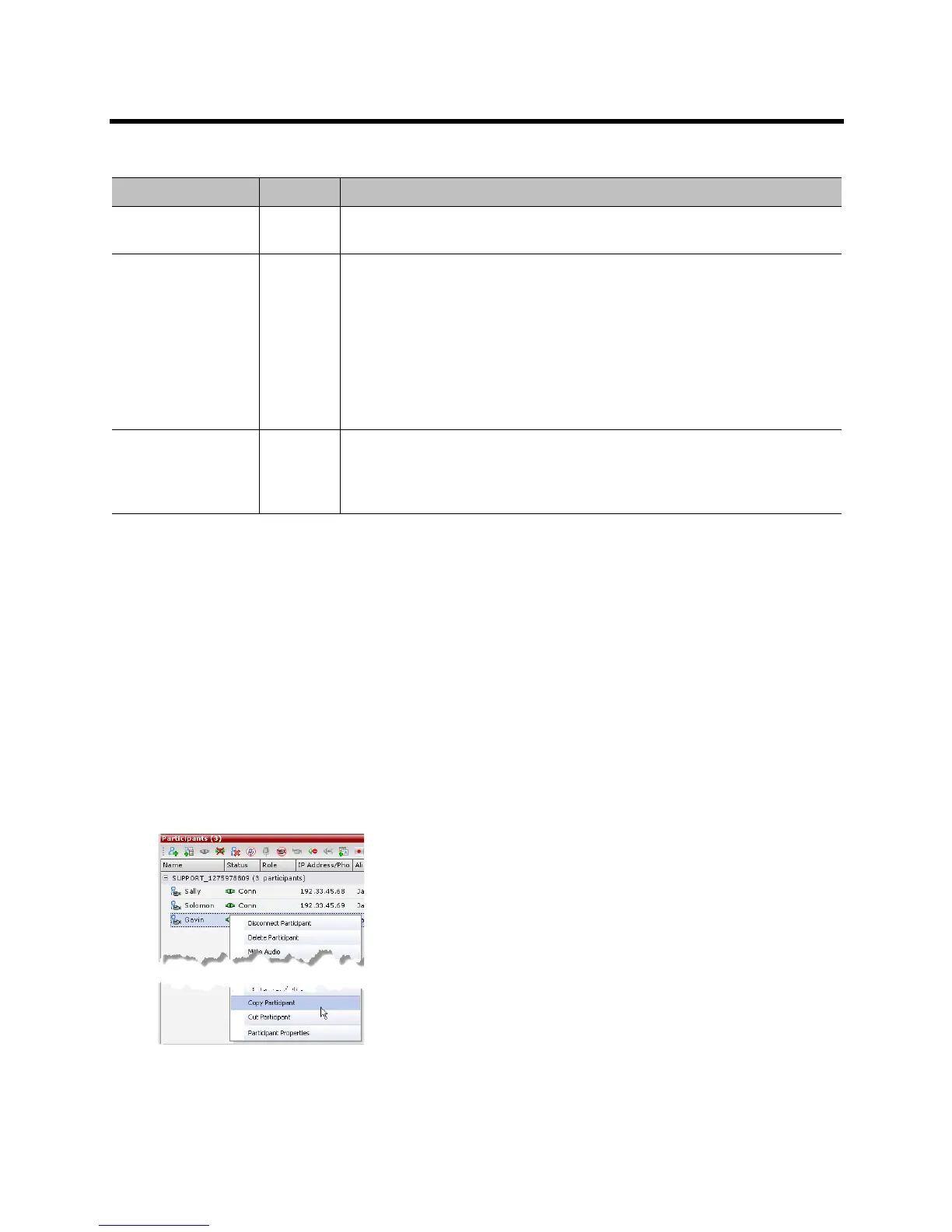
To copy a participant:
1 In the Participants List pane, right-click the participant you want to copy.
2 In the drop-down menu select Copy Participant.
Connect to Website
(AVC Only)
Connect directly to the internal website of the participant’s endpoint to perform
administrative, configuration and troubleshooting activities.
AGC
(Auto Gain Control)
(AVC Only)
Enable AGC for the participant with weak audio signal during ongoing
conferences.
Notes:
• To implement AGC for the participant audio, the ENABLE_AGC System
Flag in system.cfg must be set to YES. The flag’s default value is NO. For
more information see the Polycom® RealPresence Collaboration Server
(RMX) 1500/1800/2000/4000 Administrator’s Guide, Managing the Address
Book.
• Enabling AGC may result in amplification of background noise.
Participant
Properties
View all Participant Properties.
For more information, see the Polycom® RealPresence Collaboration Server
(RMX) 1500/1800/2000/4000 Administrator’s Guide, Participant Level
Monitoring
Participant Level Operations (Continued)
Menu Option Button Description














 To Next Page