RealPresence Collaboration Server (RMX) 1500/1800/2000/4000 Getting Started Guide
Polycom®, Inc. 141
Audio Only Message (AVC CP Only)
H.323 and SIP video participants that are connected as Secondary (Audio Only) because of a lack of video
resources receive an audio message: “All video resources are currently in use. Connecting using audio
only” indicating why their video has not connected. For more information see the Polycom® RealPresence
Collaboration Server (RMX) 1500/1800/2000/4000 Administrator’s Guide.
Secured Conference Monitoring (AVC CP Only)
When Secured Conference Mode is enabled on the Collaboration Server, it locks the conference and
prevents participants and Collaboration Server Users from joining the conference. A Secured conference
cannot be monitored or controlled in any way. While a conference is in the Secure Mode, the Collaboration
Server User with Administrator authorization cannot view the participants list or any other conference
properties, but can manually terminate it.
The conference chairperson can enable or disable the Secure mode from the DTMF input device
(touch-tone telephone or the endpoint’s remote control), using the appropriate DTMF code (the default code
is *71). During the secure conference, the chairperson and participants can perform various operations,
such as muting, via their DTMF input device using the appropriate DTMF codes. However, because Secure
conferences cannot be monitored, these operations or status changes are not displayed in the Conferences
or Participants panes.
A special icon
is used to indicate that the conference is in Secure mode.
Monitoring Ongoing Gateway Sessions (AVC Only)
Not applicable to the RMX 1800.
Ongoing Gateway Sessions that are created when calling the Gateway Profile, are listed in the ongoing
Conferences list pane and are monitored in the same way as the conferences.
For more details, see the Polycom® RealPresence Collaboration Server (RMX) 1500/1800/2000/4000
Administrator’s Guide, Monitoring Ongoing Conferences.
Participant Level Monitoring
Participant Connection Monitoring (AVC and SVC-based Connections)
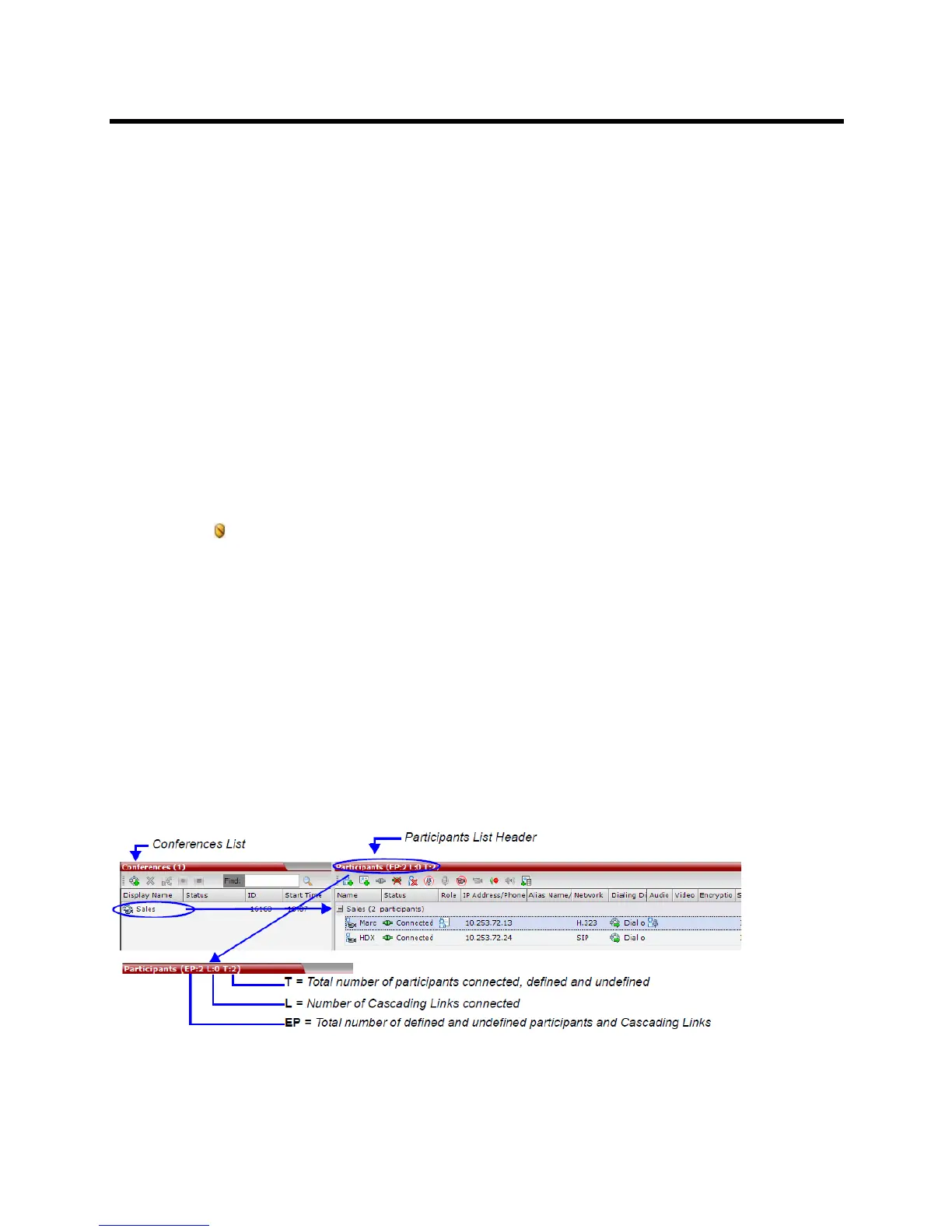
When a conference is selected in the Conference list, the Participants list header displays a summary of
participant connection status.














 To Next Page