RealPresence Collaboration Server (RMX) 1500/1800/2000/4000 Getting Started Guide
Polycom®, Inc. 21
Internet Explorer 8 Configuration
When using Internet Explorer 8 to run the Collaboration Server Web Client or RMX Manager applications,
it is important to configure the browser according to the following procedure.
To configure Internet Explorer 8:
1 Close all browsers running on the workstation.
2 Use the Windows Task Manager to verify that no iexplore.exe processes are running on the
workstation. If any processes are found, use the End Task button to end them.
3 Open Internet Explorer but do not connect to the MCU.
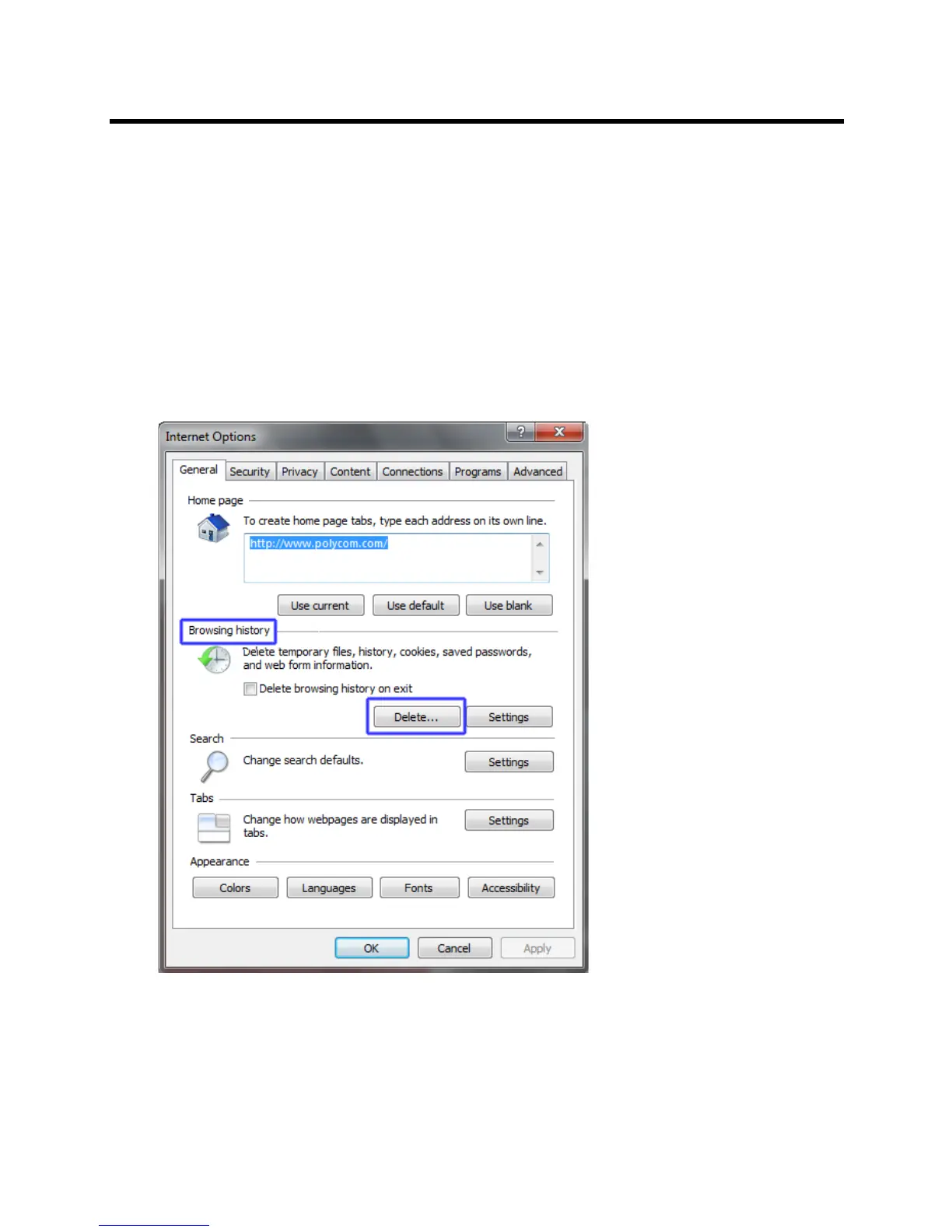
4 In the Internet Explorer menu bar select Tools >> Internet Options.
The Internet Options dialog box is displayed with General tab open.
5 In the Browsing history section, click the Delete button.
The Delete Browsing History dialog box is displayed.














 To Next Page