RealPresence Collaboration Server (RMX) 1500/1800/2000/4000 Getting Started Guide
Polycom®, Inc. 150
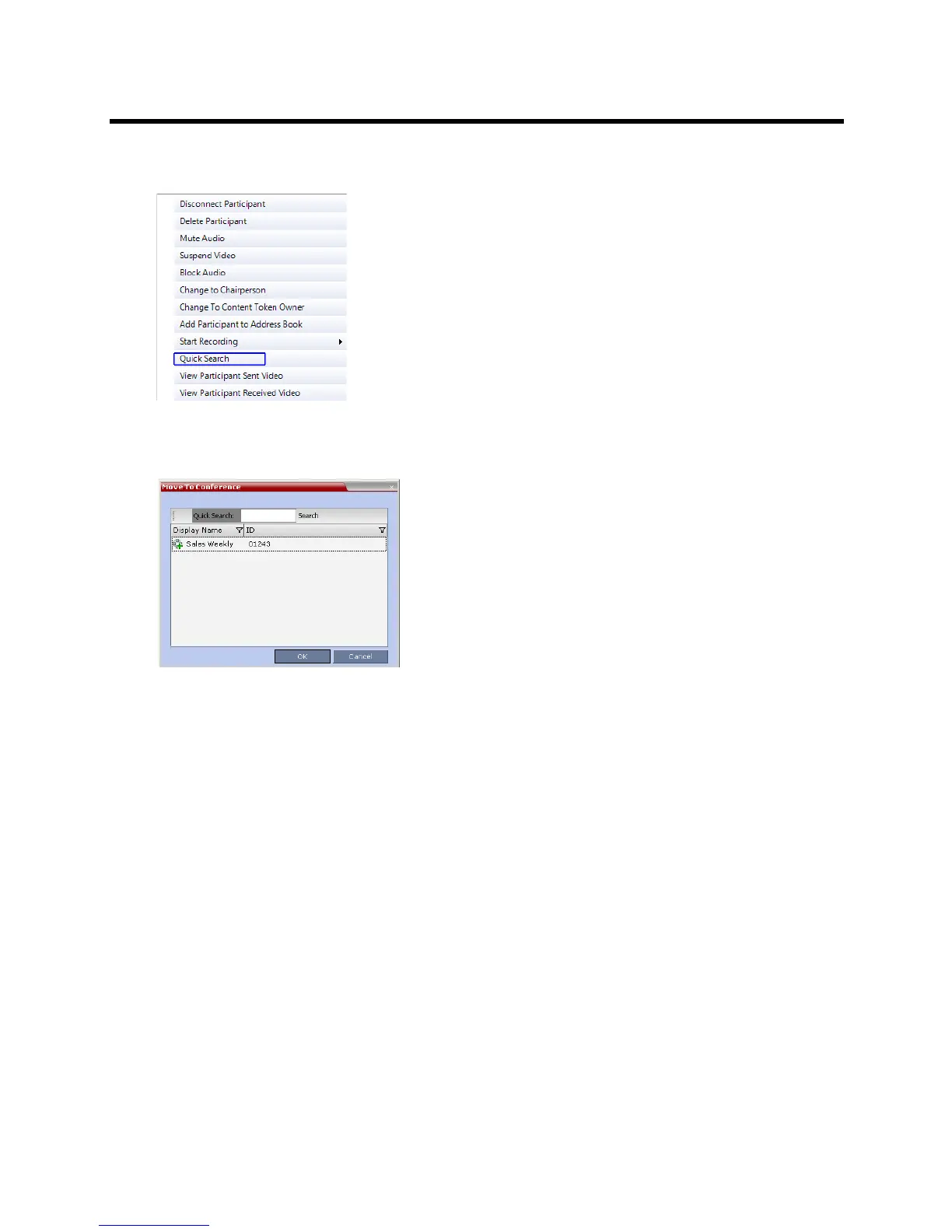
2 In the Participants list, right-click the icon of the participant to move, and select Move to Conference
to move the participant to any ongoing conference.
The Move to Conference dialog box opens.
3 Select the name of the destination conference from the ongoing conferences list.
Moving a Participant Interactively
You can drag and drop a participant from the Entry Queue or ongoing conference to the Operator or
destination (Home) conference:
1 Display the participants list of the Entry Queue or the source conference by clicking its entry in the
Conferences list.
2 In the Participants list, drag the icon of the participant to the Conferences List pane and drop it on
the Operator Conference icon or another ongoing conference.
Saving an Ongoing Conference as a Template
Any conference that is ongoing can be saved as a template.
To save an ongoing conference as a template:
1 In the Conferences List, select the conference you want to save as a Template.














 To Next Page