RealPresence Collaboration Server (RMX) 1500/1800/2000/4000 Getting Started Guide
Polycom®, Inc. 174
For ISDN/PSTN endpoints: PCM is activated by pressing ## on the Remote Control Device.
If, after activation, no keys are pressed on the Remote Control Device within a period of 10 seconds, PCM
is automatically deactivated.
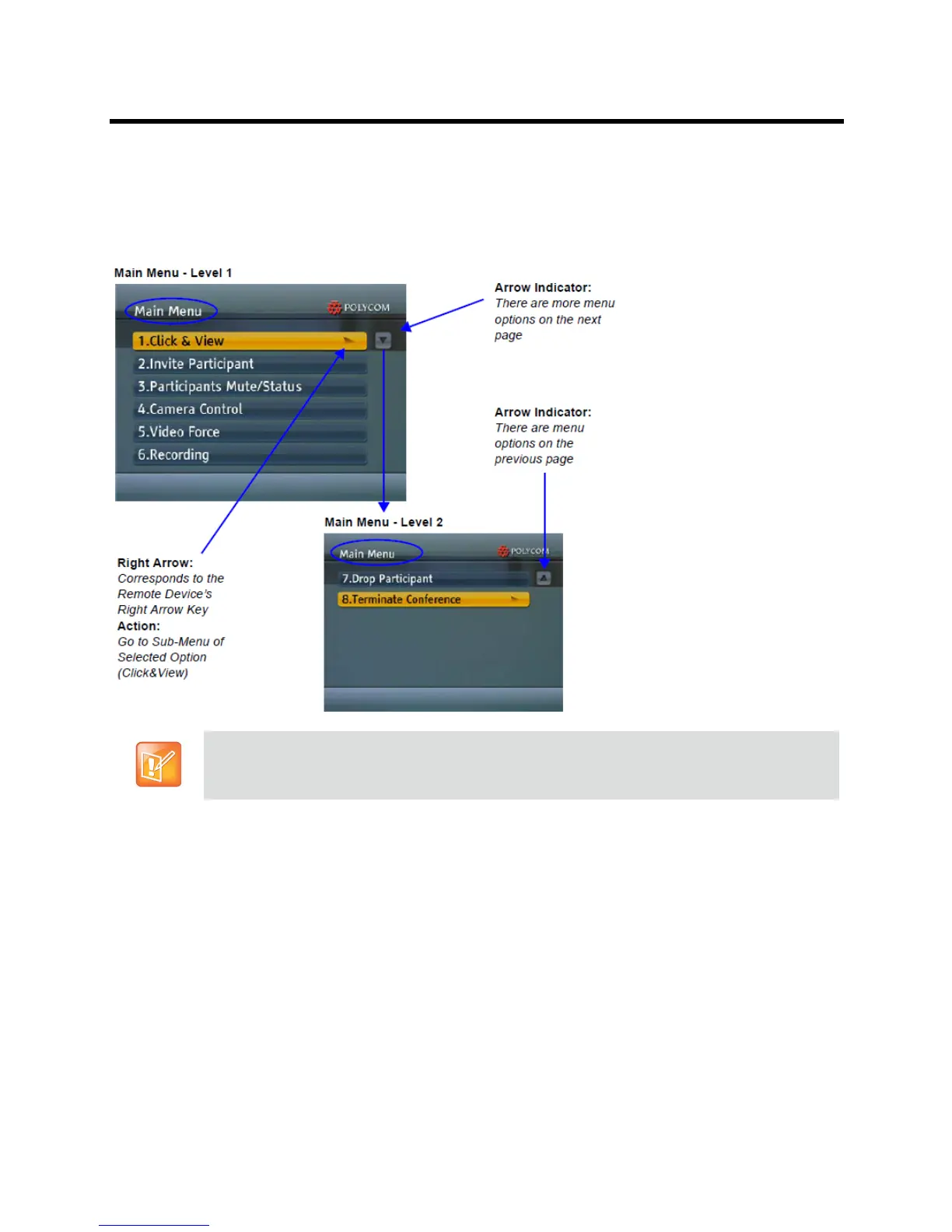
When PCM becomes active, the top level of the PCM Main Menu is displayed on the conference
chairperson’s endpoint:
Remote Control Device Keys
PCM facilitates user interaction with the RMX using DTMF Codes and the Arrow (FECC) keys of the
endpoint’s remote control device.
PCM Main Menu - Level 2 can only viewed and accessed by ISDN endpoints connected to
Collaboration Server 1500/2000/4000 by using DTMF Codes 7 and 8.














 To Next Page