RealPresence Collaboration Server (RMX) 1500/1800/2000/4000 Getting Started Guide
Polycom®, Inc. 127
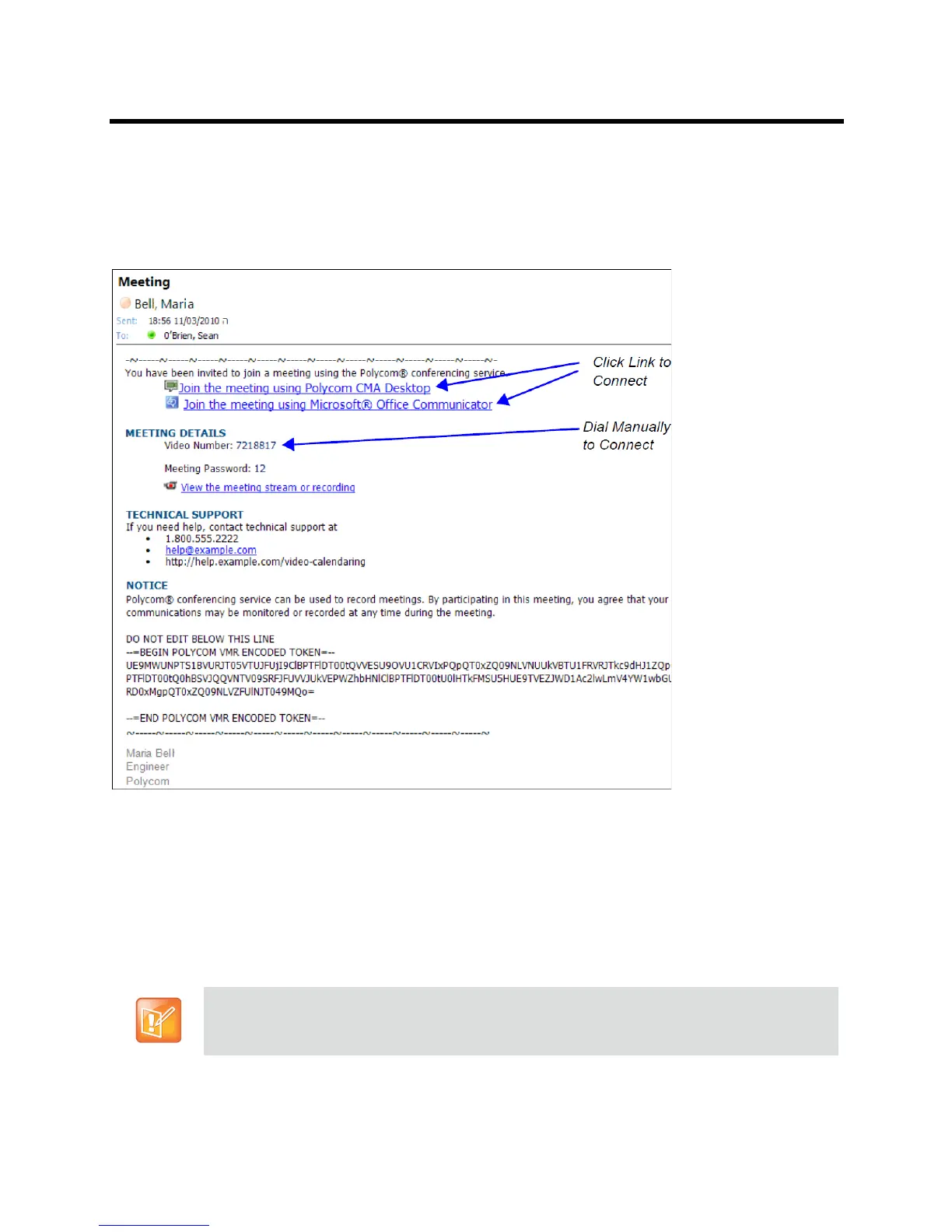
Connecting to a Polycom Conference from an Outlook Meeting Invitation (AVC
Only Conferencing)
Attendees that have received a Meeting Invitation via Outlook using the Polycom Conferencing Add-in for
Microsoft Outlook, connect by clicking on the link included in the invitation or by manually dialing the
numbers displayed using the endpoint's numeric input device.
For more information see the Polycom® RealPresence Collaboration Server (RMX) 1500/1800/2000/4000
Administrator’s Guide, Polycom Conferencing for Microsoft Outlook®.
Dial-out Participants (AVC CP Only Conferencing)
Dial-out participants are participants that the MCU dials to their endpoint to connect them to the conference.
These participants must be defined in the conference when the conference is started (they are usually
added to the conference from the Address Book.)
Dial-out is not supported for SVC participants.
From version 8.1, H.323 Alias or SIP address can be used instead of the IP address for a participant
when a scheduled conference or conference from a template is started.














 To Next Page