RealPresence Collaboration Server (RMX) 1500/1800/2000/4000 Getting Started Guide
Polycom®, Inc. 90
Collaboration Server Web Client Screen Components
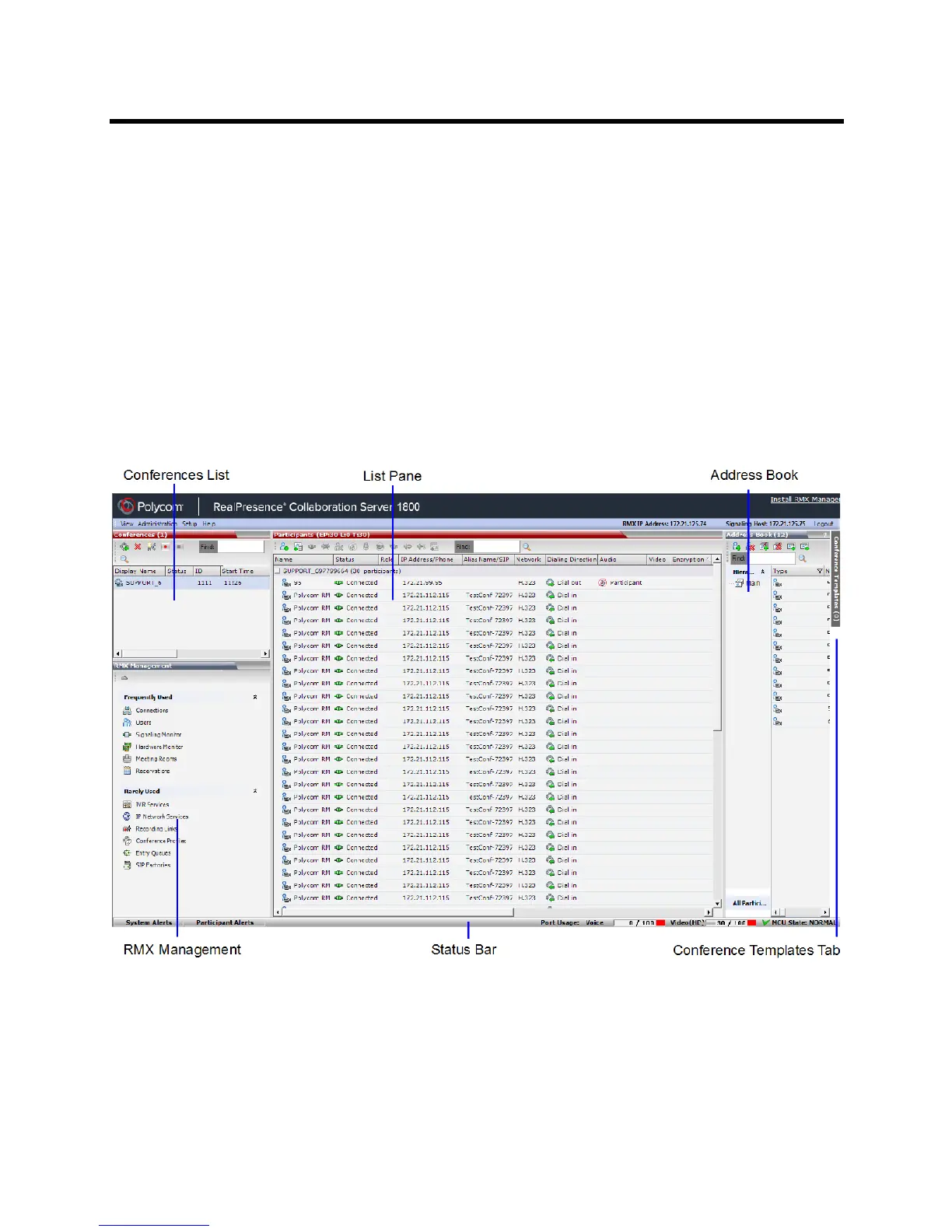
The Collaboration Server Web Client’s main screen consists of the following panes:
● Conference List
● Status Bar
● List Pane
● Address Book
● Collaboration Server Management
● Conference Templates Tab
You can login as a user with Chairperson, Operator or Administrator authorization. Your Authorization Level
determines your viewing and system functions.
The Administrator’s view is shown below.
The main screen can be customized. For more information, see Customizing the Main Screen.
Viewing and System Functionality Permissions
Your User’s Authorization Level determines the viewing and system functionality of the Collaboration Server
Web Client as summarized in the following table.














 To Next Page