RealPresence Collaboration Server (RMX) 1500/1800/2000/4000 Getting Started Guide
Polycom®, Inc. 195
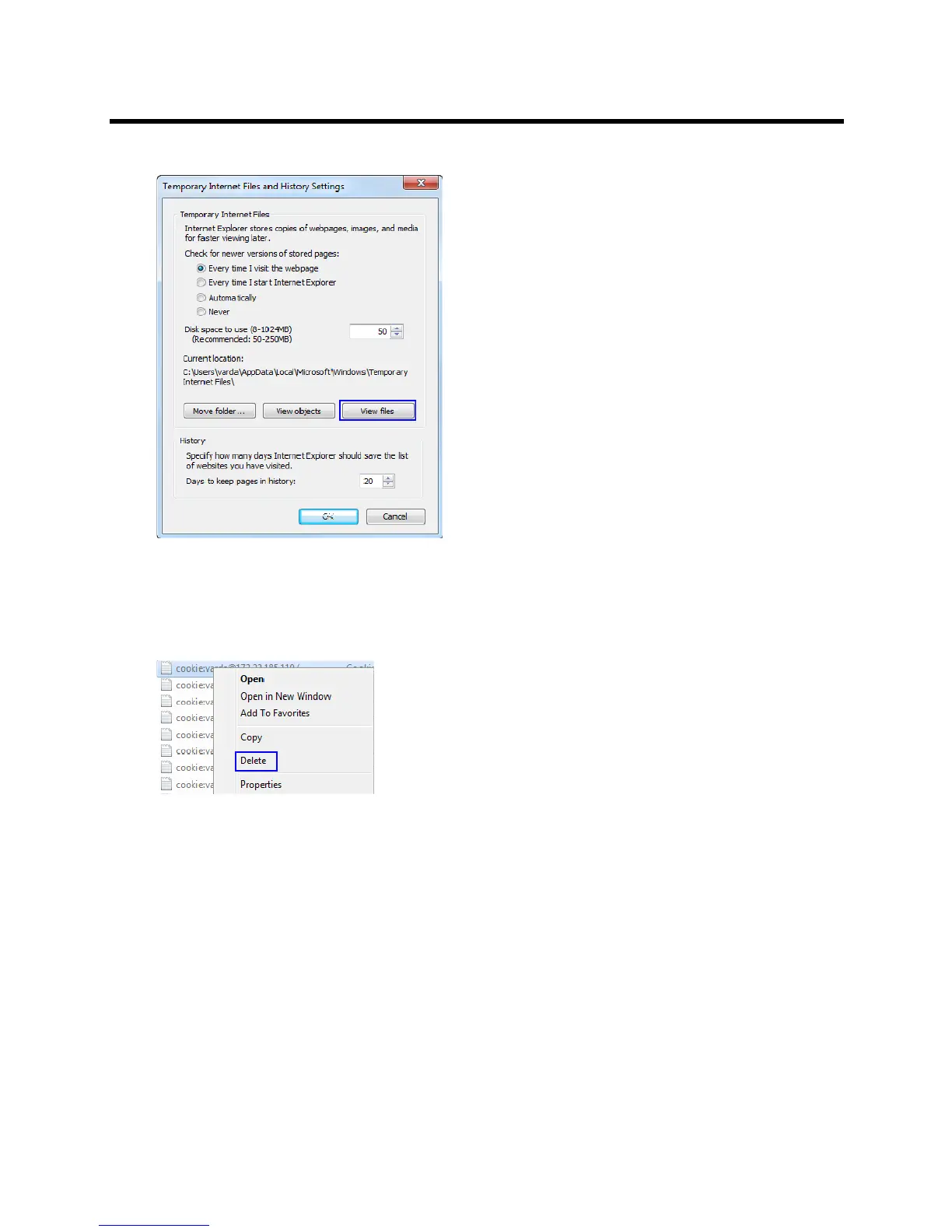
2 Click the View files button.
The Windows Explorer screen opens, listing Windows Temporary Internet Files.
3 Browse to the RMX/ Collaboration Server cookie.
The cookie is listed in the format: cookie:user name@Collaboration Server/RMX IP address. For
example: cookie:valerie@172.22.189.110.
4 Right-click the Collaboration Server cookie and click Delete.
The system prompts for confirmation.
5 Click Yes.
The cookie is deleted.
6 Close the Windows Explorer screen.














 To Next Page