RealPresence Collaboration Server (RMX) 1500/1800/2000/4000 Getting Started Guide
Polycom®, Inc. 45
● Required*.
When an RTM LAN - 4 port card is installed on the RealPresence Collaboration Server
(RMX) 2000, connect the LAN cable to LAN 2.
With Multiple Networks and LAN Redundancy configurations, LAN 1 port is used. For more
information,
see RealPresence Collaboration Server (RMX) 1500/1800/2000/4000 Administrators
Guide Administrator’s Guide, LAN Redundancy
and Multiple Network Services .
Connect the LAN cable to LAN 1.
When an RTM LAN - 2 port card is installed on the RealPresence Collaboration Server
(RMX) 2000, connect the LAN cable to LAN 2.
With Multiple Networks and LAN Redundancy configurations, LAN 1 port is used. For more
information,
see RealPresence Collaboration Server (RMX) 1500/1800/2000/4000 Administrators
Guide Administrator’s Guide, LAN Redundancy and Multiple Network Services .
Connect the LAN cable to LAN 1.
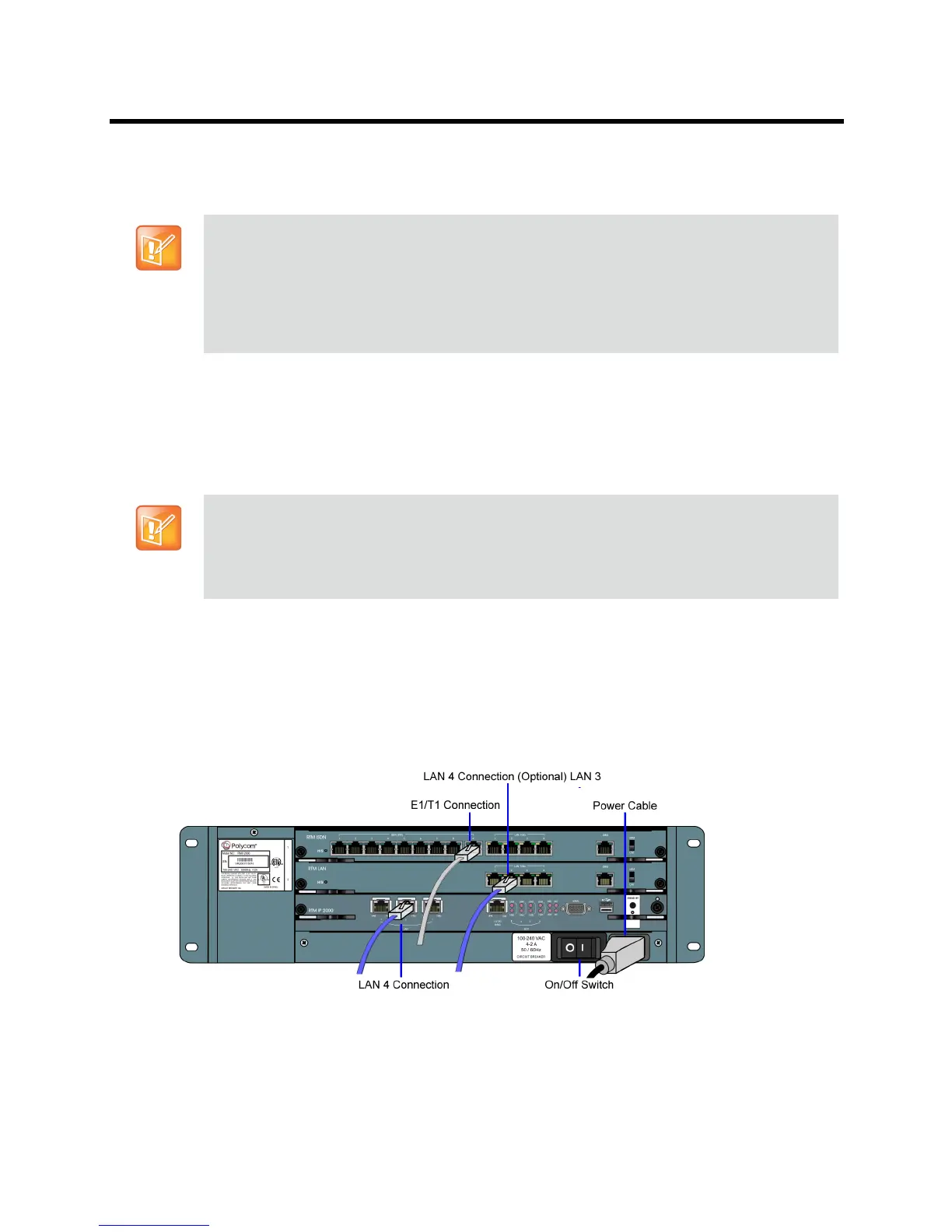
● Optional. If an RTM ISDN card is installed on the RealPresence Collaboration Server (RMX) 2000,
connect the E1/T1 Cables to PRI Ports.
• An MPMRx card on the front of the RMX must always be seated or connected opposite to either
an RTM LAN - 4 ports or RTM ISDN card on the rear of the chassis.
• * For MPMx card(s), any type of RTM LAN type card(s) is optional. However, when using an
MPMx card with the RTM LAN - 4 ports, connect the LAN cable to LAN 4. With Multiple Networks
and LAN Redundancy configurations, LAN 3 port is used.
• An RTM LAN type card is always required with Multiple Networks and LAN Redundancy
configurations.
• On the RMX 2000 this type RTM LAN card(s) is not to be used with the MPMRx.
• An MPMx card on the front of the RMX must always be seated or connected opposite to either an
RTM LAN - 2 ports or RTM ISDN card on the rear of the chassis.
• An RTM LAN type card is always required with Multiple Networks and LAN Redundancy
configurations.














 To Next Page