RealPresence Collaboration Server (RMX) 1500/1800/2000/4000 Getting Started Guide
Polycom®, Inc. 57
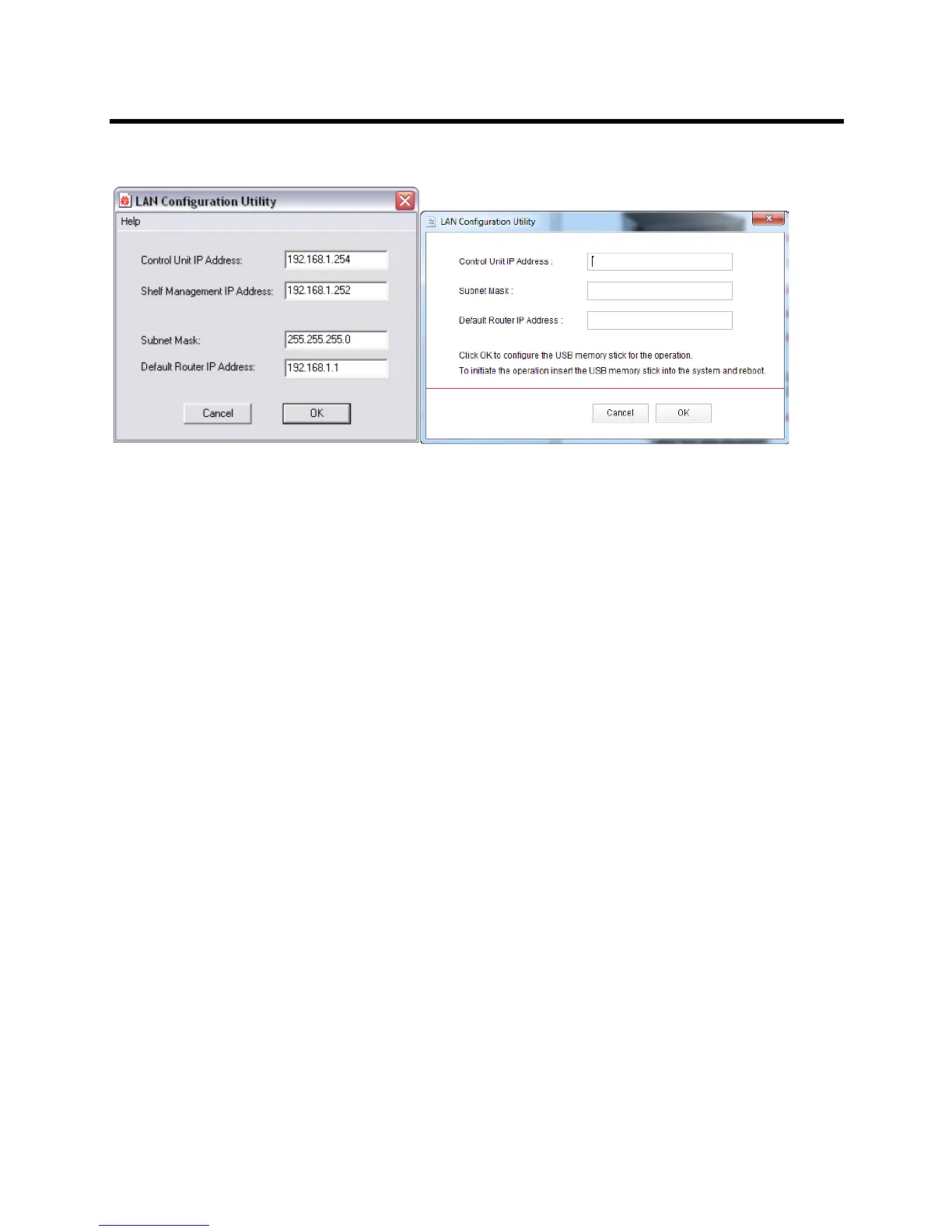
RMX 1500/2000/4000 & RMX 1800 LAN Configuration Utility panes
7 Modify the following parameters in the utility’s dialog box using the information supplied by your
network administrator.
Control Unit IP Address (the Management IP address for the MCU)
Shelf Management IP Address
Subnet Mask
Default Router IP Address
8 Click OK.
9 Remove the USB memory stick from the PC workstation.
The USB memory stick is required for First Entry Power-up and Configuration of the MCU.














 To Next Page