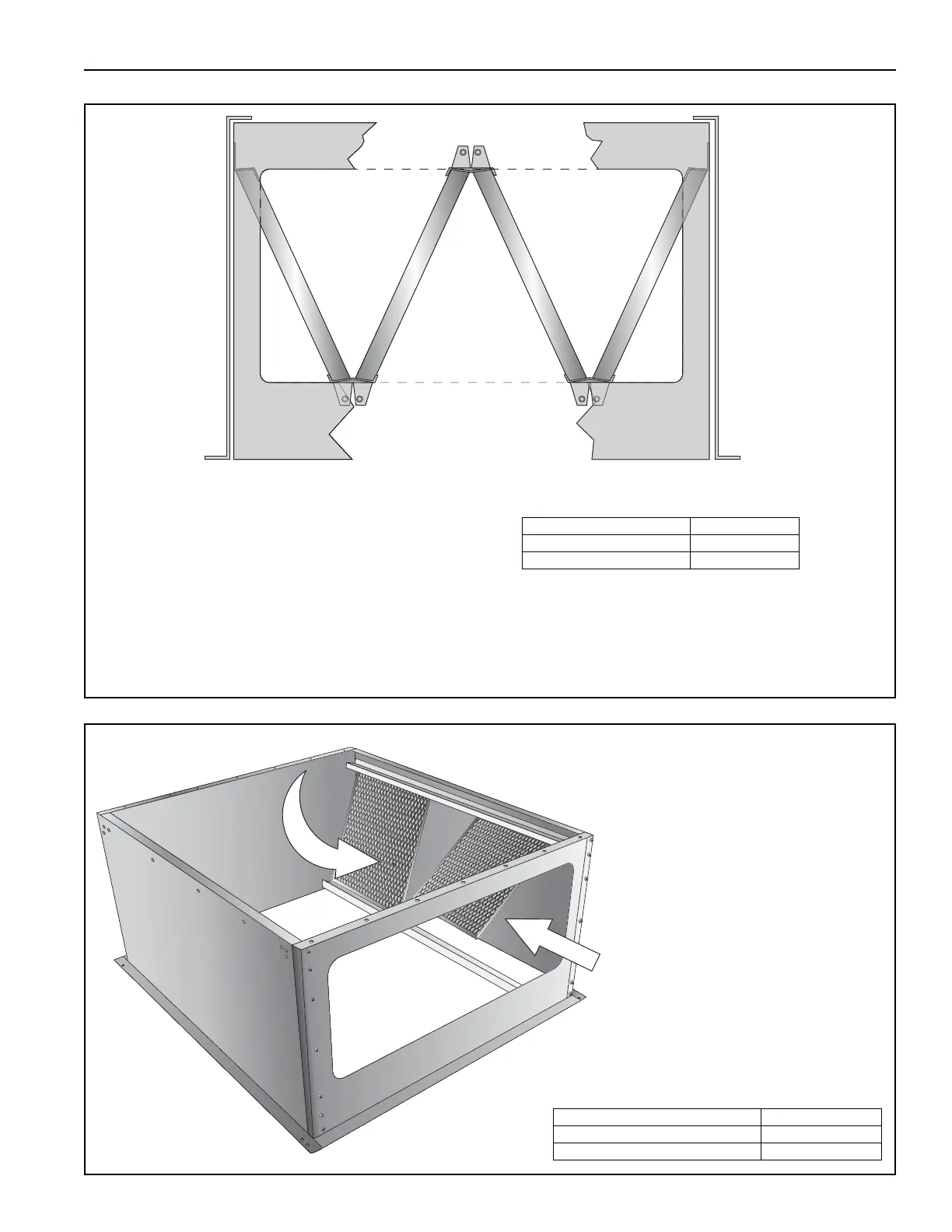
Attach the remaining filter rails with four TEK
self-tapping screws, two on each side. Ensure
that the rails face into the filter section.
NOTE: For easier installation, the filter section
may be mounted to the air handler at this point,
prior to the addition of filters and access door.
Refer to Page 43, Section 11.5 for installation
instructions.
Description Part Number
Filter Rail 13X05030
TEK Screw 13404
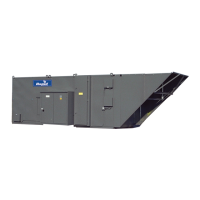
Load filters into the filter section.
Check that each filter in in the proper
orientation.
For permanent aluminum mesh
filters: Verify the arrow on the side of
the filter points in the direction of the
airflow.
For disposable polyester filters:
Verify the white side is facing the inlet
and the blue side is facing the
discharge end.
The end rows of filters need to be
installed first.
NOTE: When the filter section is
installed on the air handler, the top of
one row of filters will support the
bottom of the above row.
Description Part Number
Permanent Aluminum Mesh Filters 20629 and/or 20628
Disposable Polyester Filters 23628/23631



 To Next Page