Because RFL™ and Hubbell® have a policy of continuous product improvement, we reserve the right to change designs and specifications without notice.
6.5.3.7 The Display/Change Node Window
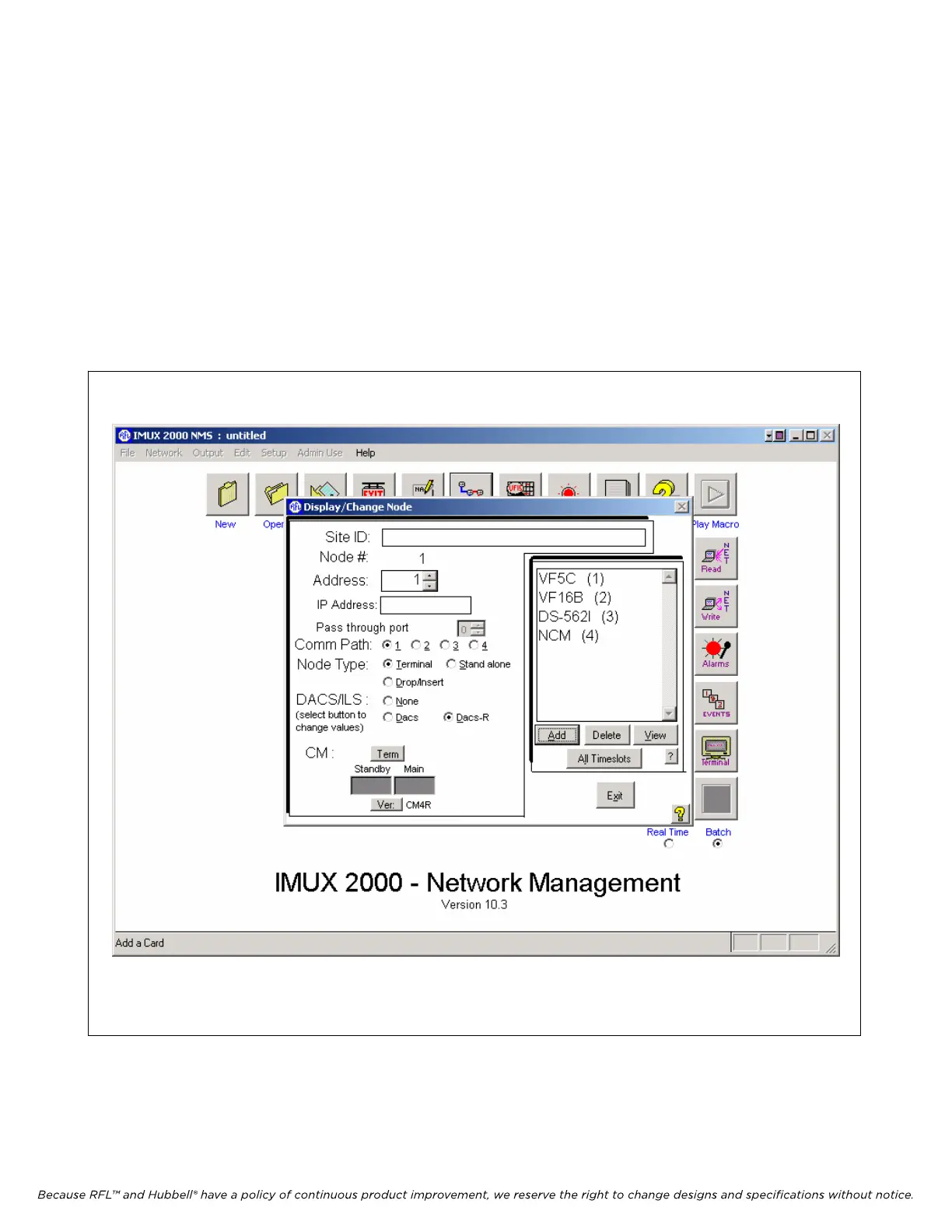
The Display/Change Node window shown in Figure 6-16 is entered from the Network View window
as described in the previous paragraph. As its name implies, the Display/Change Node window has
two main functions. First, it displays the node number, node address, IP address, communication path
used, node type, presence of a DACS or DACS-R, common module types, and a list of all cards and
modules at the node. In addition to this the user can enter a Site ID name at the top of the window. Its
second function is to allow the user to change card settings by going into a sub-window for each card
or module.
To view the settings of the DACS-R, click on the DACS-R button. This will bring you to the
Redundant DACS Configuraton and Status window as shown in Figure 6-17.
Figure 6-16. Display/Change Node window for node 1
IMUX 2000E1 RFL Electronics Inc.
February 28, 2006 6-24 (973) 334-3100



 To Next Page