4.3.1 Pre-blending control (optional)
If the unit uses pre-blending control, it must be connected to the inlet. To connect this
correctly, please follow the supplier's instructions.
4.3.2 Filters
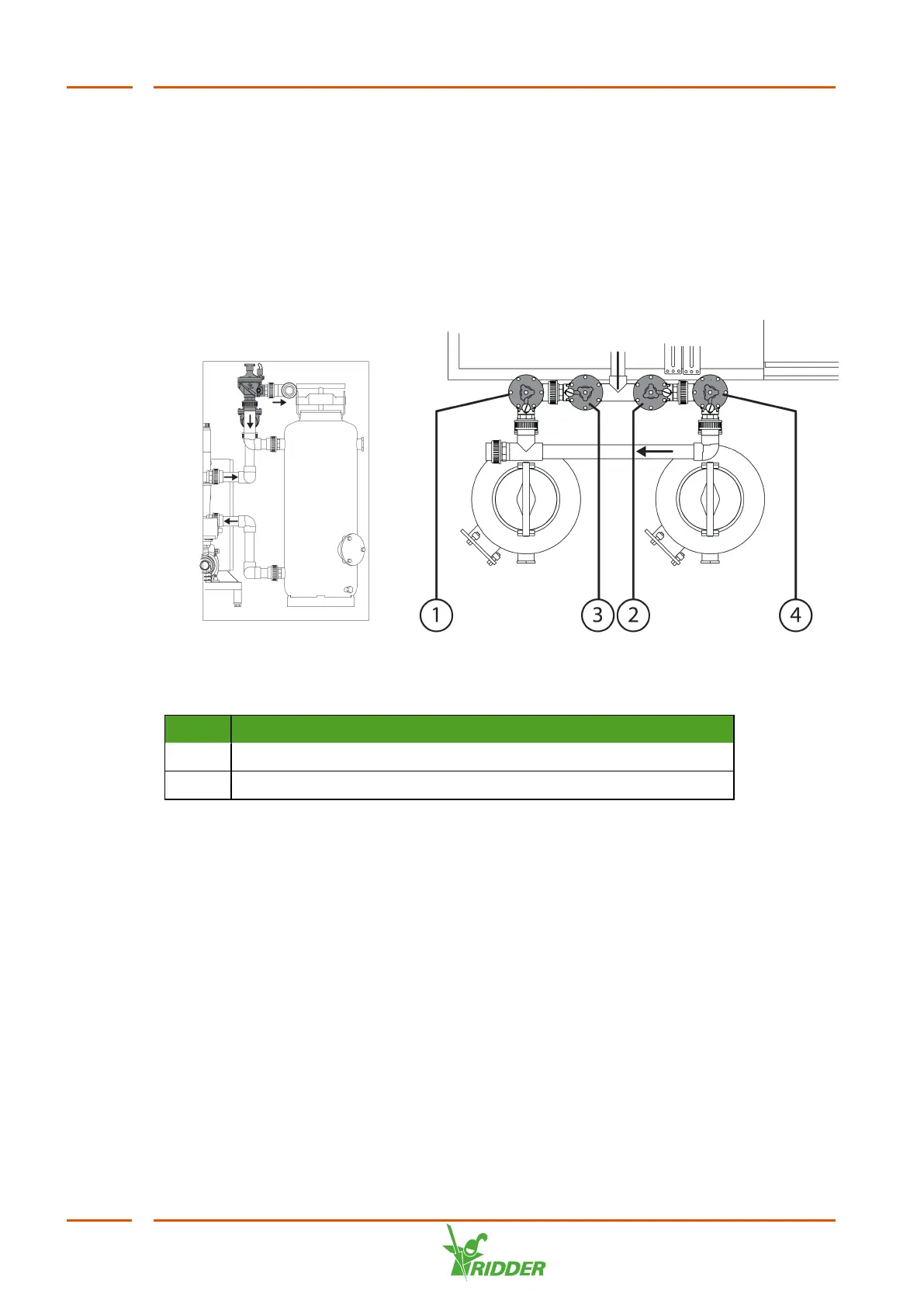
The unit is equipped with sand filters and a screen filter. The screen filter comes
ready-fitted on the unit. The sand filters are supplied separately and must be installed
on site.
Figure 4-5: Sand filters
No. Description
1, 4 Filter discharge valve (normally closed), set up based filter data
2, 3 Filter inlet valve (normally open), fully open
To make the filters ready for use, complete the following steps:
1. Place the filters near the unit.
2. Remove the dummy pipes and connect the filters to the unit using the screw
coupling.
3. Fill the filters with sand as directed.
4. Check the number of filters in the VitaLite-E and C software and adjust this
number as necessary.
5. Connect the valves to the electrical connection (screw terminal).
6. Start the filter flushing program.
7. For each filter, use the manual valve to adjust the flow to match the backflush
capacity in m
3
/hour as specified on the sticker (attached to the sand filter).
VitaLite
28



 To Next Page