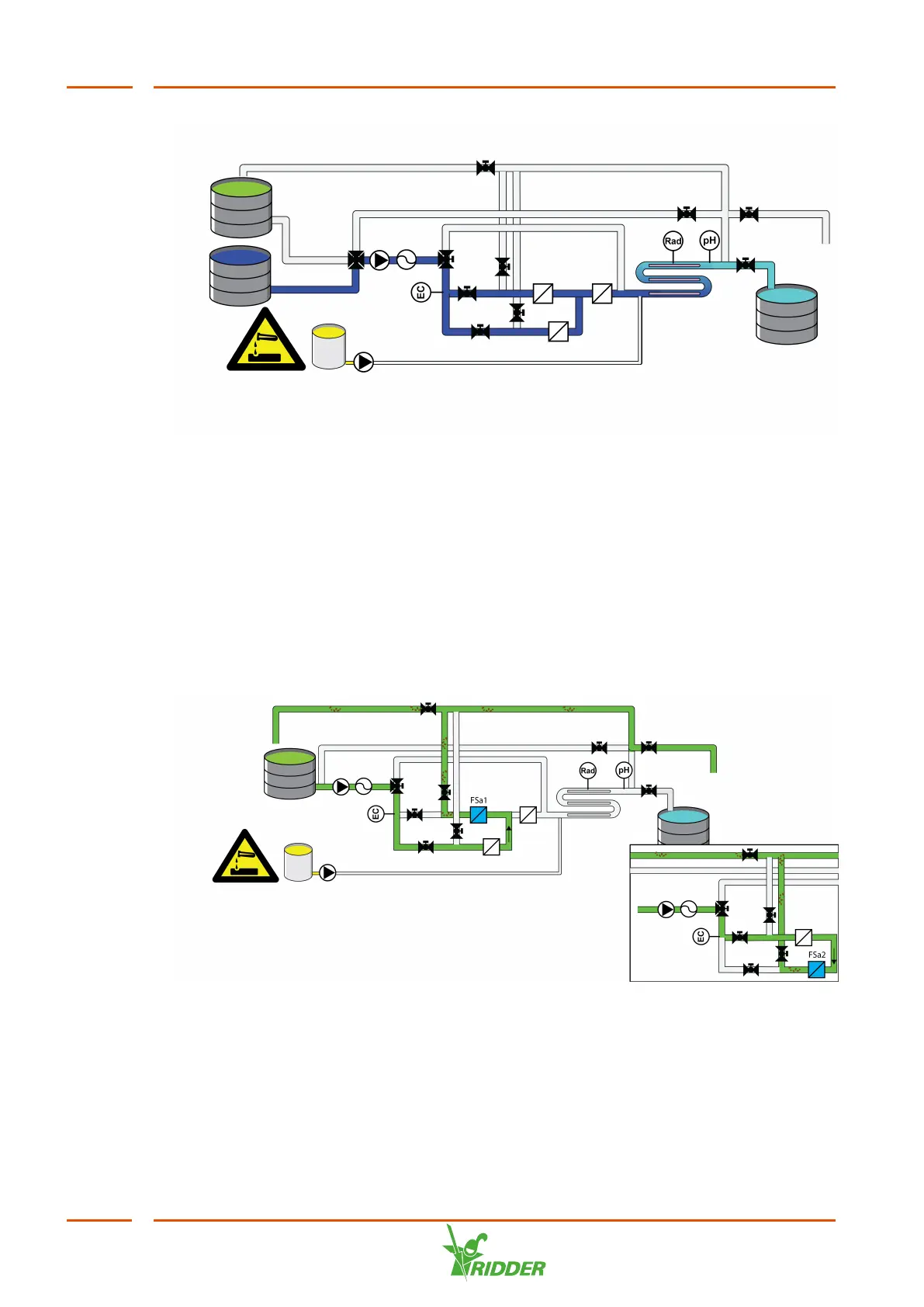
Figure 6-5: Post-flushing
See also: "Control" on page76.
6.4 Filter flushing
Dirt that has settled in the filter is removed by back-flushing the filter. The back-
flushing process can be started manually, either by activating a setting in the
software or by pressing the start button on the control panel.
See also: "Filter flushing / Control" on page86.
Figure 6-6: Filter flushing, first filter 1 then filter 2
If set, flushing will start automatically once a certain amount of water has been
filtered. Back-flushing will either last for a preset duration, or a number of litres will
be back-flushed. Filter flushing will only start between the preset start and end times.
Flushing will also start if an external contact (option) for filter flushing is activated.
VitaLite
54



 To Next Page